
Best No-Code Web Scrapers in 2026 (With Free Trials)


Choosing a no-code web scraper is deceptively difficult because most tools promise effortless point-and-click extraction. The real challenge, however, is keeping your workflow alive when websites change layouts or block your bots.
To help, we have put together this list of web scrapers (detailing their features and limitations), which are either exclusively no-code or offer something close. You can find the list below, followed by their limitations, which are equally important to know before shopping for anything.
What is a no-code web scraper?
A web scraper qualifies as a no-code web scraper if it allows you to extract and export data with a natural language prompt or point-and-click operations. The simplest tools can be free browser extensions, while the most capable offer extraction templates and visual workflows, handling anti-bot bypass, team collaboration, and more under a single subscription.
While they are theoretically different from their low-code cousins, there isn’t a set-in-stone rule separating both. By that, we mean that while no-code tools require zero programming by default, some offer an optional mode that lets you visually build workflows or edit the underlying code.
In fact, this is an advantage for anyone, since you can now plug code into AI assistant tools like Claude or ChatGPT and fix a few surface-level issues by simply chatting. However, we will note whether any of the following tools are strictly no-code or allow some coding flexibility.
Best No-code Web Scrapers: At a glance
Before diving deep, you can check this table comparing no-code scrapers on major differentiating factors, such as their platform support, pricing, and other capabilities.
| Easy Scraper | Listly | Thunderbit | Browse AI | Octoparse | |
|---|---|---|---|---|---|
| USP | Free local scraping | Simultaneously extract all active tabs | AI+Prompt-based extraction | AI-based sub-page extraction | AI+manual scraping |
| Platform | Chrome extension | Extension (Chrome, Edge, Whale) | Extension, web app, MCP server | Cloud only, no install | Desktop app (Win/Mac), cloud, and MCP server |
| Account needed | No | Yes | Yes | Yes | Yes |
| Free tier | Unlimited, no paid plans | 10 URLs/month | 6 pages/month | 50 credits/month | 10 tasks |
| Base pricing | NA | $25/month | $15/month | $48/month | $83/month |
| Scheduling | No | Business plan | Pro plan | Yes, from free tier | Paid plans |
| Anti-blocking | User-managed. Not provided by the tool | Proxies on Business and higher plans | Not available | Built in | Paid plans |
| Exports | CSV, JSON, TSV | CSV, XLSX, JSON, Google Sheets | CSV, Google Sheets, Airtable, Notion | CSV, JSON, integrations | Excel, CSV, JSON, HTML, XML, databases |
| Optional coding | None | None | None (prompts only) | None | Optional XPath and regex |
| Best for | Individual, small-scale scraping jobs | Recurring team workflows | Fast AI extraction | Built-in anti-bot and auto-retries | Complex or protected sites |
Best No-code Web Scrapers
The following no-code web scrapers are listed by features, pricing, and use-case fit, without any particular ranking order.
Put simply, Easy Scraper is best for no–cost scraping without user registration, and Listly is great for advanced workflows and team management. Likewise, Thunderbit and Browse AI are best for their powerful AI, while Octoparse offers AI+manual scraping workflows for advanced targets.
The following sections discuss each of the tools’ features and limitations in depth.
Easy Scraper: Free local scraping
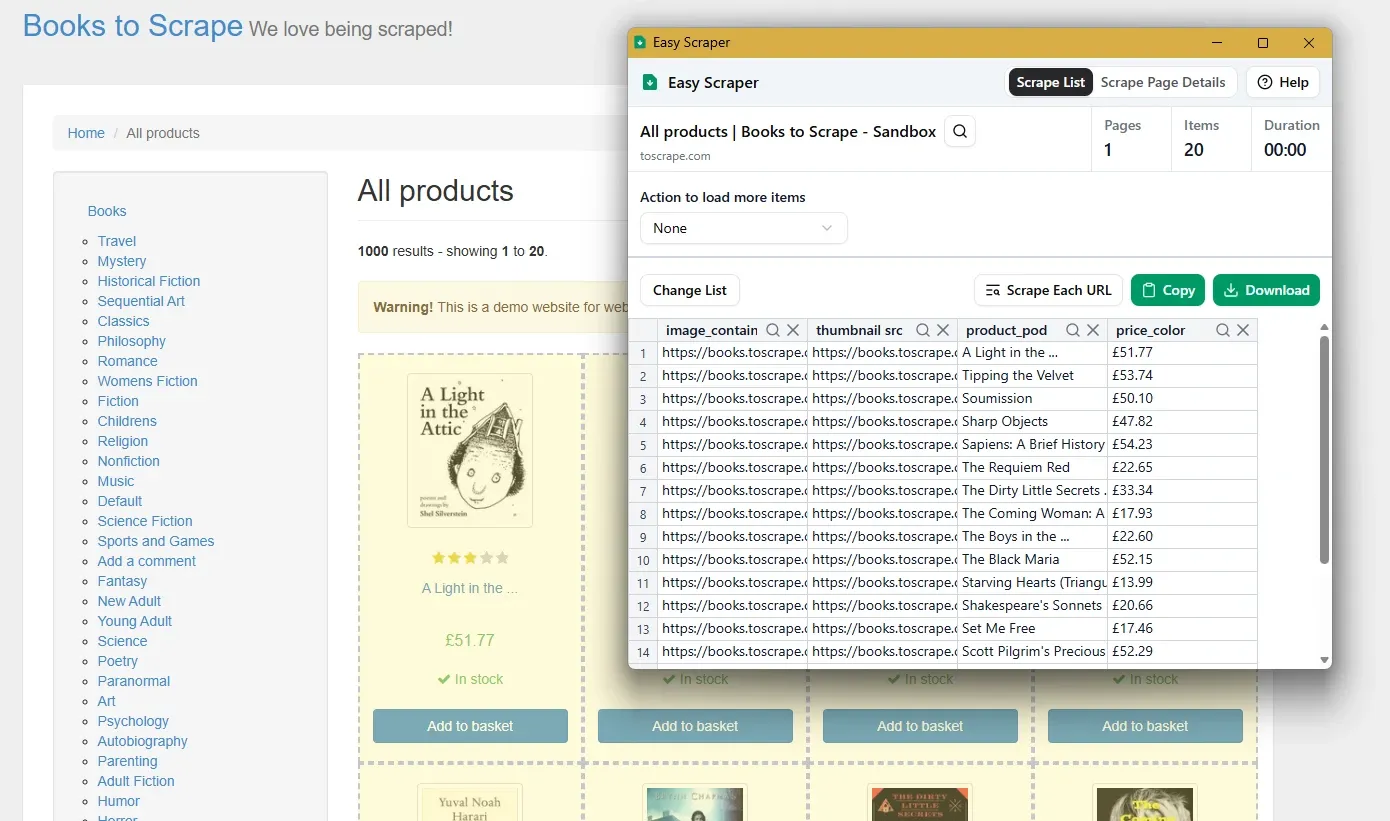
If we have to pick three adjectives to define Easy Scraper, they would be free, easy, and efficient. This is because Easy Scraper has a 5-star rating from over 1.2k reviews for its Chrome extension and is 100% free to use without any ads (as of this writing). Some of the best things about Easy Scraper are that it can do bulk scraping, your data stays on your device, and it works without any signups.
Features
- Automatic data detection (text, links, and image URLs)
- Provisions for wait time, scroll delays, scraping speed, etc.
- Data export in CSV, JSON, and TSV
- Infinite scroll and pagination support
- Point-and-click field selector
- Bulk URL processing
- Reusable scraping templates
- Multiple language support
- Works on Google Chrome and Chromium-based browsers
Limitations
- No built-in anti-bot or proxies
- No means for team collaboration
- Doesn’t support Firefox or Safari
Base pricing: 100% free.
Listly: Scheduled bulk extraction
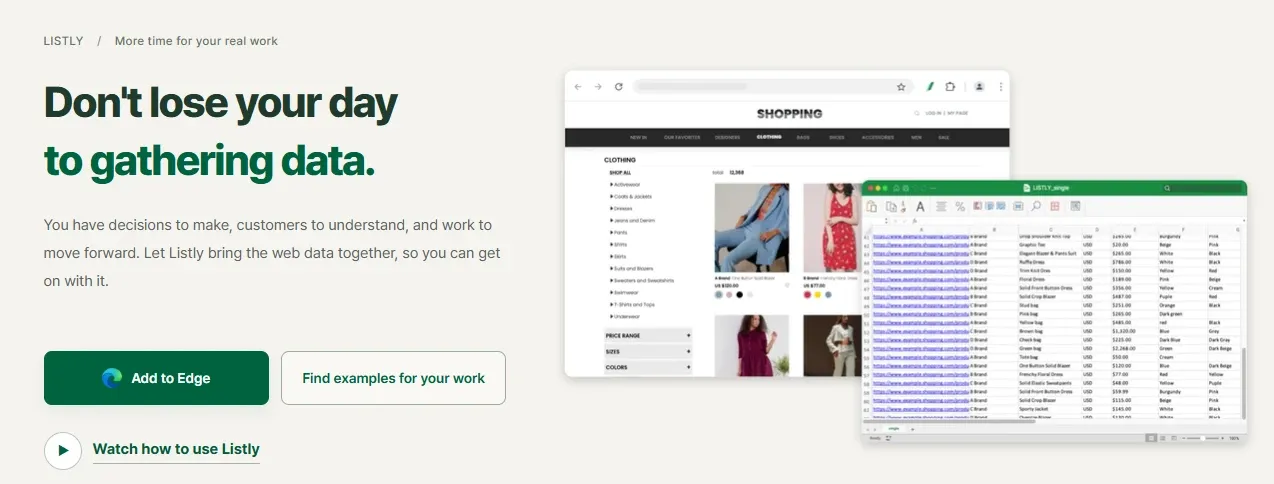
Listly is slightly more advanced than Easy Scraper and has paid versions besides the feature-restricted free tier. In addition to its data scraper, Listly also sells an image downloader and an enterprise-grade scraper, which they can customize to your specific requirements.
However, we will keep this section focused on Listly’s data scraper, which comes as a browser extension for Google Chrome, Microsoft Edge, and Whale browsers.
Features
- One-click whole-page and partial extraction
- Extract all active browser tabs at once
- Auto-scroll, pagination, and group URL extraction
- Scheduled (minutes to months) data scraping and email alerts
- Automate repetitive actions (clicks, scrolling, typing, etc.)
- Scraping delays, auto-retries, and error screenshots
- Supports login-protected pages
- Auto-save data while scrolling
- CSV, XLSX, JSON, and Google Sheet outputs
- Built-in proxies (residential, mobile, and datacenter)
- Team management and granular controls
- (Optional) API-led data delivery
Limitations
- Proxies (residential and mobile) and anti-bot measures are reserved for the enterprise plan. Likewise, Datacenter proxies are available from the Business plan onwards.
- Unavailable for Firefox and Safari
Base pricing: Free plan offers to scrape 10 URLs/month. Paid tiers start at $30/month.
Thunderbit: Click and prompt-based scraping
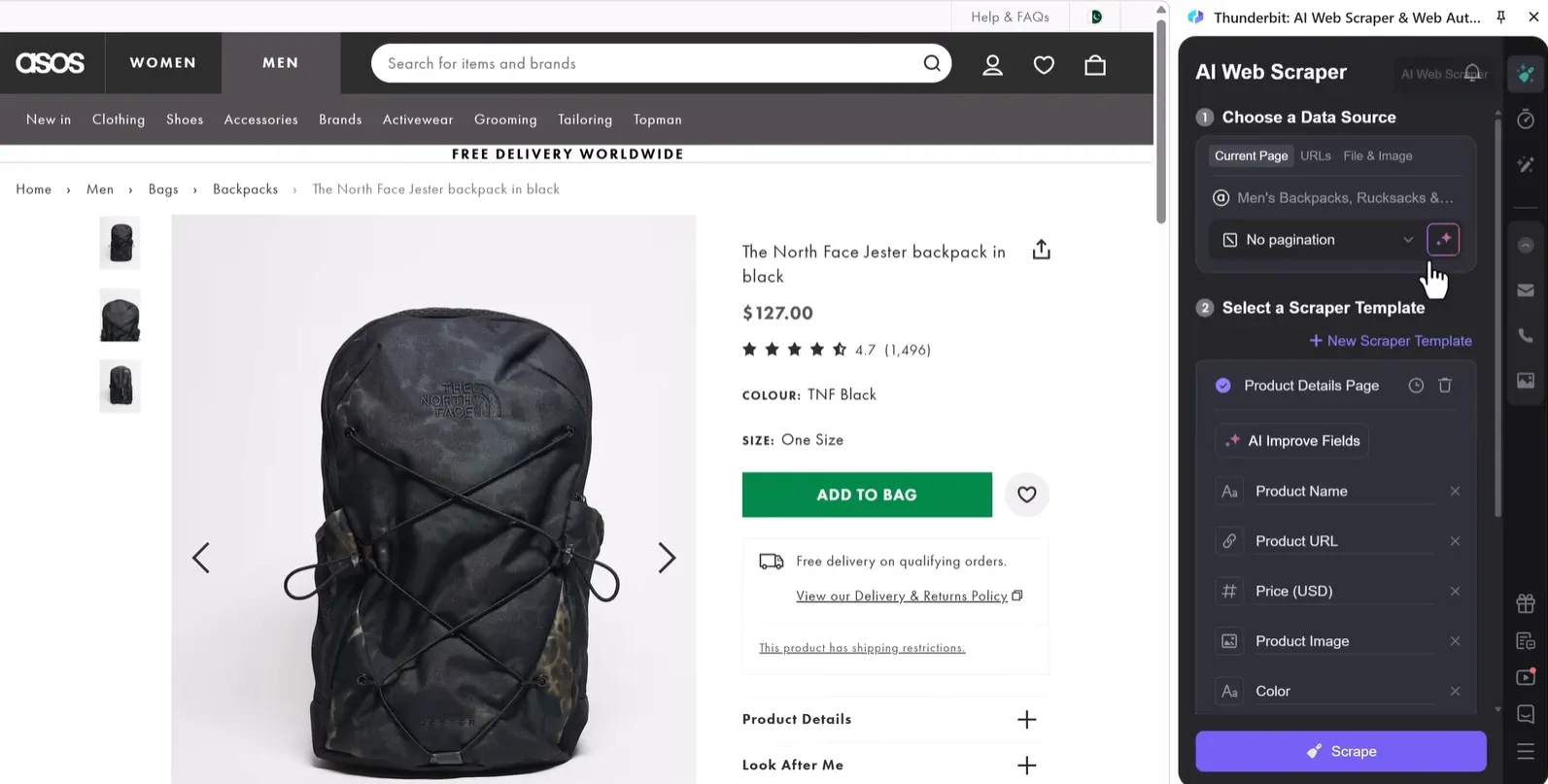
Thunderbit stands out with its browser extension, a web app, and its managed web scraping service. It’s an AI-powered web scraper that claims to help you scrape any website in one click and use natural language prompts to extract data types.
It goes beyond the browser with its API, CLI, and an MCP server, which you connect to AI assistants such as Claude to scrape inside the chat interface. However, the browser extension and its MCP server (if you intend to use it) are entirely no-code, but setting it up involves installing a package and editing a config file.
Features
- Support for login-protected and dynamic content
- Works with paginated data and multiple URLs at once
- Scrapes text, URLs, images, PDFs, docs, etc.
- Select-and-scrape two-click scraping
- Transfer scraped data to Excel, Airtable, Notion, etc.
- Scrapes every linked sub-page automatically
- AI-based data formatting
- Plan-based 14- to 60-day data retention
- Pre-built templates for popular targets
Limitations
- AI-powered scraping (~cloud processing) makes it less private compared to a simple browser-based scraper
- Doesn’t have any built-in anti-bot protection
Base pricing: Free plan (6 pages/month). Paid plans begin at $15/month.
Browse AI: AI-based scraping and monitoring
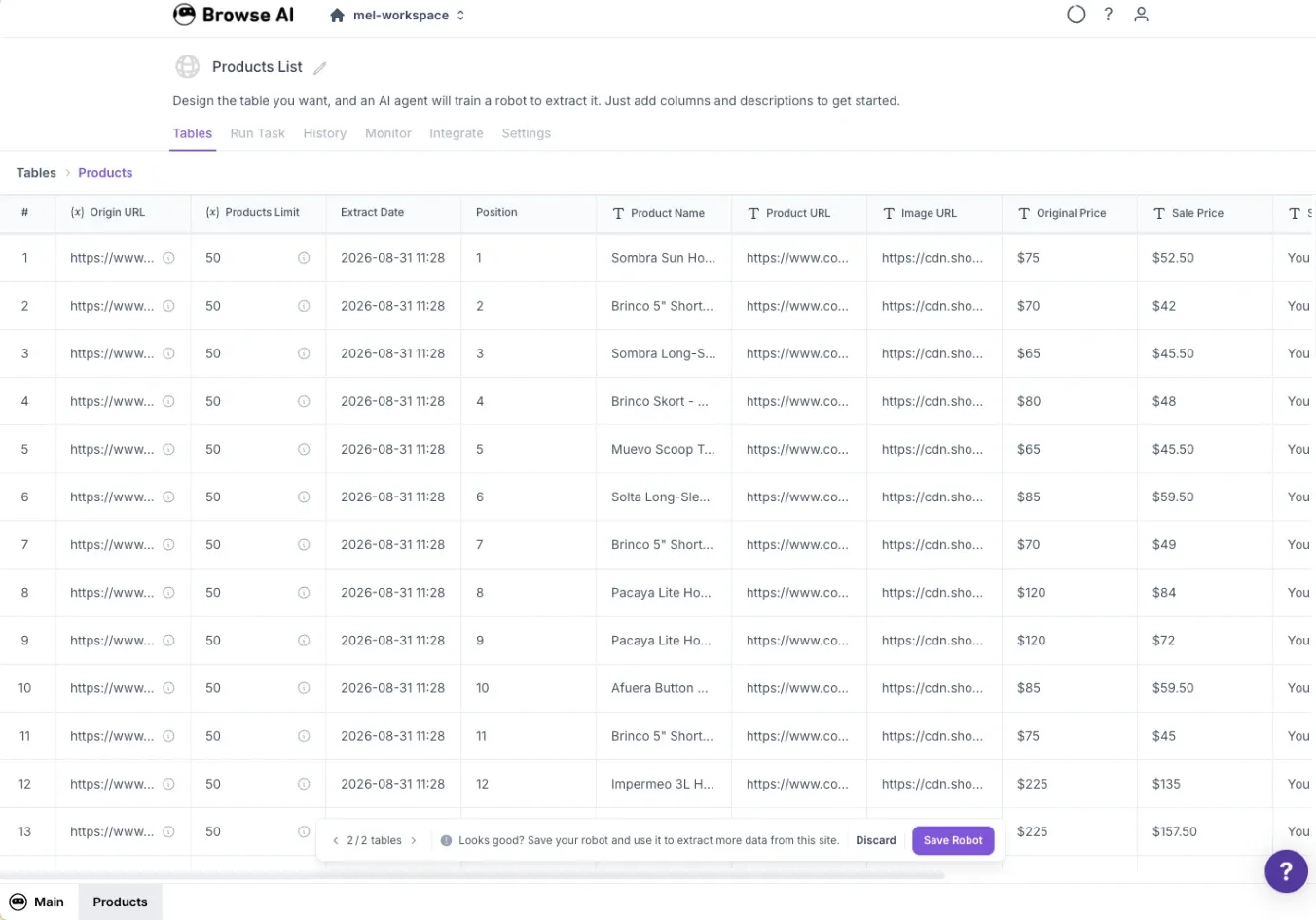
Browse AI is yet another entirely cloud-based AI-powered web scraper that works without you having to write a single line of code and learns from your actions. It has got a nice stack of pre-built scraping templates and also offers scraping-as-a-service.
Generously, Browse AI offers a decent free tier that lets three users simultaneously scrape two domains. A slight downside, however, is that plans are limited by the number of domains you can scrape. You can add more websites later with a paid add-on.
Features
- No-code AI-based data extraction, including subpages
- Website change monitoring (scheduled and real-time) and auto-alerts
- Scrape dynamic content while mimicking human behavior
- Find text, files, links, image URLs, HTML, and more
- Built-in anti-bot, proxies, auto-retries, and rate limits
- 200+ Pre-built scrapers and monitors
- Data export as CSV and JSON
- Integrates with 7,000+ tools
- Scrape login-gated content
- Country-based geo-targeted scraping
- Bulk extraction (up to 50,000 tasks)
- Rule-based access control
- Optional API and webhook-based data delivery
Limitations
- No option to run locally
- Scraper retraining might be required based on the target’s changing layouts
Base pricing: Free plan offers 50 credits a month. Paid plans start at $48/month.
Octoparse: Cloud and local scraping
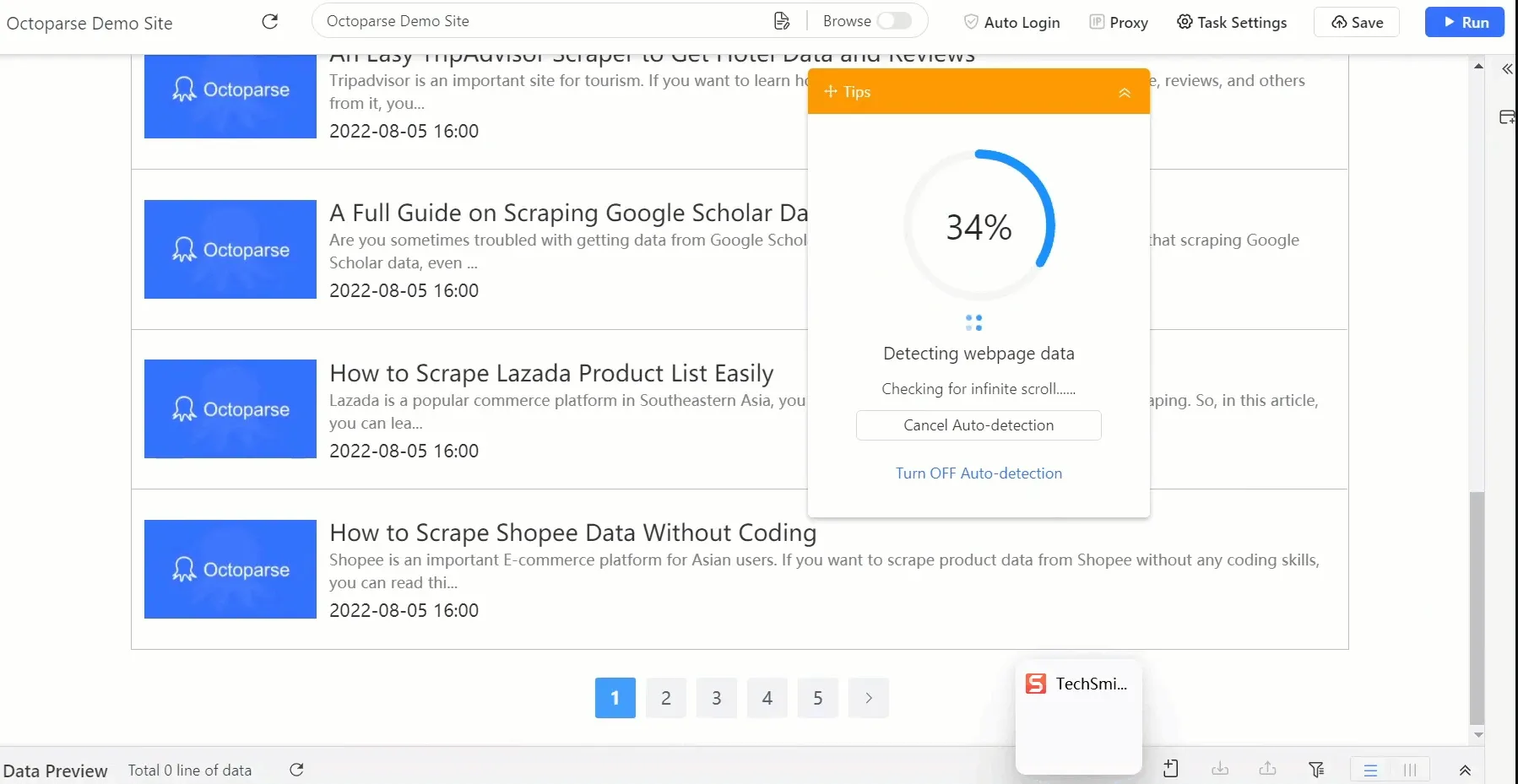
Octoparse’s no-code scraping abilities are amplified by its AI and the optional manual intervention. It lets you build a scraper with AI, then customize it with simple drag-and-drop operations.
Its official MCP server also lets you do the same with popular AI assistants and MCP clients, including ChatGPT, Claude, Cursor, OpenClaw, and more, to run its preset templates and manage existing tasks by chat, though fully custom workflows still need to be built in the app first. Lastly, you can also opt for its managed web scraping services for a completely hands-off experience.
Features
- 500+ ready-made scraping templates
- Local (Windows and Mac app) and cloud runs
- Rotating residential proxies and auto-CAPTCHA solving
- Supported automated logins, pagination, and infinite scrolling
- Data export as Excel, CSV, JSON, HTML, and XML
- Optional export to databases and cloud storage
- Scheduling, incremental scraping, and task monitoring
- MCP and CLI for advanced workflows
- Zapier integration and API access
Limitations
- Can’t test anti-bot efficacy with the free tier
- Cloud storage exports aren’t available for free or in the entry-level paid tier
Base pricing: Free plan offers 10 tasks at a time (local runs only). Paid plans start at $83/month.
Why are proxies used with No-code web scrapers?
A scraper, no-code or otherwise, is bound to fail sooner or later in this current web landscape. This is because, except for public databases, most commercial websites run anti-bot or WAF protection to block scraper traffic, which consumes their resources without giving anything back.
Generally, 429 Too Many Requests or 403 Forbidden errors are signs that the target site identifies your scraper as unwanted traffic and denies access.
In such cases, proxies are the first fix most experts recommend. Proxies let you route requests through IPs that roughly match the target’s ideal customer location. They also help you distribute a large number of scraping requests across multiple IPs, avoiding a single IP doing all the work and likely getting banned.
Byteful’s Residential and mobile proxies are great for highly sensitive targets expecting standard user traffic. They route traffic through IPs assigned to real users' devices, offering high anonymity and strong access rates.
On the other hand, datacenter proxies and ISP proxies are suited for high-volume work against low-to-medium-risk targets. These are hosted on datacenters and therefore offer unmatched performance.
Lastly, proxies aren’t a silver bullet against anti-bot systems. Based on the target, you might need browser fingerprint management, CAPTCHA solving, request throttling, and other anti-bot measures to get access.
Limitations of no-code web scrapers
No-code scrapers may sound like the perfect solution for your scraping worries, but you need to know where they fall short before assuming otherwise.
- Browser dependency: Many no-code scrapers come as browser extensions and work reliably only when the tab stays open. Also, most modern browsers hibernate inactive tabs to save resources, unless configured otherwise. Finally, support for Firefox and Safari is practically nonexistent.
- Convenience tradeoffs: Browser-based scrapers are limited by the local machine's hardware, and cloud-based ones run on third-party servers, which isn’t ideal for privacy-sensitive work. Further, cloud scrapers can’t extract login-protected content unless you share the credentials with the cloud service, complicating the privacy equation manyfold.
- Inaccuracy: AI, even with all its sophistication, is known for inaccuracies and hallucinations, which can lead to tedious manual data mapping and formatting. This is further limited by what a specific no-code scraper allows and how that translates to the output data.
- Budget: Some tools, including the free and basic paid tiers, lack proxies, fingerprint spoofing, CAPTCHA solving, and other anti-bot measures. Even when available, the overall cost is usually much higher and may not suit small projects.
- Thin evidence: Lastly, because no-code scraping is still relatively new, consistent user feedback across major platforms like G2 and Trustpilot is limited. This leaves an average user with little choice but to try the tools themselves.
