
Finding a YouTube scraper is easy, but picking the right one isn't. The official YouTube Data API, web scraping APIs, no-code solutions, and open-source tools can all pull YouTube data. However, all of them differ in cost, control, features, and upkeep.
To help you select the right tool for your use case, we’ve researched and listed the top YouTube scrapers for 2026 in the following sections.
Why not just use the official YouTube Data API?
You can use the official YouTube Data API to pull public data, such as metadata for videos, comments, channels, playlists, and search results. It’s a reliable solution if you need standard public data for a small project.
But it doesn’t cover all use cases. For example, Google enforces a quota system to maintain the service quality of the YouTube Data API and prevent abuse. This enforced quota system works fine for small projects. But when you have to track thousands of videos and hundreds of searches daily, you’ll exhaust the quota quickly.
You can’t buy more quota. The only way to raise your limit is to request an extension and show Google that you comply with the YouTube API Services Terms of Service. There’s no set timeline for approval, and it’s not guaranteed.
The API also returns only predefined fields. Anything outside that list requires a third-party tool. Some data is restricted, too. For example, you can’t download captions from other people’s videos.
These limits are why many teams turn to third-party YouTube scrapers.
Quick comparison of the best YouTube scrapers
Here is a comparison table for a quick overview of the best tools.
| Tool | Best for | Strengths | Trade-offs | Free trial | Starting price |
|---|---|---|---|---|---|
| Oxylabs | AI training data | AI-ready output, cloud delivery | Higher cost | Yes | $49/month |
| Decodo | Affordable pricing | Pay only for results | Few endpoints | $1 credit | $19/month |
| Apify | Plug-and-play extraction | Ready-made Actors, no setup | Costly as volume grows | $5 platform credits/month | $19/month + usage |
| Browse AI | YouTube monitoring | Widest no-code coverage | Data only extraction | 50 credits | $48/month |
| yt-dlp | Full control over scraping workflow | No fees or API quotas | Command-line only, DIY proxies | Always free | Free + hosting cost |
Best YouTube scraping APIs
We’ve researched and listed the top three YouTube scraping APIs after going through vendor documentation and third-party review sites like G2, Capterra, and Trustpilot.
Oxylabs: Best for AI training data
Oxylabs’ Web Scraper API extracts data from any website, including YouTube. It supports both real-time and batch extraction.
In our research, we’ve noted that Oxylabs can feed structured web data directly into LLM frameworks, AI agents, and automation tools. This makes it ideal for those using YouTube data for AI training.
In the Proxyway benchmark of YouTube scrapers, Oxylabs achieved an average success rate of 85.82% at 2 requests per second.
Oxylabs key features
- Scraping YouTube search results with filters, such as upload date, content type, duration, subtitles, resolution, and more.
- Downloading YouTube audio and video content by video ID directly to your cloud storage. You can configure video quality up to 8K.
- Downloading YouTube video transcripts by video ID with an option to configure a language.
- Automating recurring scraping jobs so that you can get consistent metadata on schedule.
- Retrieving parsed metadata for a YouTube video by video ID.
Oxylabs pros
- ML-driven proxy management for a higher success rate.
- AI-ready output you can easily integrate into analytics workflows, LLMs, and AI models.
- Multiple delivery options, such as Amazon S3, Alibaba Cloud OSS, Google Cloud Storage (GCS), and other S3-compatible storage.
Oxylabs cons
- Some G2 reviewers voiced concerns about its high cost.
- The setup could be more intuitive.
Oxylabs pricing: Oxylabs web scraper API pricing starts at $49/month. A free trial is available for limited results.
Decodo: Best for affordable pricing
Because Decodo gives structured, language-rich data, you can use it for a variety of purposes, such as LLM training, sentiment analysis, video classification & tagging, and AI agent enhancement.
Decodo’s Web Scraping API comes with a built-in scraper and parser, easy API integration, and JavaScript rendering. It supports 195+ locations with country-, state-, and city-level targeting.
Note that metadata and transcripts are self-serve. The video downloader is a contact-sales product.
Decodo key features
- Advanced browser fingerprinting to handle CAPTCHAs and bypass anti-bot systems.
- Ready-made YouTube templates to help you start scraping quickly.
- Structured metadata (titles, tags, and engagement metrics) to train your AI models.
- Transcripts in 150+ languages to power sentiment analysis, topic modeling, and summarization.
Decodo pros
- Pay only when YouTube data is retrieved.
- Reliable, efficient proxies that deliver excellent speed across locations.
- Easy-to-use interface.
Decodo cons
- Limited endpoints compared to other vendors.
- Limited free trial.
Decodo pricing: Decodo’s web scraping API costs start at $19/month for about 38K requests on standard proxies or 19K requests on premium proxies. It also offers a free plan that comes with $1 in credit, allowing you to pull 2K requests on standard proxies or 1K requests on premium proxies.
Best no-code YouTube scrapers
If you don’t have developer resources and want a no-code way to scrape YouTube, our research points to the following two solid options.
Apify: Best for plug-and-play extraction
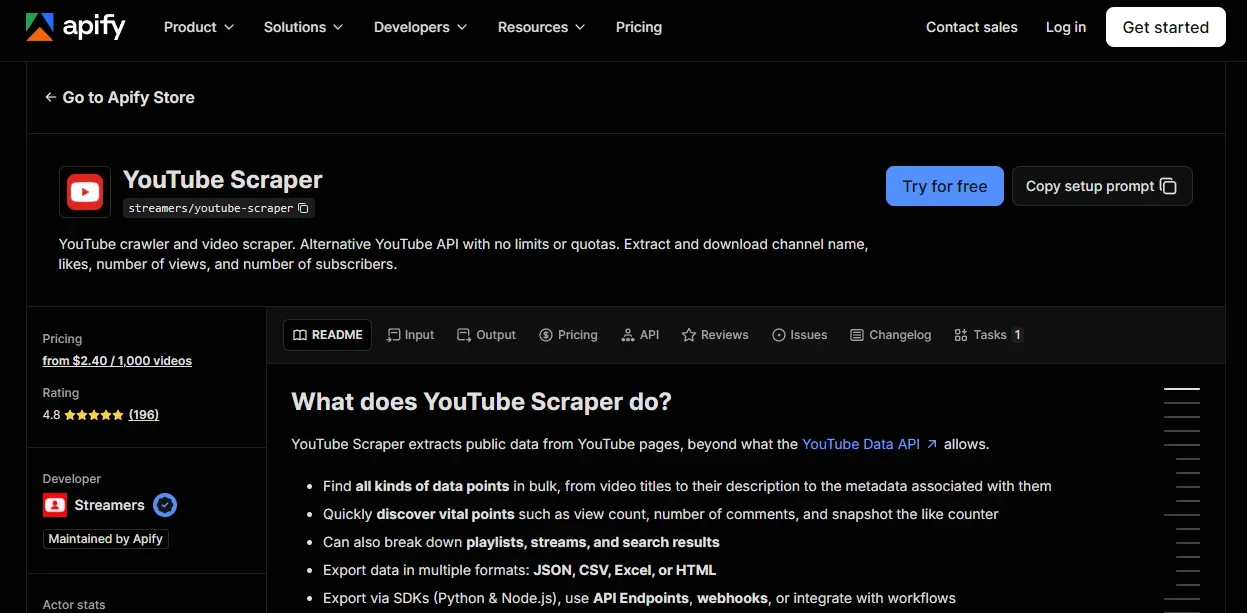
Apify is a marketplace of ready-made scrapers and automation tools for AI. The platform calls these tools Actors. They are serverless cloud programs that handle tasks like web scraping, data processing, and browser automation. These Actors receive input in structured JSON.
For YouTube, Apify has multiple Actors, including YouTube Scraper, YouTube Channel Email Scraper, YouTube Video Downloader, YouTube Comments Scraper, and more. You can run these Actors manually in Apify Console, or through the CLI or API. You can also run them on a schedule.
Apify YouTube Scraper key features
- Bulk data pulling from YouTube, including titles, view counts, comment counts, and descriptions.
- Scraping beyond single videos, covering playlists, streams, and search results.
- Supporting multiple export formats, such as HTML, CSV, Excel, and JSON.
Apify YouTube Scraper pros
- Apify handles infrastructure, so there’s no setup overhead.
- Easy to integrate with your existing workflow.
- Actors turn weeks of scraper coding into a few minutes of setup.
Apify YouTube Scraper cons
- Cost scales with volume.
- Only scrapes the number of comments. Full comment scraping needs a separate Apify scraper.
Apify YouTube Scraper pricing: Apify’s Starter plan costs $19/month plus pay-as-you-go and includes $19 in monthly credit to spend on Apify Store Actors or your own Actors. At $3.00 per 1,000 videos, that credit covers over 6,300 videos per month. Its free plan offers $5 in platform credits, covering up to 1,250 videos.
Browse AI: Best for YouTube monitoring
With Browse AI, you can scrape YouTube using a pre-build robot by just submitting the URL. No API key is required.
What we like about Browse AI is its ability to monitor YouTube. You can schedule it to re-run on a set interval, and it will send you alerts when the data changes. So if you want to keep tabs on channels for new uploads, Browse AI is a good fit.
Browse AI key features
- Pre-built YouTube robots for channels, videos, comments, transcripts, live streams, and search results.
- Schedule monitoring with change alerts, helping you track channels instead of pulling a one-time snapshot.
- Integrations with tools like Zapier, Airtable, Make, and Google Sheets let you turn YouTube into data pipelines.
- Fully managed, complex data extraction (available only in the Premium plan).
Browse AI pros
- Widest no-code coverage for YouTube, including Shorts and live streams.
- Monitoring and alerts, not just extraction.
- Works for both developers and non-developers, thanks to the API and webhooks.
Browse AI cons
- Credits run faster. Many G2 reviews flag this.
- Extract data not media. So there is no video and audio download.
Browse AI pricing: Browse AI’s base plan starts at $48/month and includes 2,000 credits. Browse AI also offers a free plan with 50 credits.
Best open-source YouTube scraper
In our research, we’ve found yt-dlp to be a capable alternative to paid scraping APIs when you’re willing to run the infrastructure yourself.
yt-dlp: Best for full control over scraping
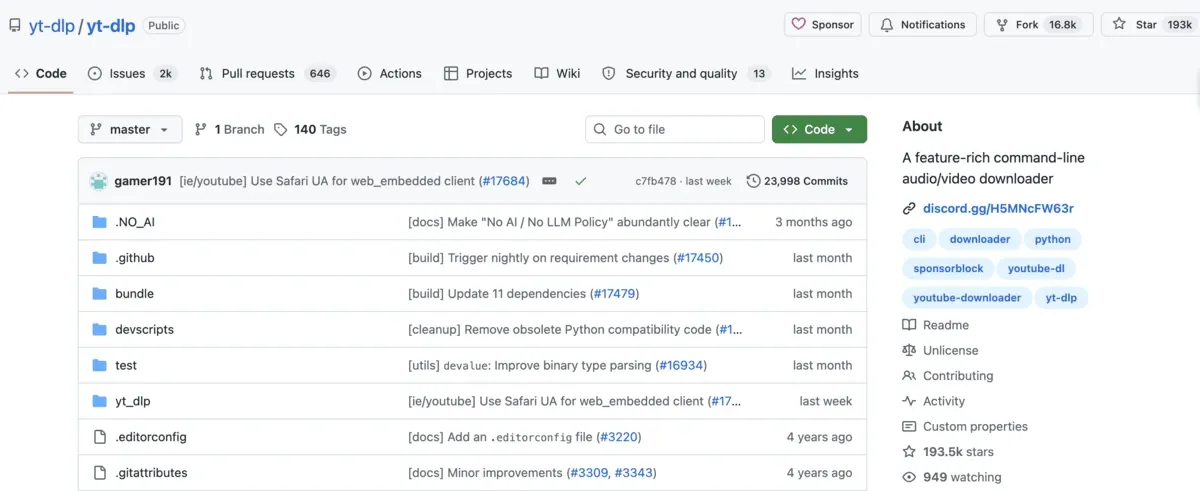
yt-dlp is a popular command-line audio/video downloader. It has 193k stars on GitHub. In addition to YouTube, it supports thousands of other sites. You can install it via official releases or with a package manager. It gives you precise control over which videos you want to scrape. You don’t have to process the entire channel or playlist.
Furthermore, yt-dlp lets you filter by almost any metadata field. You can set conditions on views, likes, duration, live status, or words in the description, and combine them as needed. You can also skip videos outside a file-size range or above an age limit.
So it’s the right tool for developers who want custom scraping workflows without API quotas or vendor lock-in.
yt-dlp key features
- Metadata extraction gives you titles, view counts, likes, and descriptions in a JSON file without downloading the video.
- Comment and transcript scraping lets you download comments, plus subtitles in the languages you choose.
- Bulk scraping helps you scrape entire channels, playlists, and search results with configurable sleep intervals to avoid getting blocked.
- Video filtering lets you scrape only videos that match your selected criteria, such as view count, upload date, and duration.
yt-dlp pros
- Free to use with no licensing fees or API quotas.
- Full control over what you scrape and where you save the scraped data.
- Support for thousands of sites beyond YouTube.
yt-dlp cons
- Command-line only, so non-developers face a steep learning curve.
- You manage proxies, servers, and storage.
yt-dlp pricing: yt-dlp is open source, so you don’t pay a licensing fee. The real cost comes from running it at scale. You’ll need a server or cloud instance to run scheduled scraping jobs. You’ll also pay for storage and web scraping proxies.
Why use proxies for YouTube scraping?
YouTube’s anti-bot system forces sign-in and enforces rate limits if it detects too many requests from the same IP. Worse, it can block your IP address.
So you need proxies for IP rotation to avoid triggering YouTube’s anti-bot system. You also need proxies if you want localized results or to scrape geo-restricted videos.
As YouTube blocks datacenter proxies aggressively, you’ll need residential proxies or mobile proxies. At Byteful, we offer ethically sourced, fast residential proxies and mobile proxies from over 195 countries with sticky and rotating sessions. We also offer a REST API for seamless access.
Proxyway's 2026 market research gave us the best residential success rate on real-world targets: 81.23%, compared with a 74.43% median across Amazon, Google, and Instagram. The same research also found our proxies cleaner than most participants.
Start with 1 GB of free residential data after a quick KYC check. No credit card required.
Are pre-collected datasets a better choice?
A pre-collected dataset is YouTube data that a provider has already scraped, cleaned, and structured. So you don’t have to manage proxies, deal with anti-bot systems, or maintain a scraper.
But datasets are snapshots. They’re only as fresh as the last update. And they cover only what the provider chose to collect. So you should:
- Pick a dataset if you need large volumes of historical data for AI training, trend research, or one-time analysis.
- Go for a scraper if you need fresh data, specific channels, or custom fields.
Many teams use both: a dataset for history and a scraper to stay current.
Which YouTube scraper is right for you?
To pick the best YouTube scraper, match the tool to your workflow:
- Small projects: Use the official YouTube Data API if you need public data or the stats for your own channel.
- No coding skills: Use Apify or Axiom.ai. Apify offers ready-made scrapers, and Axiom.ai’s no-code bot can send data to Google Sheets.
- Large recurring jobs: Pick a scraping API from Oxylabs, Decodo, or ScrapingBee. It handles proxies and anti-bot systems for you.
- Full control: Use yt-dlp if you want full control over your scraping workflow. You’ll need to write code and handle proxies and anti-bot mechanisms yourself.
You should also use a free trial or free credit to try the tool before committing.