
Debunking Proxy Myths: Capabilities vs. Constraints
Have you considered using a proxy, but couldn’t decide because of circulating myths? You probably come across many positive and negative claims about proxies. But in reality, how accurate are they?
This guide explains what proxies are and clears up common proxy myths, while providing the crucial information you need to make an informed decision about which proxies to choose and how to use them to meet your needs.
What is a proxy?
Simply put, a proxy acts as a different route for your internet traffic. It changes where your connection appears to come from. But the level of security, speed, and anonymity you actually experience depends on which kind of proxy server you pick, how you set it up, and how you use it.
To elaborate, a proxy is an intermediary between your device and the server you access. Instead of your browser or app reaching a website directly, your request goes through another server first. It then forwards your request, gets the response, and sends it back to you.
How does proxy routing work?
Proxy routing places a proxy server between you and the Internet. First, your request goes to the proxy, then it gets routed to the final destination and back.
Here’s how the complete process looks:
- Your device sends a request to the proxy.
- Next, the proxy reviews the request. It then forwards it to the target server using its own IP address.
- The target server then responds to the proxy rather than to your device.
- Lastly, the proxy passes that response back to your browser or script.
The proxy doesn’t change the contents of your requests by default. Its main purpose is to change the origin address that websites see. In addition, it might adjust headers and store commonly accessed content for faster loading in some cases.
Myth #1: A Proxy Makes You Anonymous
Do proxies hide everything? This is a common myth. Because there’s no total anonymity on the web, regardless of the approach or tools you use.
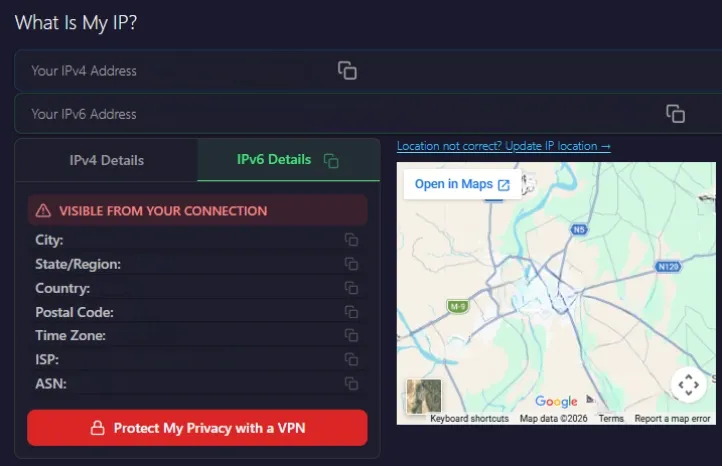
That said, a proxy can replace your real IP address. So, the websites see the proxy’s address rather than your own. Secondly, it can hide your IP address from the target website. For example, tools like WhatIsMyIP will show the proxy’s IP instead.
But these are the things a proxy cannot do:
- Remove your login state or account identifiers.
- Clear browser cookies, local storage, or device identifiers unless you explicitly manage them.
- Mask your browser fingerprint by default, which includes screen size, fonts, and metadata.
But you can make the most use of a proxy if you combine it with other privacy tools. For instance, a hardened browser setup can limit trackers and block third-party cookies. This can be very useful when you need stronger anonymity or cleaner data collection.
Myth #2: Proxies are Only for Bypassing Restrictions or Shady Activity
Are proxies only used for illegal or unethical activities? Not always. Proxies are legal. Their legality depends on how you use them, including access permissions, ToS, and local regulations. In practice, individuals, businesses, and organizations all use proxies for many purposes, such as:
- Business Data Collection: Companies use proxies to monitor competitors’ pricing, test SEO rankings, and validate marketing funnels across regions.
- Quality Assurance and Localization Testing: News, eCommerce, and SaaS companies use proxies to see how their sites work in different countries. They test payment flows, currency handling, and regional feature flags.
- Network Security and Policy Control: In corporate environments, web proxies often filter traffic, cache frequently accessed content, and log allowed or blocked URLs, with no emphasis on anonymity.
In the end, how you use it matters more than the proxy itself, and prioritizing ethical proxy sourcing is the way to go.
Myth #3: All Proxies are the Same
Proxies vary widely in quality and use cases. These differences can impact your performance, data, and overall results across many teams and systems.
Also, it is equally important to choose a reliable provider. Otherwise, you might run into pricing or security issues in your project.
These are the factors that differentiate proxies:
- IP type (datacenter, ISP, residential, mobile)
- Protocol (HTTPS or SOCKS5)
- Rotation behavior (rotating vs. sticky)
- Provider policies and quality (logging, consent, sourcing, abuse monitoring)
Here’s a closer look at how these differences affect your choice:
Residential vs Datacenter vs ISP vs Mobile Proxies
Every proxy type works differently and has unique use cases. Let’s look at the main differences:
Residential Proxies: These IPs are issued by consumer ISPs and appear as regular home connections. That is why they are often the most difficult to distinguish from organic traffic.
You can use residential proxies to simulate organic traffic from different unique origins. This allows you to interact with complex web systems at scale without being flagged as an automated process.
If you want to test these proxy types for different applications, you can get started today with Byteful’s 1GB free trial.
Datacenter Proxies: These IPs come from hosting providers (cloud data centers, VPS networks). In addition, these proxies are quite fast and comparatively cheaper than residential proxies. But the downside is that most websites can quickly flag them.
That said, datacenter proxies have various use cases. For instance, you can use them for large-scale data retrieval tasks where speed and efficiency matter more than appearing as residential traffic.
ISP Proxies: An ISP proxy uses an IP address assigned by an Internet Service Provider (ISP). It combines the speed and accessibility of a datacenter proxy with the strong anonymity of a residential proxy.
You can prioritize ISP proxies over residential ones to access web services consistently while maintaining a lower risk of detection. They can help create a balance between performance and authenticity.
Mobile Proxies: These IPs come from mobile carriers. Mostly, they are behind carrier‑grade NAT, meaning many users share a single IP address.
You can use these proxies in environments where platforms apply stricter controls to non-mobile traffic sources to resemble real mobile user behavior.
HTTPS vs SOCKS5
HTTPS Proxies are optimized for web traffic. So, they can inspect and modify HTTP‑level structures like headers and cookies for plain HTTP traffic. For HTTP destinations using CONNECT tunneling, the proxy typically can’t access any cookies or content without TLS interception.
SOCKS5 Proxies: This is a lower-level proxy that forwards arbitrary TCP (and sometimes UDP) traffic without interpreting the content. It can carry not only HTTP but also FTP, SMTP, and custom application protocols.
If your work is mainly with browsers or standard web-based data extraction, HTTPS is generally a better fit. SOCKS5 proxies make sense when you need a flexible solution for handling many different types of connections, or when you are working with tools that use more than just web protocols.
Rotating vs Sticky Sessions
Rotating Proxies can rotate IP addresses from a pool per request or on a defined interval, depending on the configuration. One example application of rotating proxies is in bulk scraping projects. Here, you need to inspect thousands of pages quickly. Rotation can distribute this traffic across multiple IPs in the pool, reducing your chances of IP flags.
Sticky / Static Sessions maintain the same IP address for a fixed period. Static proxies provide consistent stability, rather than rotating your IPs with every request or at set intervals. For instance, you can use sticky sessions to test the checkout flow on a website. So, the server sees the same user identity across multiple steps, rather than losing context with each request.
Myth #4: Free Proxies are Good Enough
This is one of the most common proxy myths buyers believe. Free proxy servers are easy to find online. But they come with major downsides in speed, reliability, and safety.
Hence, free proxies often result in frequent bans or dropped connections. This can lead to repeated retries, wasted time, and potentially incomplete or corrupted data. Also, some become bad neighbor IPs after abuse. This can result in blocks on sites you want to access.
An IP can easily get blacklisted if it is used for spam or other suspicious activity. If you inherit a blocked proxy IP, you will face errors accessing your target websites. You can use tools like IPVoid’s IP Blacklist Check to verify whether an IP address is flagged or not before using it.
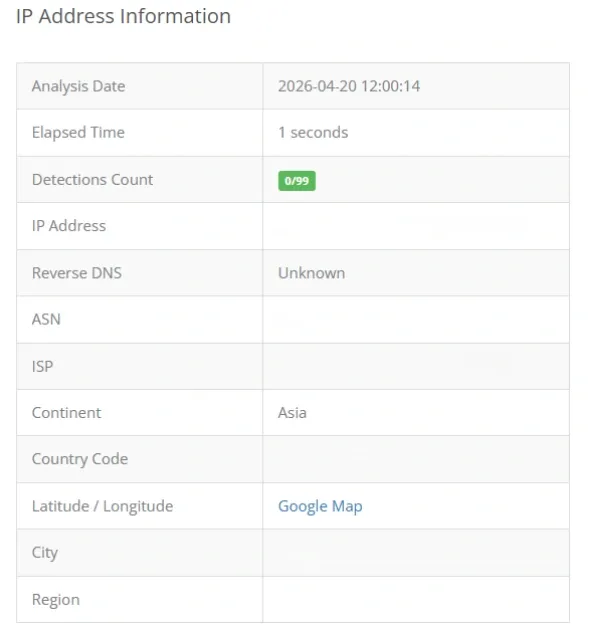
Note: Not every blacklist matters for proxy usage. Many reputable databases focus strictly on email-sending behavior and spam reputation, which is irrelevant for general web activity.
Many free proxies work over unencrypted HTTP. So traffic passing through them can be read by the operator or third parties on the network. In fact, many free proxies are specifically set up to capture credentials or sensitive user data. Free proxies almost always mean you end up spending more time and effort. Plus, you might encounter failed connections, blocked accounts, or security issues.
Myth #5: Proxies Always Slow You Down
Many assume that using a proxy will always slow their connection due to the added routing layer. While it does introduce a difference in speed, there are several reasons for it. Here are the factors that affect proxy speed:
- Path length and distance: Suppose you route traffic from your country to a faraway proxy node and then to the target server. This added hop can increase latency. You should route through a proxy closer to the target, especially if your local connection to a resource is slow. This can shorten the path and avoid delays.
- Proxy quality: Delays are common on overloaded proxies. However, a good, reliable proxy can be fast. The added latency depends entirely on distance, congestion, and protocol.
- Traffic shaping and caching: While most scraping networks prioritize IP rotation over storage, enterprise-grade caching proxies can store frequently requested content. This significantly reduces latency compared to a new, direct fetch from the origin server
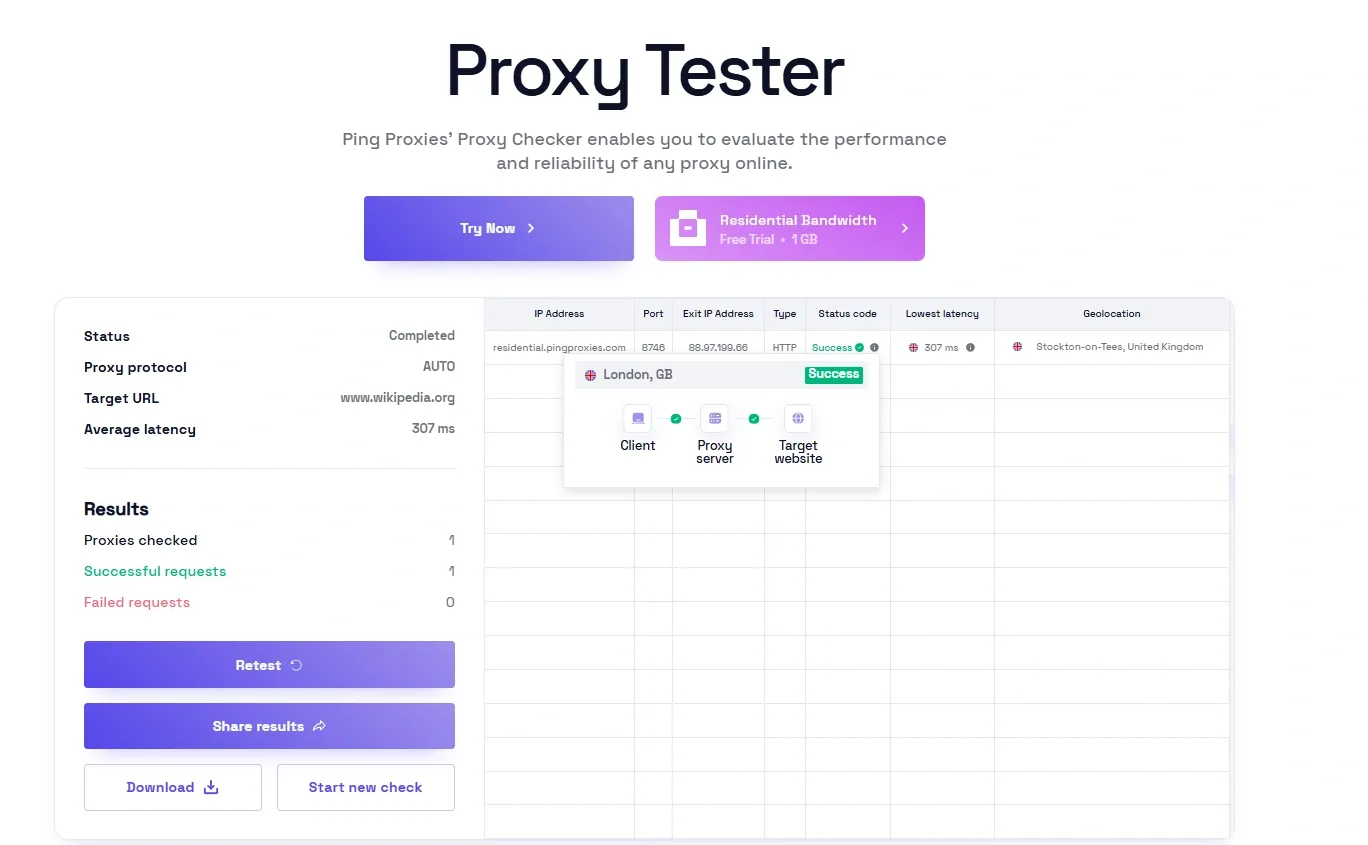
You can check proxy performance directly for your use case. Tools like Byteful’s Proxy Tester help you measure a proxy’s latency and performance before you put it to practical use.
Myth #6: Proxy Setup is Difficult
You might have heard that setting a proxy is pretty difficult. Well, that’s also a misconception. Many providers offer user-friendly dashboards for generating and monitoring proxies. Also, most platforms offer easy proxy setup through the settings. Hence, setting up a proxy doesn’t require any expert networking skills.
This is how you can set up proxies on common platforms:
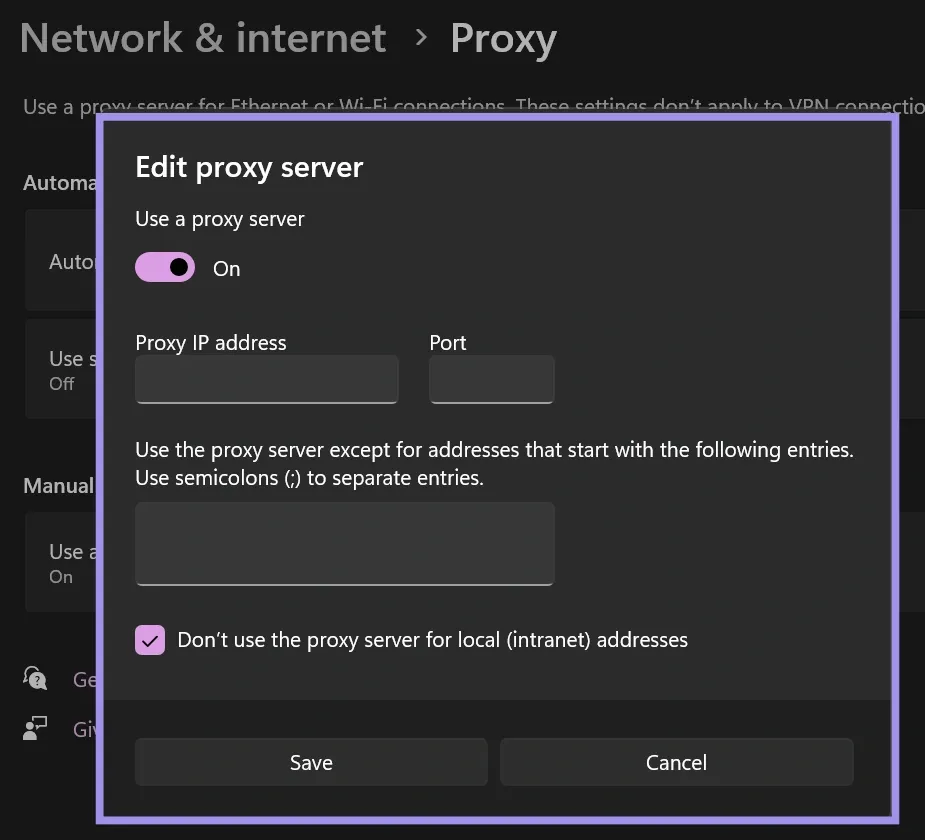
- Windows allows you to set proxy settings globally or individually for applications. The settings for configuring proxies on Windows are available in the Proxy panel under Network & Internet. Also, you can use the browser’s native settings.
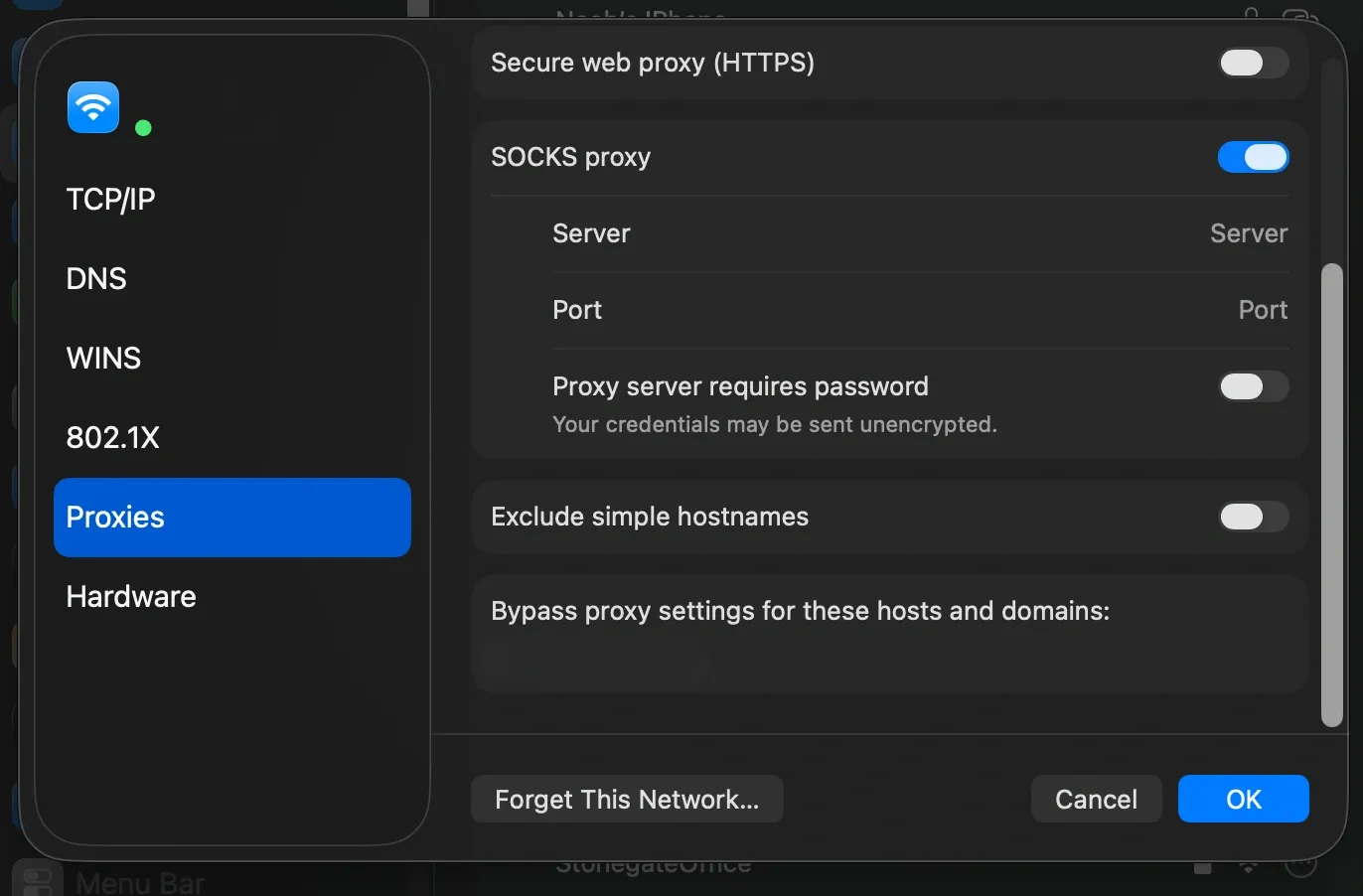
- Similarly, you can configure proxies in macOS from the Network Settings panel. You can enter the host, port, and authentication settings. It also allows you to apply these settings across all browsers and applications.
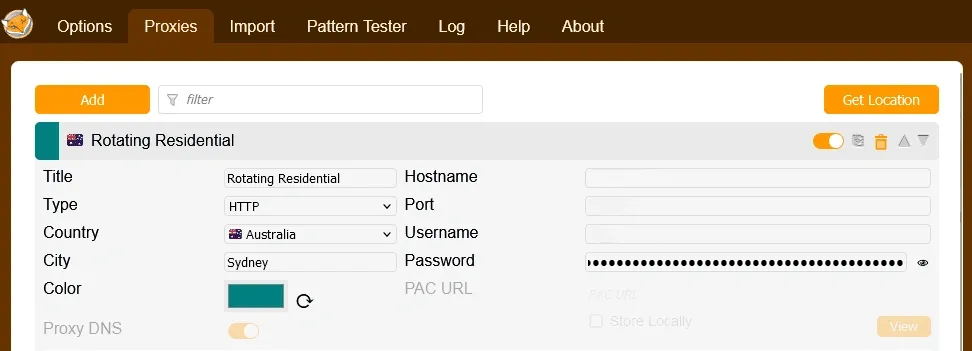
- Many browsers and extensions like FoxyProxy allow you to switch between multiple proxy configurations. Doing so, you can easily test multiple regions or switch between rotating or sticky IPs without changing any system settings.
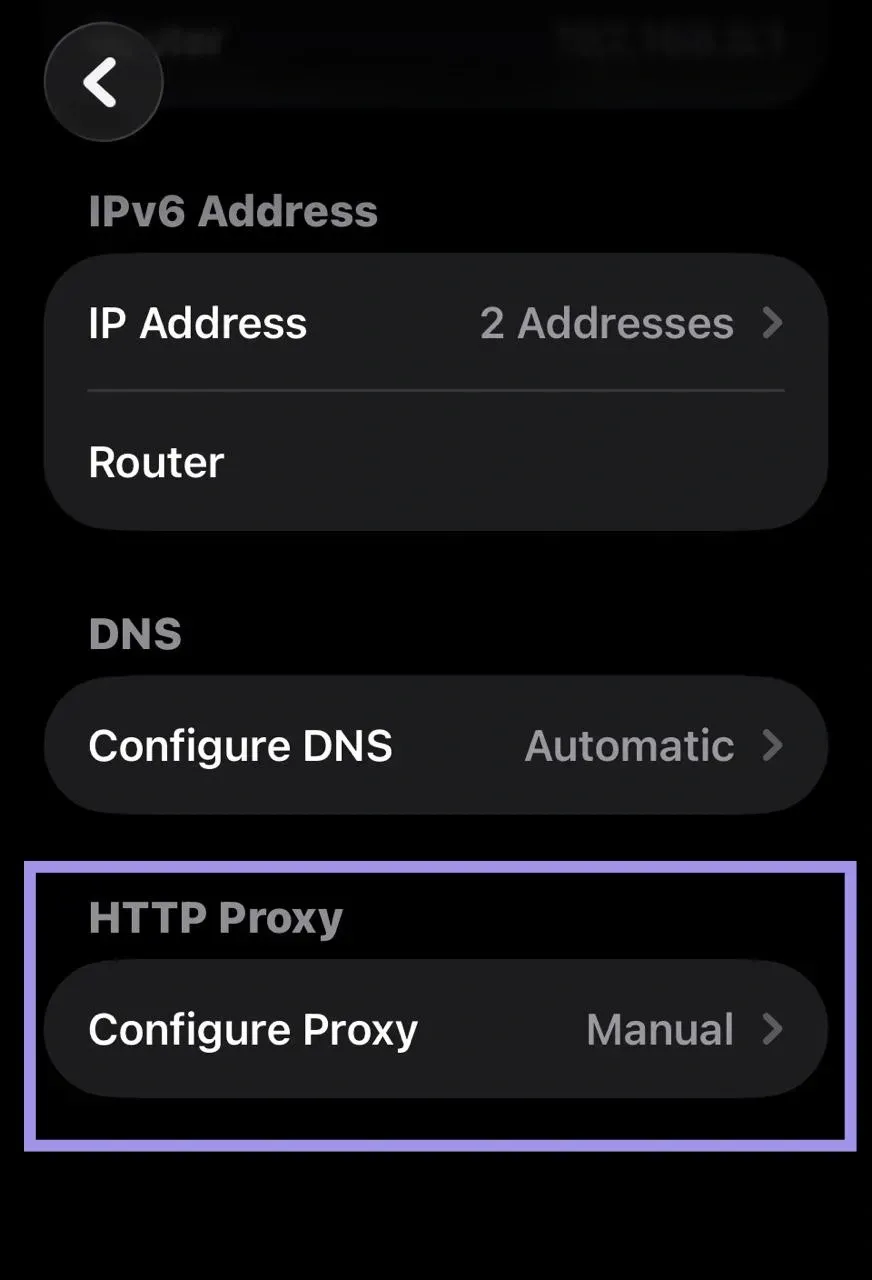
- You can set up proxies on iOS from the Wi-Fi Settings. There, you can enter the server, port, and authentication details.
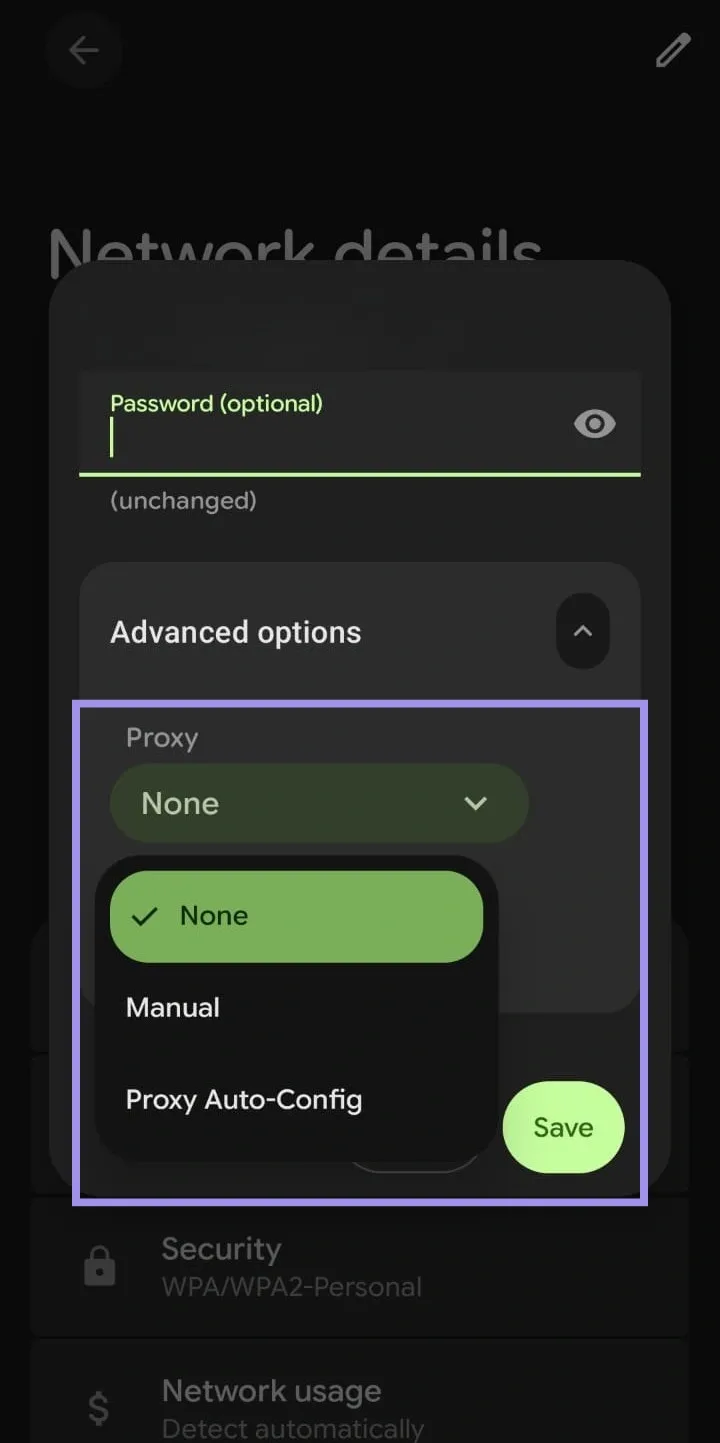
- Proxy setup in Android works for both Wi-Fi and mobile data. You can add server details, edit your APN, and enter your username, port, and password.
Myth #7: A Proxy is the Same as VPN, Incognito Mode, or Tor
Proxies, VPNs, incognito mode, and Tor are all used to manage privacy and access. However, they all work in very different ways. A proxy routes through an intermediary service, while a VPN encrypts and tunnels all network traffic. Alternatively, incognito mode limits local data storage in your browser, and Tor routes traffic through multiple nodes.
That said, let’s look at the main differences between these tools to get a clearer picture:
| Tool/Mode | What it Does |
Scope | Encryption | Cookies | Anonymity | Main Use Case |
|---|---|---|---|---|---|---|
| Proxy |
Outward IP and routing path | App or browser only | Optional | Passed through (visible) | Medium to high | Change visible IP, geo routing, scraping, QA |
| VPN |
All device traffic via an encrypted channel | Whole device | Yes | Passed through (visible) | Medium to high | Privacy, remote work, geo control for all apps |
| Incognito Mode | Local browser data (no history) | Browser only | No | Deleted after the session | Low | Avoid local tracking, shared device use |
| Tor |
Traffic via multiple encrypted transfers | Only Tor | Yes | Blocked or isolated | High | Strong anonymity, dodge censorship |
Myth #8: If You Use a Proxy, You are Secure by Default
Using a proxy does not guarantee your security. It mostly shifts the point of origin for your traffic. These are important limitations to be aware of when relying on proxies.
Encryption Limits
If you send plain HTTP traffic through a proxy, content can be read or modified in transit. For HTTPS websites, clients typically use CONNECT tunneling, which creates an encrypted channel with the destination server. So, the proxy can see the destination host and port, but not the encrypted content. However, the proxy might still be able to inspect the traffic if TLS interception is implemented.
Provider Logging and Traffic Visibility
Many providers keep some operational logs (for abuse prevention and reliability), but the scope and retention vary. And it’s not really a problem. Most providers collect basic information such as the timestamp, source IP, and target host. So, they can make sure the service runs smoothly.
Quality proxy providers limit logging to what is necessary, rather than keeping a detailed record of every request. That includes:
- Time-bound (retention limited)
- Scoped to what is needed for abuse detection rather than deep inspection of every request
- Documented in a clear privacy or data-handling policy.
Security Basics
Proxies can support privacy. But they are not a complete security solution on their own. You can follow these important security practices to ensure safer and more reliable proxy usage:
- Use HTTPS wherever possible so that traffic between you and the target remains encrypted.
- Don’t send sensitive credentials over unencrypted connections, even if the proxy sits between you and the server.
- Rotate credentials and API keys according to your security policy, and never assume that an IP mask protects your secret tokens.
- Monitor your logs and access patterns for unexpected spikes that might indicate misconfiguration.
Common proxy mistakes and avoidable pitfalls
Proxy myths and some common mistakes can result in hidden problems that harm your results over time. These are some common pitfalls and how to avoid them:
- Choosing the Wrong Type of IP for the Task: Many beginners might use datacenter IPs for aggressive web scraping. Similarly, some might go for mobile IPs for a task with a lower risk level. It's a good practice to compare your proxy type to the website’s behavior. For example, use ISP or residential IPs for sensitive target sites. Use datacenter IPs for internal or smaller checks.
- Ignoring Rate Limits, Retries, and Target Website Rules: Another common issue is treating proxies as a set‑and‑forget layer. You need to add realistic delays and intelligent retries, especially if you are managing high-value accounts. Even rotating IPs can look like bot traffic if not handled well.
- Rotating Too Frequently Mid-Session: Switching IPs very frequently during the same session can disrupt session continuity and trigger detection. So, you should always match rotation intervals to natural user behavior.
- Reusing Cookies Across IPs/Regions: If you share cookies across different IPs or geolocations, it can flag inconsistencies to trackers. It is best to always generate fresh cookies per IP. You can also use cookie management tools to isolate sessions.
- Not Setting Timeouts/Retries: You can waste resources and experience hung requests if you fail to configure timeouts. Avoid this problem by implementing exponential backoff retries. This way, you can handle transient failures more efficiently.
- Using Small Subnets Repeatedly: Cycling through tiny IP pools can create detectable patterns. Therefore, you should choose very diverse pools and high-quality proxies to mimic organic traffic distribution.
You can prevent these proxy errors by setting variable delays between requests instead of fixed intervals. It also helps to follow published or observed rate limits to stay well below the maximum allowed, keeping your requests under the radar.
