

Are you worried your "residential" proxy isn't actually residential? Some providers sell IPs that aren't genuinely residential, or you might be misreading what your lookup shows.
In this guide, we’ll clear up the confusion around proxy verification by explaining each proxy type and how its information on IP intelligence tools relates to it. We’ll also show you, step by step, how to verify whether a proxy is truly residential.
How do residential proxies compare to other proxy types?
Every proxy type comes down to two things: who owns the IP address, and where it lives. Those two properties determine a proxy's speed, cost, and detectability. They also determine what shows up when you check it on an IP intelligence tool. Here's how each type breaks down.
Residential Proxy
Residential proxies are IP addresses ISPs assign to home internet users. This assignment isn't specific to proxies; it's just how a typical internet connection works: when a home user connects to an ISP network, the ISP assigns their device an IP address from its own range.
So what does a residential proxy actually mean? Legitimate proxy providers make agreements with home internet users who opt in to share their unused bandwidth. The provider then routes a proxy user's traffic through that home connection, masking their real IP. Websites see the home device's ISP-assigned IP as the source of traffic, a normal home user IP.
So, when you check the IP address of a residential proxy (basically the IP address assigned to the home internet device) on an IP intelligence tool, it should show the ISP company or its ASN.
Mobile Proxy
Mobile proxies use IP addresses assigned by mobile carriers to devices on cellular networks (4G/5G). Like residential proxies, they route traffic through a real user's connection, in this case a mobile device instead of a home internet connection.
Because carriers have fewer IPs than subscribers, thousands of real users share a single mobile IP at once (carrier-grade NAT). Websites rarely block them, since banning one IP means banning every real user behind it. This makes mobile proxies the hardest type to block, and typically the most expensive.
So, when you check a mobile proxy's IP on an IP intelligence tool, it should show a mobile carrier and its ASN, with the connection type classified as mobile/cellular.
ISP/Static Residential Proxy
ISP proxies (also called static residential) are IP addresses owned by ISP companies. However, unlike residential proxies, they’re not assigned to home internet users. Instead, they're hosted on datacenter servers, and the provider leases IP ranges from an ISP and runs them on its own infrastructure.
Because the IPs are served from datacenter infrastructure, some IP intelligence tools may show their type as datacenter/hosting, which can confuse proxy users. To be clear, the IP address itself is ISP-registered, so it carries the trust of a consumer ISP range.
Datacenter Proxy
Unlike residential proxies, datacenter proxy IPs don't belong to an ISP. They belong to a hosting/cloud company like AWS, DigitalOcean, or Hetzner, and are assigned to servers inside the company's datacenter, which route the proxy user's traffic.
Thanks to datacenter compute power and fast connections, they're the fastest proxy type. They're also cheaper than ISP or residential proxies because they're easy to provision at scale: a provider can host thousands of IPs on its own servers, without sourcing or compensating home users. However, websites and anti-bot systems can easily flag them.
So, when an IP intelligence tool checks a proxy IP address and shows information for a hosting/datacenter company or its ASN, it means it’s a datacenter proxy.
Ways to check if a proxy is residential
Now that we understand how a residential proxy compares with other proxy types. To follow along with the next steps, you need to have already generated a residential proxy; you can use our 1GB of free residential bandwidth to test.
Step 1: Find your proxy’s real exit IP
First, check the exit IP address associated with the proxy you’re using. This is the IP address websites actually see. The most straightforward and accurate way to do this is to use an IP echo service.
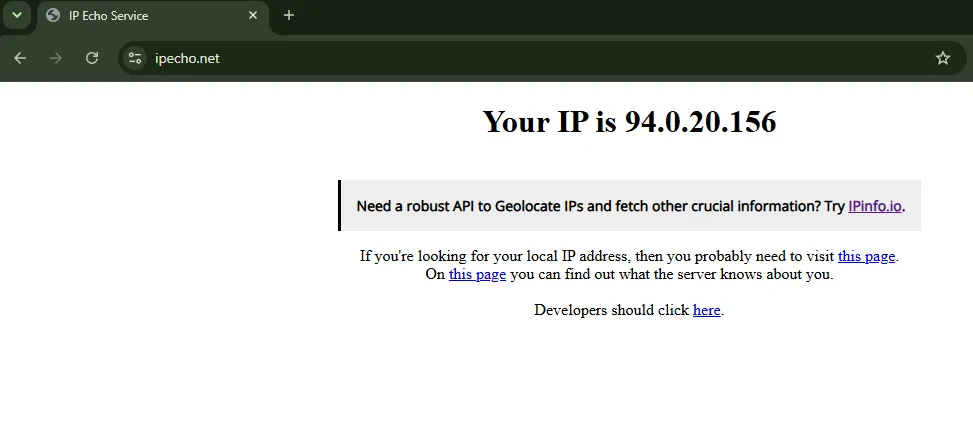
If you bought a rotating residential proxy, repeat this step several times to check multiple exit IPs, and a single IP check will not be enough.
Step 2: Check the IP’s owner and ASN
Once you have the proxy's exit IP address, look up which organization owns it and under which ASN. This is registry data: every IP range is registered to an owner, and a single lookup on a service like IP Geolocation gives you the answer.
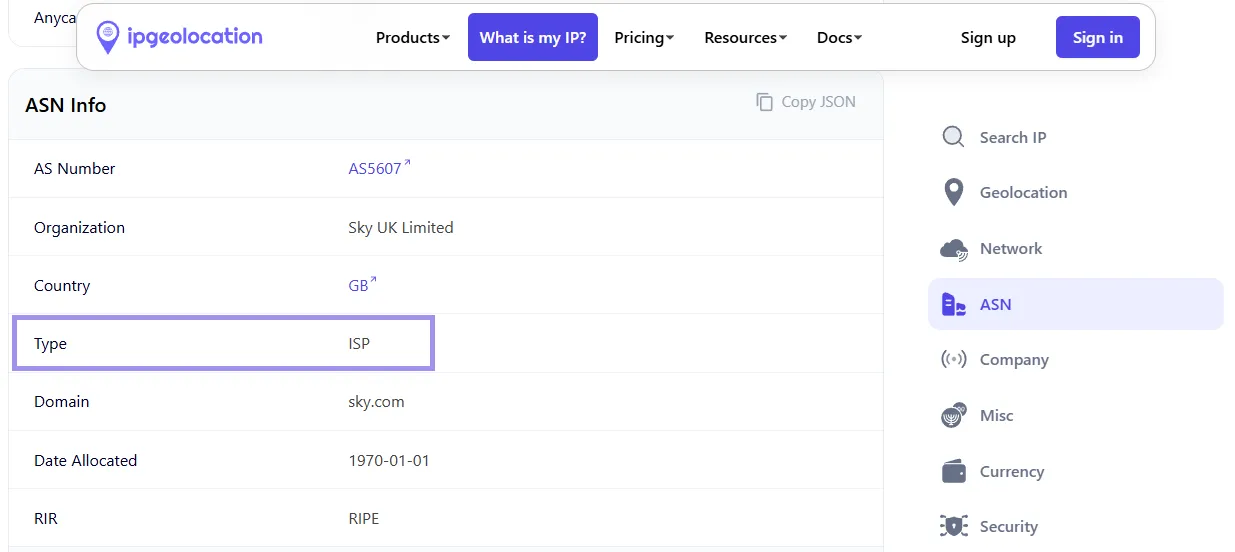
A hosting/cloud company means it's a datacenter proxy. A consumer ISP means it's either a residential proxy or an ISP proxy. Ownership alone can't tell you which, because both types use ISP-registered IPs. A mobile carrier means it's a mobile proxy.
If the owner is an ISP, you've ruled out datacenter, but you still need Step 3 to confirm it's residential
Step 3: Check the connection/usage type
Ownership shows who registered the IP, and connection type shows how it's actually being used. This is where residential and ISP proxies differ.
For demonstration, we'll check the same exit IP on IP2Location.io and Proxycheck.io, and compare against the type field ipgeolocation.io already showed us in Step 2. Both results show that the proxy type is residential.
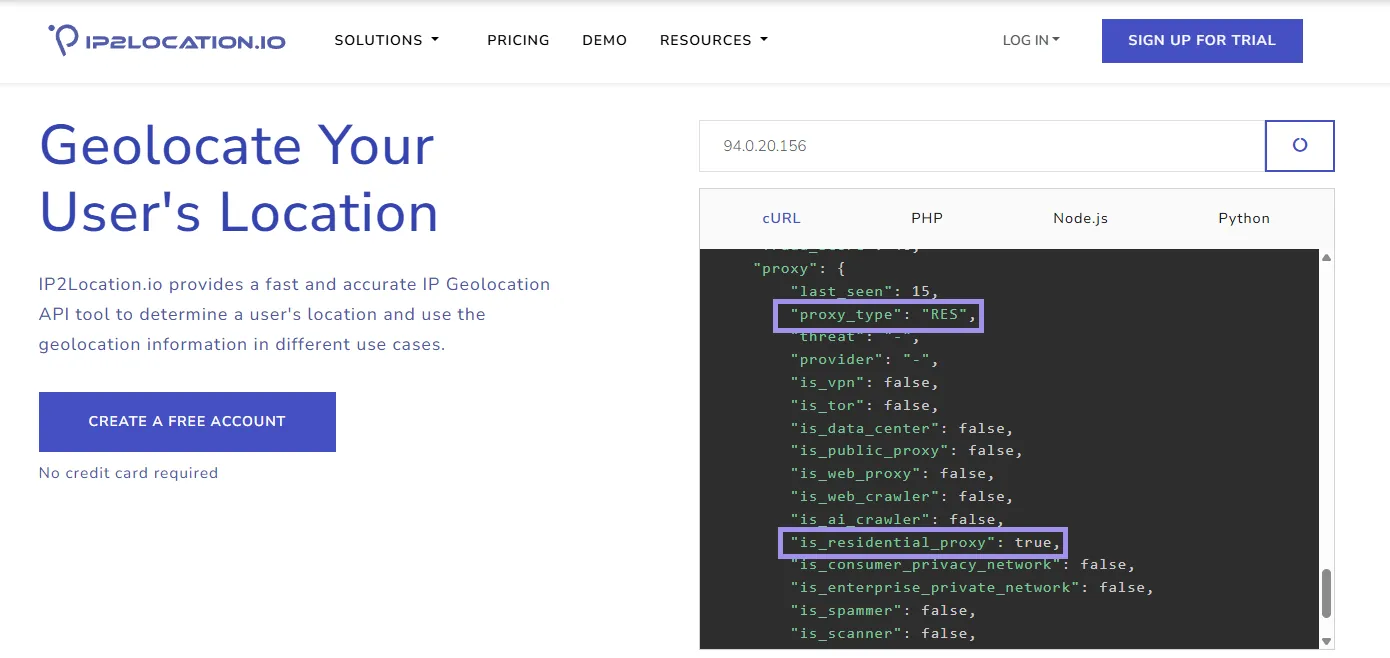
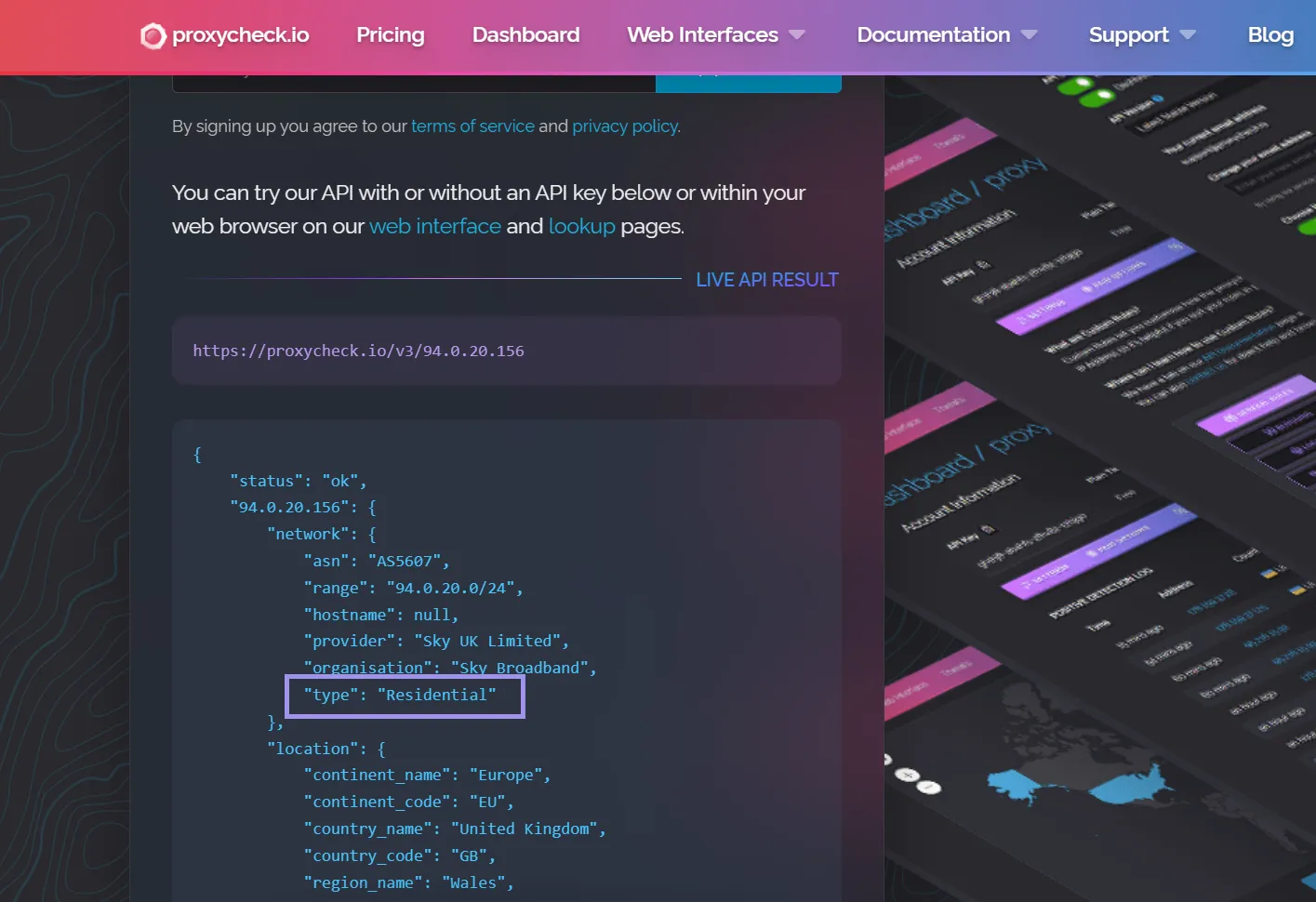
Note: Connection type is an estimate based on each tool's detection data, not a registry fact, so tools can disagree. Check multiple sources and go with the agreement.
Step 4: Check proxy/fraud flags
Fraud-detection services like Scamalytics or IPQualityScore flag IPs as "proxy," "VPN," or "datacenter" and assign a fraud or risk score. Paste your exit IP from Step 1 into these tools and check the results.
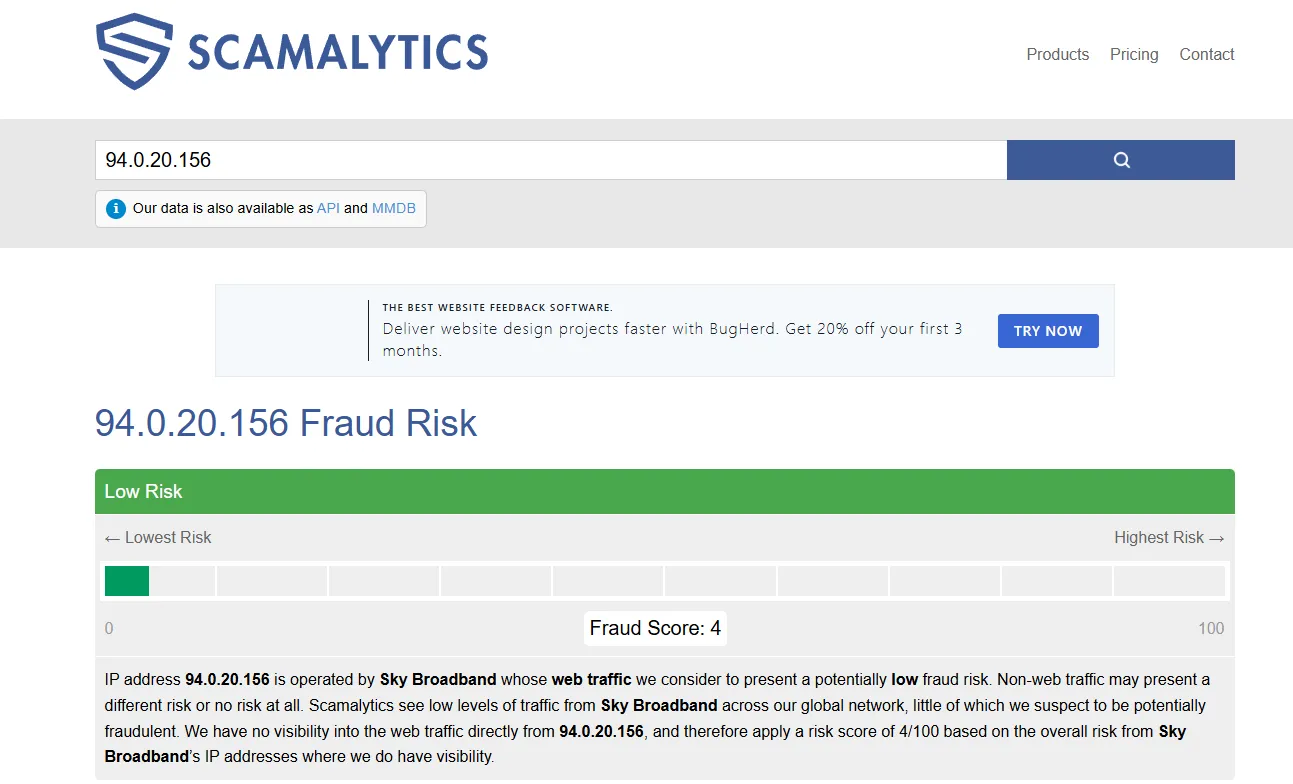
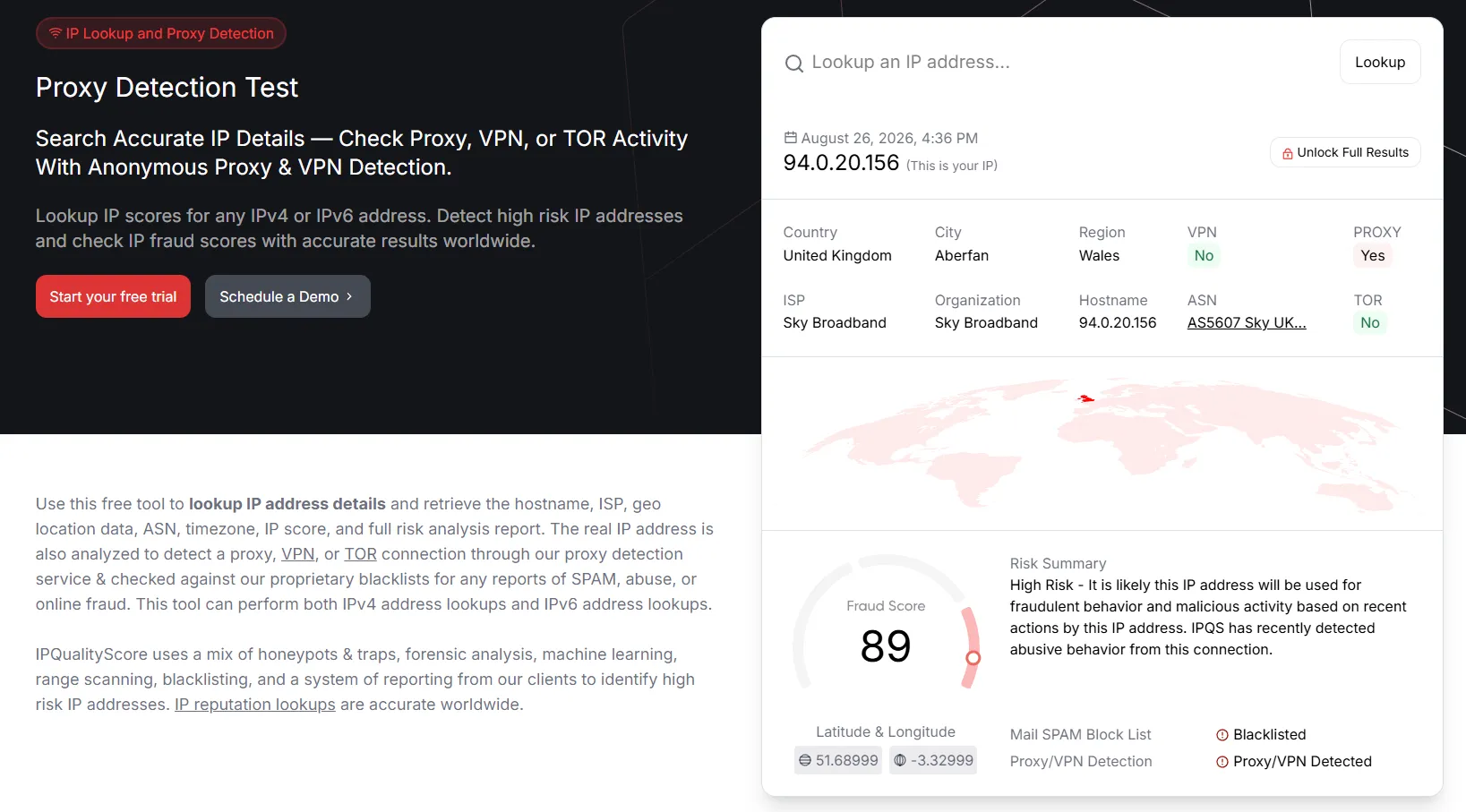
The same IP, when checked with different tools, can show contradictory results: one tool flags it as low risk, while another flags it as high risk. This is what causes the most panic, but remember: a proxy flag won't affect usage as long as the IP has a good proxy IP reputation.
A genuine residential proxy IP is often flagged as "proxy" because it is being used as one: residential networks route third-party traffic through real users' IPs. Some tools even recommend blocking known proxy IPs. Neither means your proxy is fake.
The flag that matters for authenticity is "datacenter" or "hosting." If a supposedly residential IP shows that flag, check the ASN from Step 2. An ISP organization means it's likely an ISP proxy; a hosting company means it's not residential.
Step 5: Confirm behavior on your actual target
After checking the proxy's ownership, connection type, and flags, run a final outcome test: use the proxy against the actual target you care about, especially if that target is known to block datacenter IPs.
This test doesn't prove the IP's type on its own. An ISP or mobile proxy would pass it too. But that's fine, because it answers the question that matters most: does this proxy get you access where a datacenter IP wouldn't?
You can use our proxy testing tool to run this check quickly: provide the proxy details and the target you want to test against. For demonstration, we tested against Google, one of the hardest targets for proxies. It aggressively filters datacenter IPs, which typically hit captchas or blocks almost immediately, while a clean residential IP returns normal results.
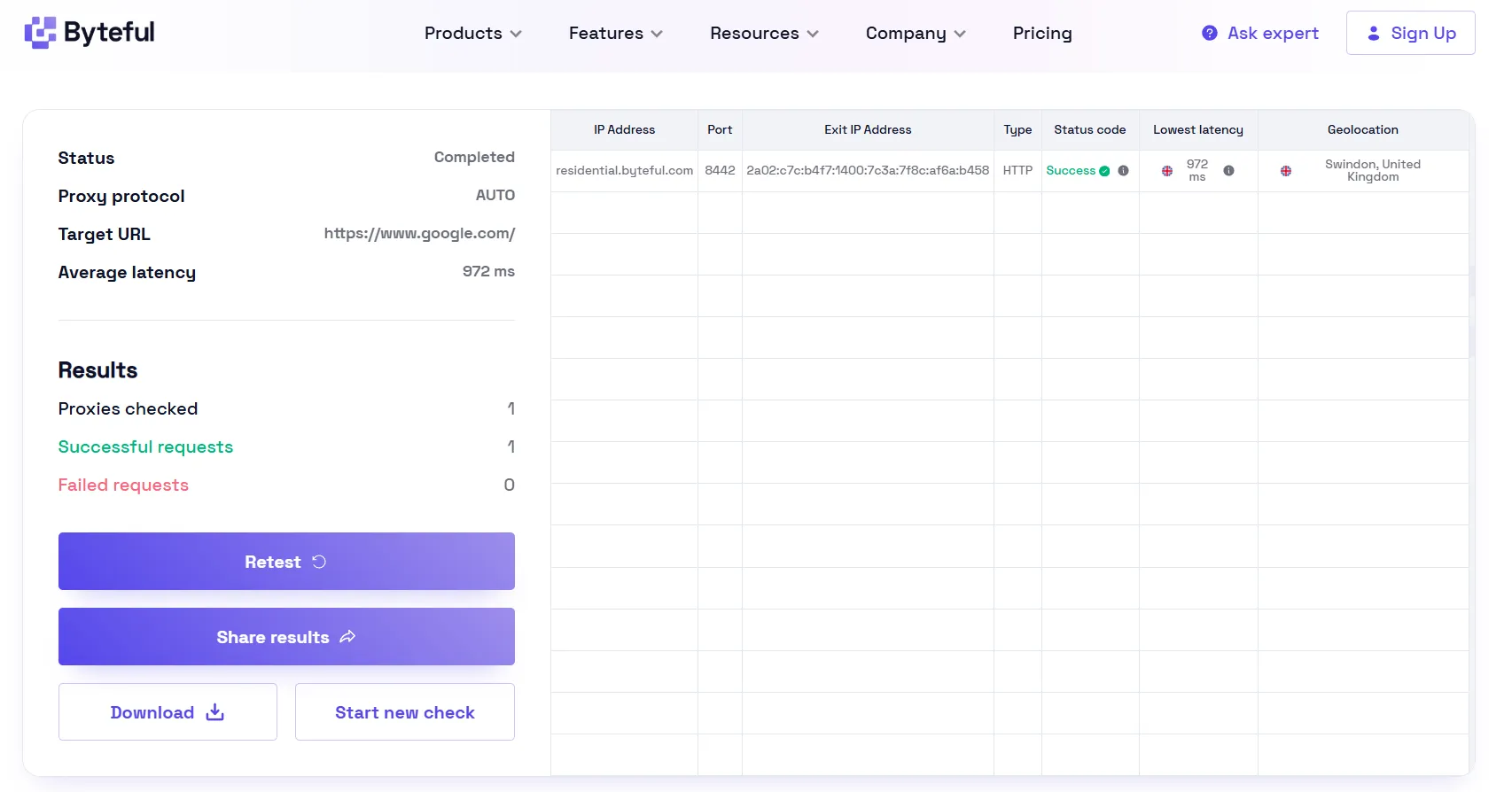
As shown above, the request succeeded. Combined with the ISP ownership and residential classification from Steps 2 and 3, that practically confirms your proxy is residential and working as expected.
How do you buy residential proxies you can trust?
Every check in this guide answers the same underlying question: can you trust that the IP you paid for is what the provider says it is? That question starts with how providers source their IPs.
Residential bandwidth-sharing typically works through software a user installs on their device, which routes proxy traffic through their connection. Ethical providers only enroll users who explicitly agree to this.
Some providers, however, source IPs through apps that share bandwidth in the background, without the user's knowledge or consent. Beyond the ethics, unconsented sourcing produces exactly the problems this guide teaches you to detect: inconsistent classifications, poor IP reputation, and pools padded with non-residential addresses.
Trusted providers with consented sourcing deliver genuine residential IPs with cleaner reputations and consistent quality, and they're transparent about which proxy type you're buying.
This is where Byteful stands in Proxyway's Proxy Market Research 2026, the industry's independent annual benchmark:
- Most authentic residential pool in the report (98.68% genuine residential IPs)
- Fastest residential response time of all participants, at 0.41s
- Best success rate on residential target benchmarks, at 81.23%
Every screenshot in the steps below shows a real Byteful residential IP, so you'll see exactly what a genuine residential proxy looks like at each check.

