
HTTP vs. HTTPS Proxies: The Key Differences Explained Simply


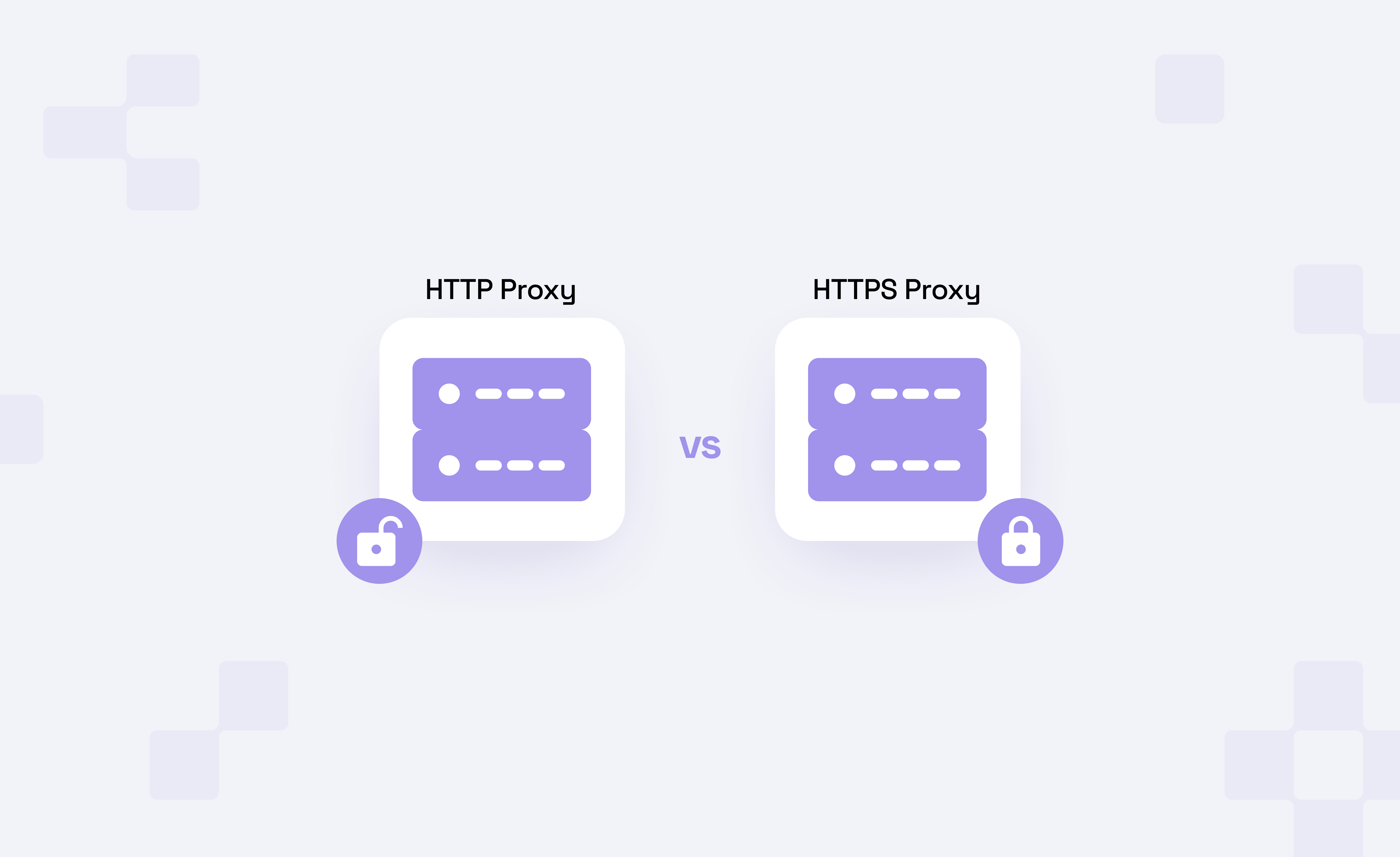
HTTPS proxy can mean a few different things. Sometimes it may refer to a proxy that bypasses HTTPS restrictions for a certain source. Other times it may refer to a proxy endpoint that a certain source connects to using TLS.
An HTTP proxy may also be directed to HTTPS websites if it utilizes the CONNECT method to create an intermediary tunnel. An "HTTPS proxy" refers specifically to the TLS encryption of the direct connection between the source and the proxy.
This distinction, compared to HTTP proxies, can be very apparent when you deal with sensitive information such as credentials, account activities, or when there is a requirement for a large-scale public scraping.
TL;DR
- If you access an HTTPS website through either an HTTP proxy or an HTTPS proxy, your request data and path stay encrypted between your client and the website.
- An HTTP proxy connects your client to the proxy over plain HTTP. It can still reach HTTPS websites with CONNECT, which creates a tunnel to the destination.
- An HTTPS proxy encrypts the client-to-proxy hop with TLS. That protects proxy credentials, tunnel setup, and plain HTTP proxy requests from local-network observers.
- Use HTTP proxies for public, low-risk, high-volume workflows. Use HTTPS proxies when credentials, account sessions, private data, or untrusted networks are involved.
HTTP vs. HTTPS proxies: the actual difference
When the target website uses HTTPS, your browser or client encrypts the actual website request before it reaches the proxy. That means the proxy may know which host and port you're connecting to, but it doesn't see the HTTPS page content, request body, cookies, or URL path.
Let's divide the connection into two hops to compare HTTP and HTTPS proxies in a simpler way:
- From your client to the proxy
- From the proxy to the target website
Responses travel back through the same path. Dividing along these points helps to explain the differences in security.
Encryption and traffic visibility
An HTTP proxy accepts your client connection over plain HTTP. For regular HTTP requests, the proxy can see the full request and response. This includes the URL path, headers, cookies, post body, and the response status.
Thus, the whole path between client and proxy is visible to the owners of the proxy and to everyone on the network. This is okay if the data is absolutely non-sensitive.
HTTPS traffic through an HTTP proxy works differently, however. In this case, your client will send a request, CONNECT example.com:443, to the proxy. The proxy, if it allows this, will then open a TCP tunnel to the destination. Once this tunnel is in place, the client will then start a TLS handshake with the target website.
With this kind of proxy configuration, and without corporate policies or proxy certificates, the proxy client can't see the content of the tunneled page, but can see the target and the port, the proxy account, as well as bandwidth and timing.
An HTTPS proxy encrypts the client-to-proxy hop before the proxy request is sent. That hides the CONNECT request, proxy credentials, and plain HTTP proxy requests from the local network. The proxy provider still sees the routing information it needs to operate the connection.
If you send plain HTTP traffic to a website through an HTTPS proxy, the proxy can still see that website traffic after the client-to-proxy TLS layer ends.
Regular proxy requests vs. CONNECT tunnels
For a plain HTTP site, the proxy can be instructed to grab a site resource directly. In this case, the website's traffic is still plain HTTP and the request is even an absolute URL, the plain HTTP site request to the proxy tells the proxy where to go.
For example, the proxy could get a request like http://example.com/products and forward it to the target server. Because the content is not encrypted at the application layer, the proxy can inspect it, and store the contents for later use (caching), even header information can be altered (to remove some advertisements). The proxy provider could view the site for security reasons, to enforce company policies, and for proxy provider policies.
For an HTTPS website, your client does not ask the proxy to fetch https://example.com/products via plain HTTP. Instead, it asks for a tunnel:
CONNECT example.com:443 HTTP/1.1If the proxy would reply with success, the user would initialize a TLS on the end via the proxy.
This is why proxy configuration can look strange in developer tools. In many clients, HTTPS_PROXY=http://proxy.example:8080 means that the user would use HTTPS destination requests with an HTTP proxy. The environment variable is the scheme of the destination. The proxy URL describes how your client connects to the proxy.
If the proxy URL is https://proxy.example:8443, your client first negotiates TLS with the proxy. After that, it can still use CONNECT inside the encrypted proxy connection to reach an HTTPS website.
Changes in performance, compatibility, and behavior of fallbacks can be influenced by HTTP/2, HTTP/3, and QUIC, but the core question remains the same. There are plenty of ways of figuring out what can be seen by the proxy and what can't remain encrypted.
Caching and performance overhead
Caching can simplify the use of proxies, especially if the traffic is plain HTTP and the response headers are cacheable. The proxy can cache the responses to make requests and save bandwidth on the origin. it's especially seen on controlled networks, mirrors, and other tools where data is not sensitive.
This is not true with HTTPS traffic tunneled through CONNECT. The proxy can't cache content and has to terminate TLS, which increases operational risks and complexity. The proxy can end TLS, but has to work with the user's desktop, policies, and trusts.
When HTTPS proxies add TLS to the client-to-proxy hop, it can increase handshake expense and CPU workload. However, in practice, the impact is often reduced due to persistent connections, TLS session resumption, connection pooling, and HTTP/2 multiplexing.
|
Feature | HTTP Proxy | HTTPS Proxy |
|---|---|---|
| Setup Complexity | Simpler to configure with a proxy host, port, authentication, or IP whitelist | Requires client support for https:// proxy endpoints and proper TLS certificate handling |
| Scalability |
Better fit for massive-volume scraping where traffic is public and failure cost is low | Better fit for controlled scaling where session security matters more than raw volume |
| Risk Level | Higher risk for credentials, plain HTTP, and proxy auth over untrusted networks | Standard choice for high-risk account management and sensitive sessions |
| Anonymity Layer | The provider sees routing metadata and any plaintext HTTP traffic; the local network may see proxy requests | The local network sees less, but the provider still sees routing metadata and plaintext HTTP sent beyond the proxy |
When to Use HTTP Proxies
Use HTTP proxy when the workflow is not sensitive and high-volume. it's the best choice for jobs where the proxy layer is mainly for routing, scaling, and controlling costs.
For highly regulated industries like health care or finance, HTTPS proxies are usually the safer default. Even if the target site already uses HTTPS, encrypting the client-to-proxy hop helps reduce exposure of proxy credentials, tunnel setup, and target metadata.
Scraping public data at scale
When encryption is not required on the client-to-proxy hop, an HTTP proxy becomes an appropriate choice for gathering web data from public digital sources. Some examples of these sources are public product web pages, availability checks, and auctions.
Since the data is already public in these workflows, your primary priorities are the proxy's throughput, geographic coverage, request interval, how retries are managed, and the quality of different exit points.
For large and concurrent jobs, datacenter proxies are often the cost-efficient baseline because they're fast, predictable, and built for high-volume requests. If targets are more sensitive to datacenter-origin traffic, residential proxies may be a better fit, especially when location and ASN profile affect access.
Using an HTTP proxy is not ignoring security. If the target site is using HTTPS, your client can still tunnel through and use an HTTPS session using the CONNECT method. The main difference is the client-to-proxy hop is still unencrypted unless an HTTPS proxy is used.
Before scaling, small proxy set can be tested for exit location, latency, and the response rate. A proxy tester can catch the bad proxy endpoints before your scraper fails.
Internal caching and bandwidth optimization
Caching proxies are useful on internal networks where you own client, destination, and policy. It reduces bandwidth from repeated tasks and requests for cached assets, downloads, documentation, test fixtures, and responses can create predictable traffic.
This works best when proxy traffic is plain HTTP traffic or you're using a proxy that terminates TLS in a managed environment. Most web traffic is HTTPS, so a simple HTTP proxy is unable to cache the contents of pages traversing a tunnel opened by a CONNECT method.
That limitation is the point of end-to-end TLS.
Basic testing in non-sensitive environments
Using HTTP proxies during the development and QA phases can be very helpful. You may want to send a staging crawler through a proxy to validate correct headers, check content for a specific region, troubleshoot access problems, or determine if your application works with proxy settings.
When tests don't require a high level of security, use an HTTP proxy to simplify configuration. You may set up a proxy with username/password authentication and a known proxy endpoint, as well as center the test on the behavior of requests instead of the system of certificates.
For new proxy setups, test and validate proxy behavior and functionality with a small budget and load.
If you're evaluating Byteful before committing spend, a dashboard allows you to test with 1GB of residential bandwidth free.
When to use an HTTPS proxy?
Use an HTTPS proxy to protect the client-to-proxy part of the connection for credential access, session cookies, account state, customer data, admin tools, or anything where making the proxy hops visible on the local network is a security risk.
An HTTPS proxy protects the connection between your client and the proxy. If the destination data is sensitive, the target website still needs to use HTTPS.
Secure browsing and account activity
You typically want an HTTPS proxy to manage your accounts. You don't want the session setup data to be sent and cached to the client-to-proxy hop in plain sight.
In many cases, a consistent IP is as vital as encryption for longevity. When an IP suddenly changes, it may cause an increase in verifications, broken cookies, and debugging may be more difficult.
This is where static residential proxies are extremely valuable, as they combine residential-like IPs with longer session stability.
For instance, let's say an internal team wants to access a retailer dashboard from a certain geographic area. A good practice would be to send the connection to the proxy, to the target, and back from the target to the proxy using HTTPS, with a stable IP for the whole session.
Sensitive data in transit
If your requests involve API tokens, private search queries, customer records, session cookies, or payment data, use an HTTPS proxy and an HTTPS destination.
An HTTPS proxy hides the details of the proxy request, proxy authentication, and the construction of the proxy tunnel from the local network. HTTPS to the destination hides the application data from the proxy and from all the entities lying in-between the proxy and the destination.
Stricter sites and higher-risk workflows
More demanding sites assess a lot more data than request URL. They evaluate the requestor's IP, location, ASN, the TLS configuration, pacing, the transaction history and the requestor's activity.
In such scenarios, proxying HTTPS is just one component of an overall optimized configuration. There needs to be better IP reputation, stable sessions, acceptable pace of requests, and support of a client behavior expected by a target, including protocol support.
If blocks continue, even after the proxy protocol has been corrected, the next step is to review proxy IP reputation. Protocol selection can't save a poor IP pool, and a clean IP can't outweigh reckless automation.
In the case of modern targets, HTTP/2 and HTTP/3 behavior can also be relevant. We announced HTTP/2 and HTTP/3 residential network support because transport compatibility is increasingly recognized as an important part of acceptable proxy quality.
HTTP and HTTPS Proxy Limitations
When you cleanly compare HTTP and HTTPS proxies, things are much easier. Your own implementations will always include some systems. These are the apparent rules that define the working practicality of a proxy implementation:
- Tunneling - You can tunnel through an HTTP proxy and connect to HTTPS sites, but the client-to-proxy segment is still not encrypted.
- Encryption gaps - HTTPS to a proxy and HTTPS to a target are the solutions to different problems. For maximum privacy, you often need both.
- IP reputation vs. protocol - Using a proxy protocol of higher quality will not solve a burned exit IP issue. Reputation, ASN, history, and target policy are still important.
- Hidden latency - The underlying delays of TLS handshakes, tunnel setup, retries, pool routing, and the target not forwarding the existing request will all be delays.
- DNS leaks - Some clients resolve names locally, bypass proxy rules for certain hosts, or fall back to direct connections when proxy settings are incomplete. Validate the behavior of the client you're using instead of the proxy.
- Credential exposure - Basic proxy authentication over a plain HTTP proxy can expose credentials on the local network. HTTPS proxy endpoints or IP whitelisting reduce that risk.
- Anonymity headers - A forward proxy can use headers like Via, Forwarded, and X-Forwarded-For. Diagnostic fields like Proxy-Status can also reveal intermediary details when configured, so you shouldn't automatically assume that when someone is using a proxy, they are metadata free.
