
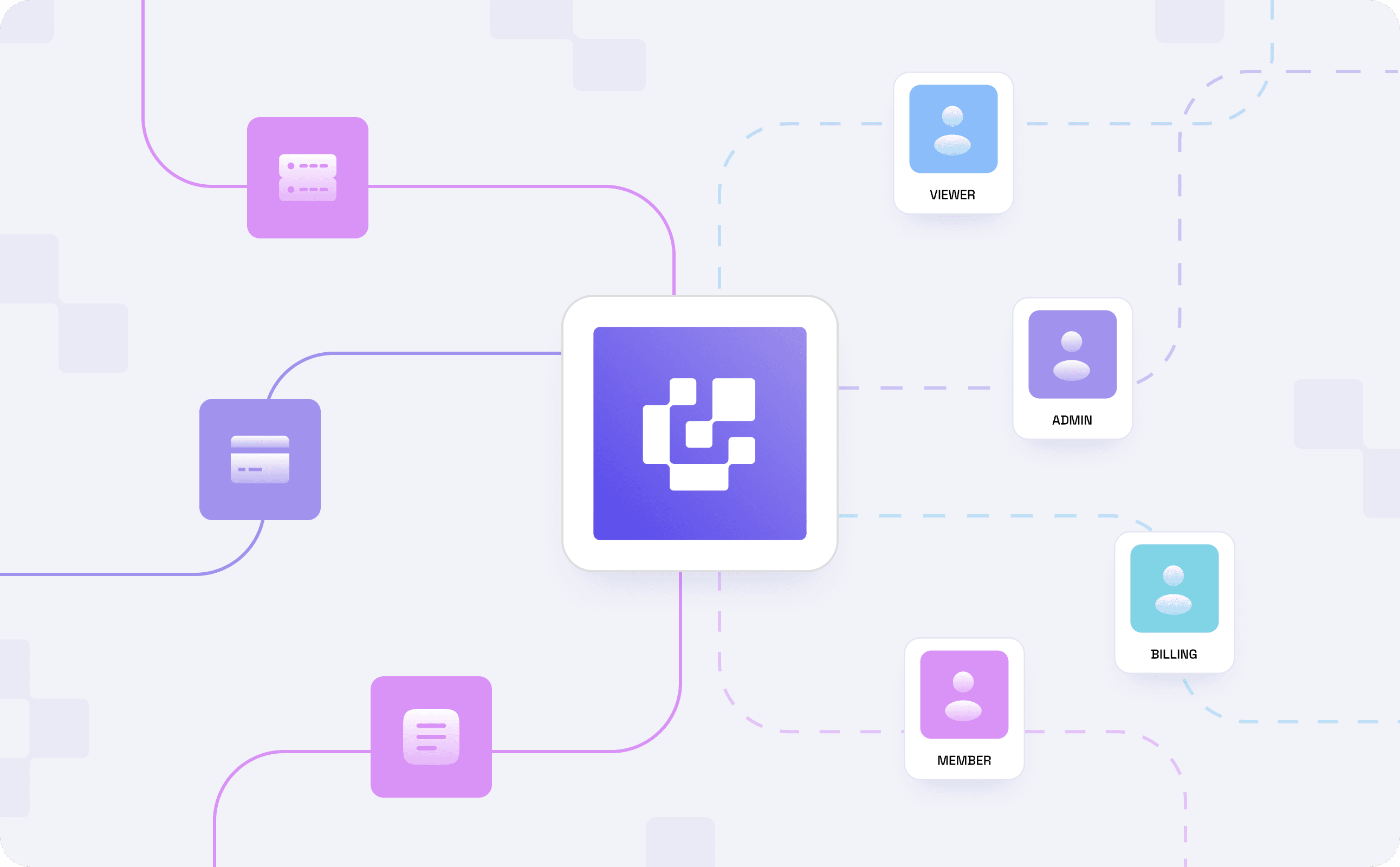
Byteful now supports organizations: shared workspaces for your team, built on role-based access control (RBAC). It is live on every account starting today, at no extra charge.
The single-user problem
Until now, every Byteful account belonged to one person. If your team needed access, someone shared the password. Every API key could do everything the account could, including things you'd rather it didn't. When someone left, the only real option was to change the password, send it around again, and hope nothing broke in the meantime.
As a result, a Byteful account grew into a team's shared infrastructure while still tied to one person's login.
Why we built Organizations
Most Byteful accounts start with one person. The team grows around it, but the account doesn't: one login, one set of permissions, shared by everyone who needs it. Developers, finance, and agents all end up with the same access because the account can't tell them apart.
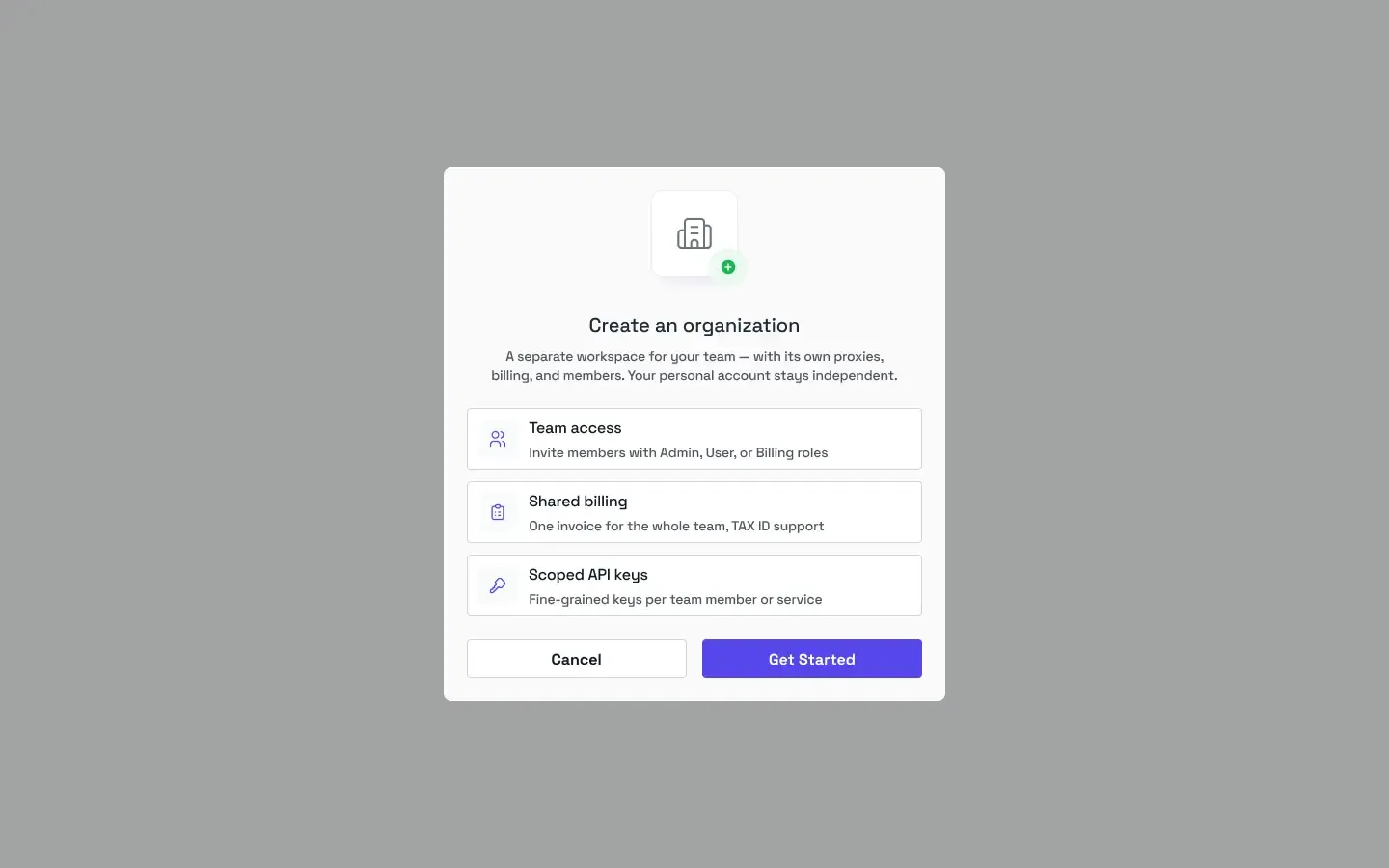
Enough customers told us this that it stopped being a feature request and became a product gap. When we became Byteful in April, team access was one of the things we committed to building into the new platform. Organizations are that commitment delivered. One workspace, a login, and a role for each person.
We’ve paid particular attention to API keys, since they end up in more places than you'd think, and they could do anything your account could. A fine-grained key can only do what you allow, and you can set an expiration date. If it leaks, the damage stops where you drew the line.
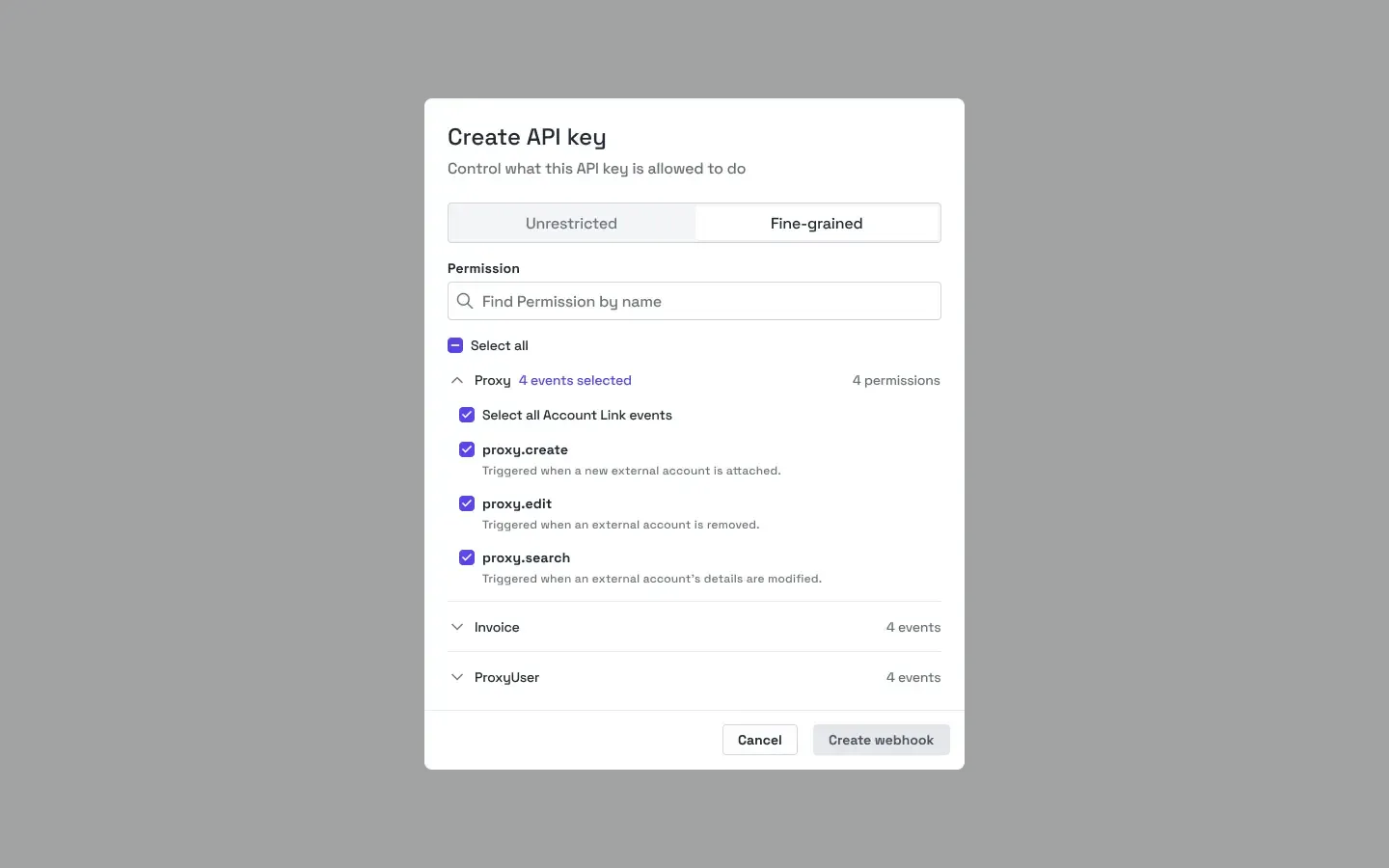
The same applies to AI agents. Checkouts, generating proxies, anything in the API can be gated to what you want an agent to touch. An agent that only generates proxies gets a key that only generates proxies.
The difference it makes
No more shared passwords, and no more handing a new hire the keys to the whole account. When someone leaves, you remove them from the organization, and their access goes with them. If they were the owner, ownership moves to another member first. Active services, billing information, and API keys all belong to the team, not to whoever signed up first.
What ships today
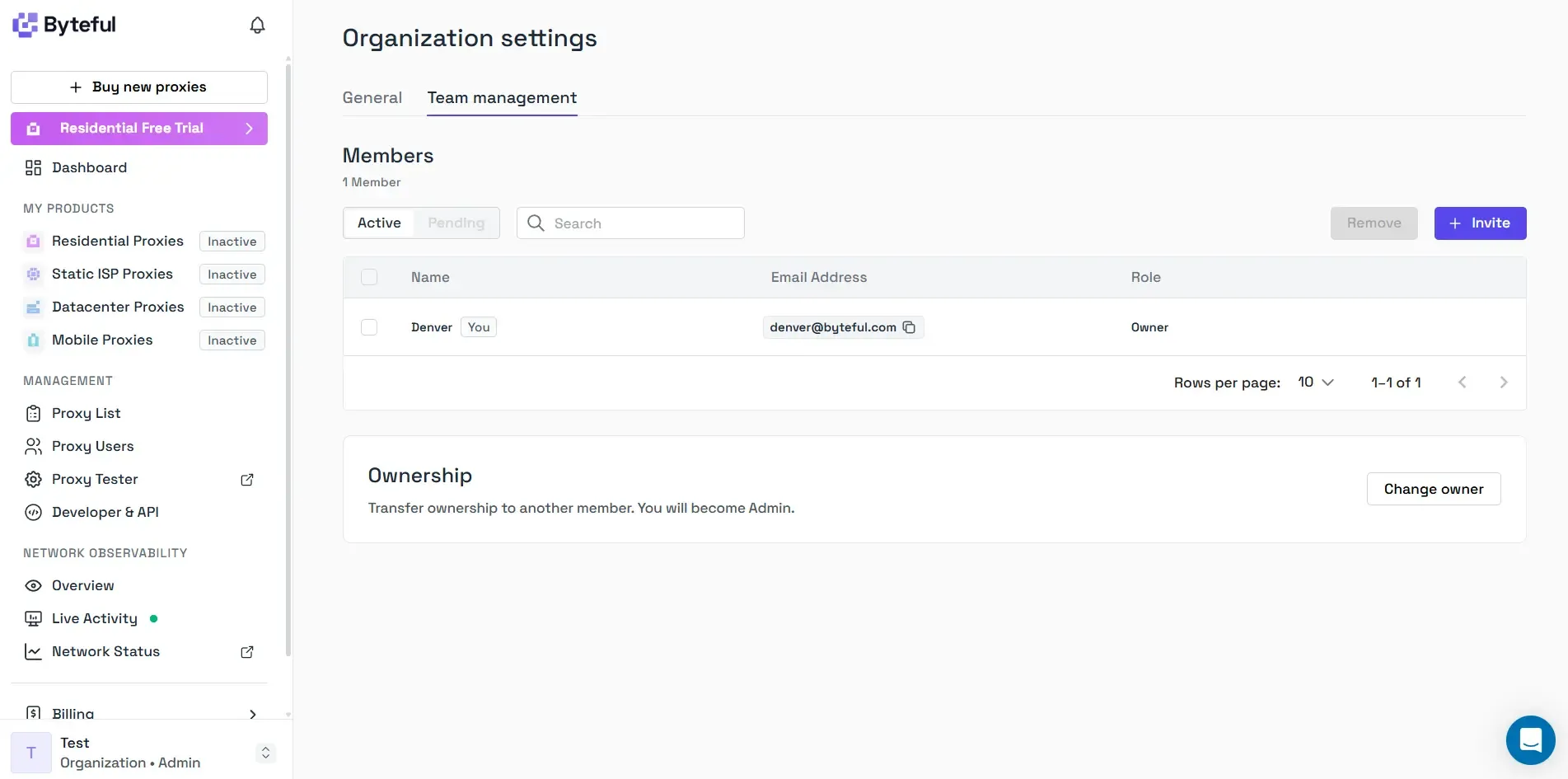
- Personal workspaces and organizations: Every account has a personal workspace; create an organization alongside it, or convert your personal workspace into one. You can belong to more than one, and switching is two clicks away.
- Owner, Admin, and User roles: Admins edit the organization, manage keys and members; Users work in the workspace without those controls. Ownership transfers to another member whenever you need it to.
- One invoice per organization: Billing follows the workspace, not the person, so the whole team sits on a single invoice.
- Fine-grained or Unrestricted API keys: Keys belong to the workspace, not the person. Create a fine-grained key and choose exactly which permissions it carries and when it expires, or keep an unrestricted key with full access.
- No extra charge: Everything above is available on every account at no cost, and nothing is gated by plan or by how many members you add.
If you're an existing customer, there is nothing to set up. Your account is already a personal workspace, and your existing API keys keep working.

