

Earlier this year, we added Live Pool Size Indicators, State Targeting, and ZIP Code Targeting to our proxies. You can see how many IPs are online for any location you choose and send your traffic exactly where you want it to go, based on your choice of location. Now you can also target by operating system (OS).
With this release, you can choose whether your residential or mobile proxy runs on Windows, Linux, or Android. It is live now, and we are excited to show you how it works.
What is the need for Operating System targeting?
Residential and mobile proxies give you a strong chance of success because your traffic passes through real people's devices, whether that is a home broadband connection or a phone on a carrier network.
Real ISPs and mobile carriers assign the IPs on these connections. They have a natural history and are typically clean. When you connect through one, the website sees exactly what it expects: a normal visitor on a normal connection.
However, many of those websites use a technique called OS fingerprinting. In simple terms, they look at how a connection behaves and work out which operating system the device is running.
A request that claims to come from an Android phone but connects through a Windows laptop can stand out. That is where OS Targeting comes in.
You may want to appear to browse from a specific operating system. Or you may want every request in a large job to come from the same one, so nothing looks out of place. Either way, you can now match the proxy device to your use case instead of leaving it to chance.
How to set Operating System targeting?
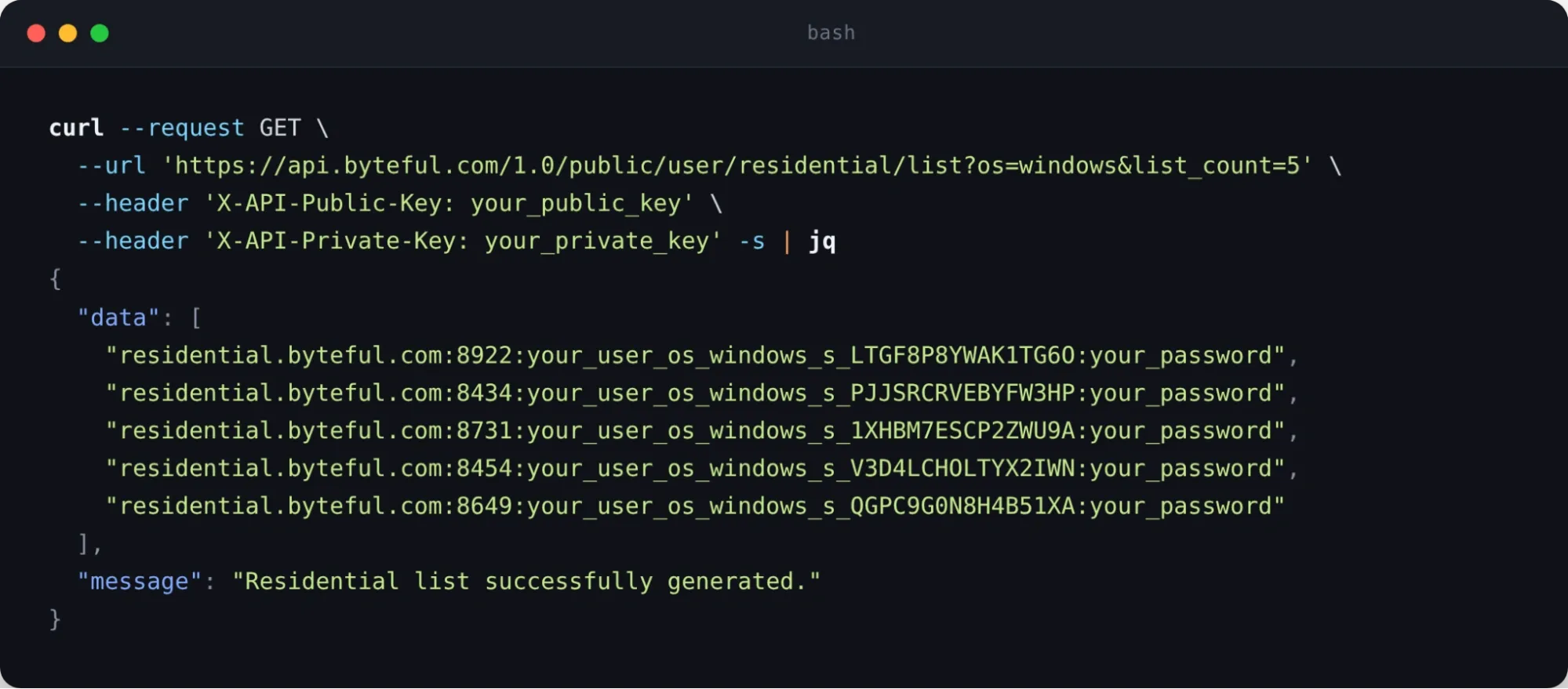
Setting an operating system works exactly like every other targeting option you already use. Just add the os_ parameter to your proxy username, the same way you add a country, state, or ZIP code.
You can set it to os_windows, os_linux, or os_android, and your request will be routed through a device running that operating system. It works on both residential and mobile proxies.
If you prefer building your proxies in the dashboard, you will find a new Operating System dropdown in the proxy generator for both residential and mobile. Pick Windows, Linux or Android, and the parameter is added to your username for you.
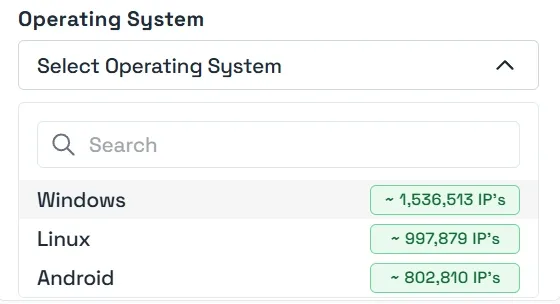
You may also want to know how many IPs are available before you choose. Each operating system shows a live count of the IPs currently online, right next to it in the dashboard, just like our location filters do.
The same numbers are available through our public API, so you can check availability programmatically or feed it straight into your own tools and automation.
Note: OS Targeting is launching as a beta feature. We are committed to giving you as much control as we can, but we cannot promise that OS selection will always be available on our residential and mobile connectors. We will keep you posted, and your feedback will help shape what happens next.

