
Multi-Region Checkout Is Live: One Order Covers It All


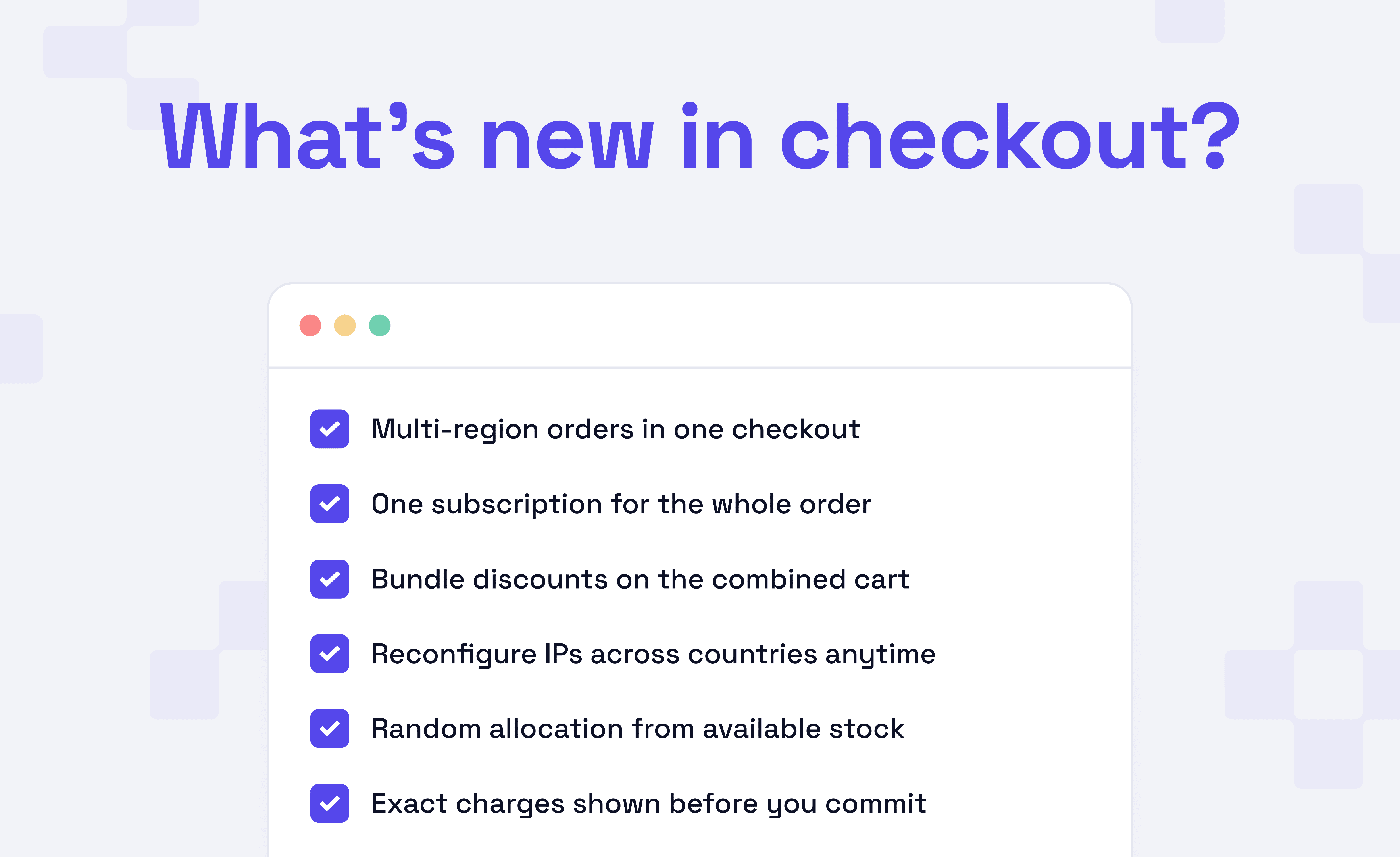
Previously, purchasing proxies for multiple locations required a separate checkout and subscription for each, which can be a hassle at times. Hence, we focused on revamping the entire payment experience.
Now one order covers them all. Simply check multiple locations for a product in one go and, regardless of how many locations it spans, collect the bundle discounts your combined order would have earned.
The new flow is now live for ISP proxies and Datacenter proxies and covers both checkout and reconfiguration. Let’s have a quick look at the new changes.
Split Your Order Across Locations
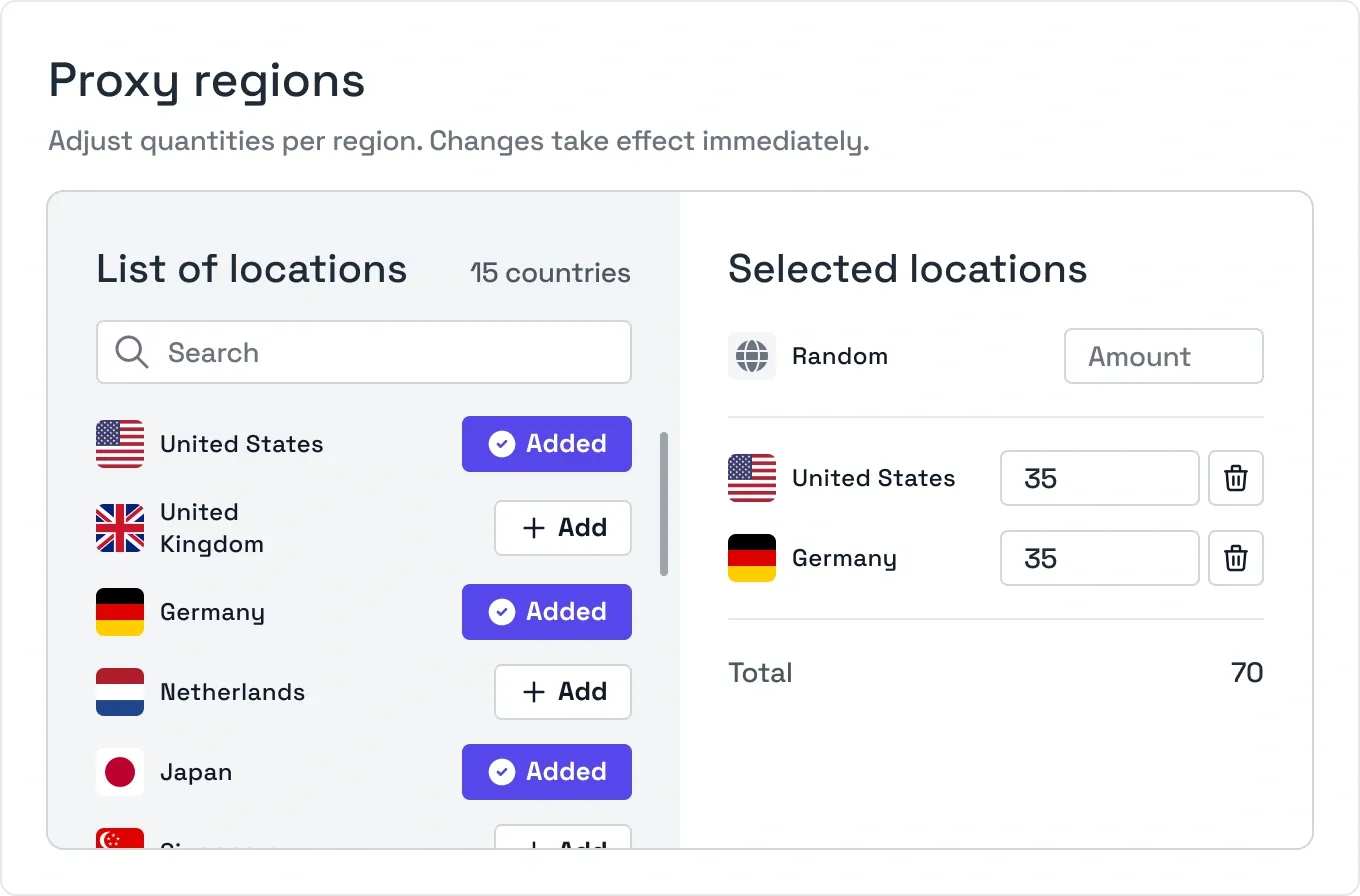
Pick a product, then build the order the way you need it. Every location is listed with its availability up front, and you set a quantity against each one you add. The cart totals everything into a single order, shows a combined summary, and bills it as a single subscription.
Random is for the part of an order that does not need a fixed country. IPs assigned to Random are pulled from our stock pool, which naturally weights them toward the locations where we hold the most stock. Pin the quantities that matter, leave the rest to Random, and keep it all in the same cart.
Note: A cart holds a single product type at a time. Locations mix freely within either an ISP proxy or a Datacenter proxy order, but the two still check out separately.
Bundle Discounts Count the Whole Order
Say you needed a large batch of IPs spread over several countries. Splitting that into separate checkouts meant each order was priced individually, making it difficult to reach the set discount tier.
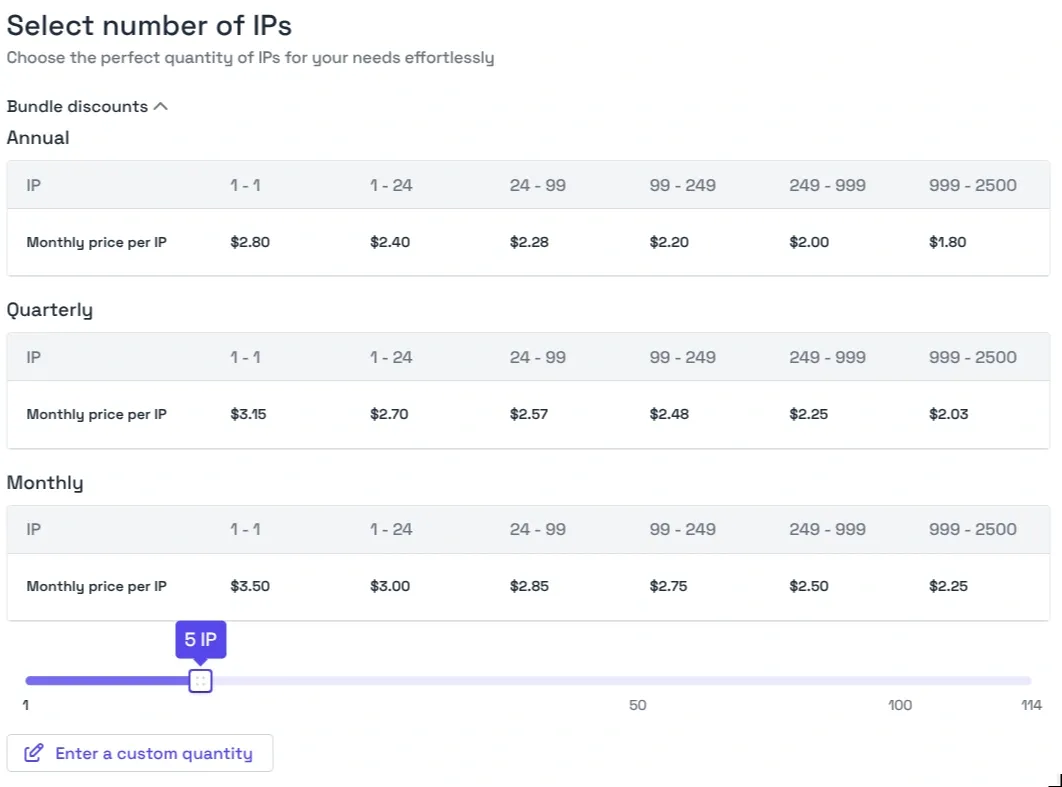
We wanted you to benefit from the multiple orders, and that is through the new bundle discounts. Quantity discounts are now calculated based on the total size of the cart, not on any single item in it. However, if the order is split across countries, the discount tier is determined by the combined IP count.
The bundle discount table in checkout shows exactly where the price per IP steps down as quantity climbs, across monthly, quarterly, and annual billing cycles. This way, you can see which tier your cart lands in before you pay.
Move IPs Between Countries Anytime
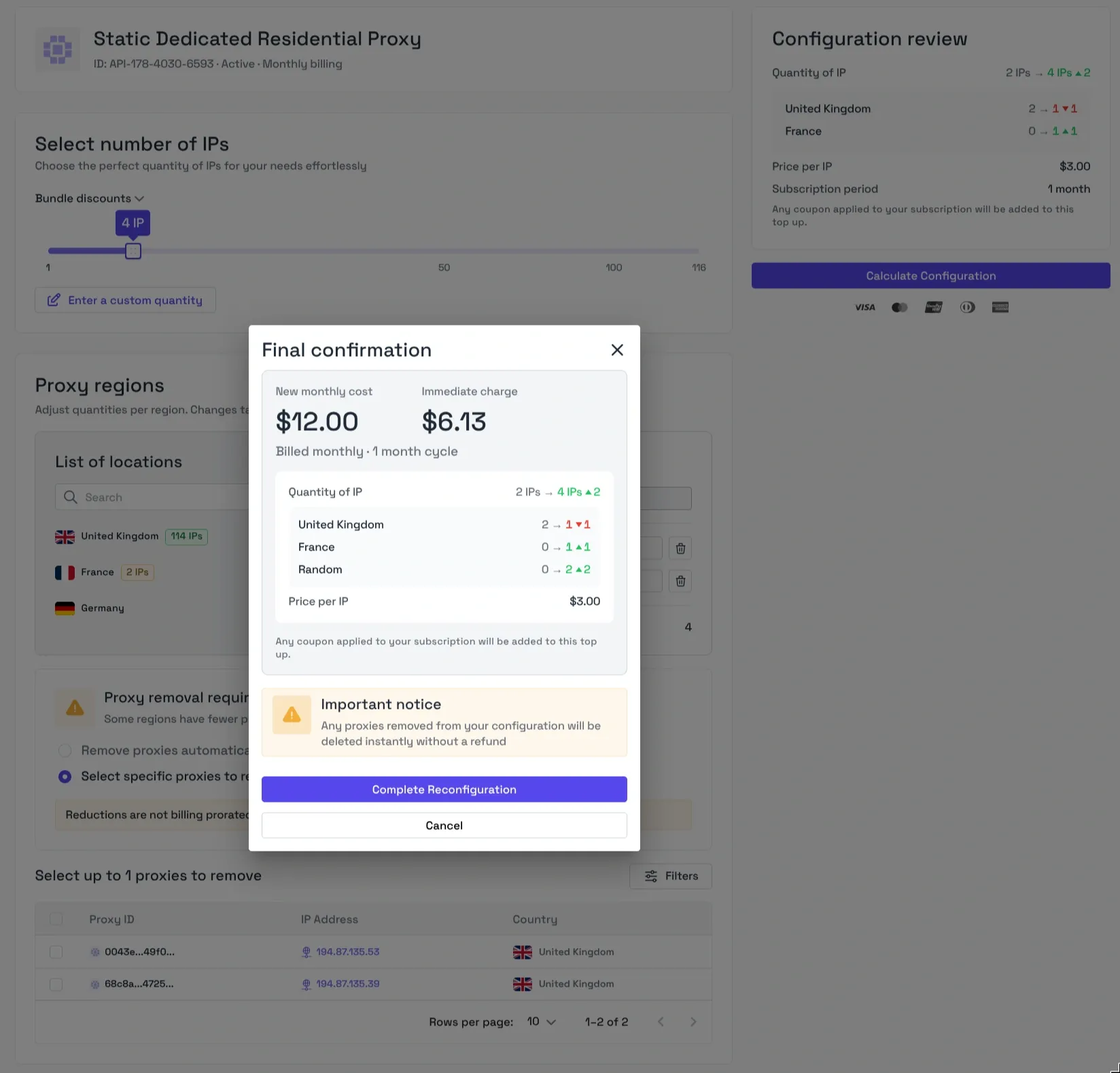
Reconfiguration used to work one change at a time through a basic menu. Now open a subscription and adjust quantities per region in a single operation. You can raise, trim, add a new country, or shift part of the allocation to Random. Changes take effect immediately.
Before anything is charged, the configuration review lays out the change per location, from old quantity to new. The final confirmation shows the updated monthly cost next to the exact immediate charge, so you know both numbers before you commit. Bundle pricing applies here too and is calculated across the entire reconfigured order.
Multi-region checkout is live now. Open the dashboard, start an ISP or Datacenter proxy order, and add all the locations you need in one go.
Get started here: https://dashboard.byteful.com/login
