
Proxy Timeout Troubleshooting: Causes, Fixes, and Prevention
When browsing the internet through a proxy, you may encounter an error indicating that your proxy timed out. This error needs to be addressed to continue browsing through the proxy.
This guide details what a proxy timeout is, common causes, and how to troubleshoot it so you can address these issues.
What does a proxy timeout actually mean?
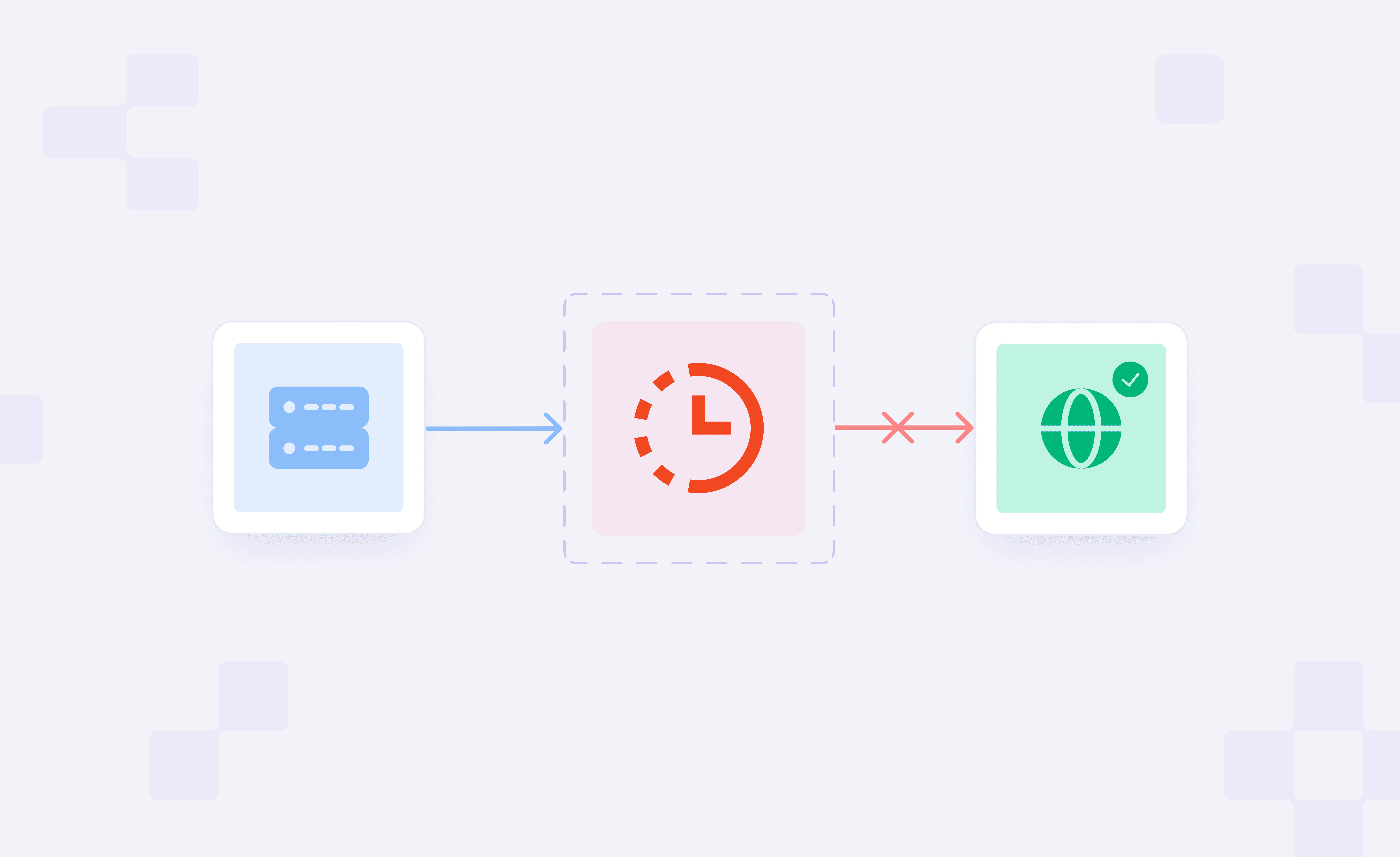
Proxy connection usually involves three main parties: the client, the proxy, and the target. Proxy timeout occurs when any party fails to receive a response from the next hop within a set timeout window. This can happen if your client times out while waiting for the proxy, or if the proxy times out while waiting for the target.
You can use our Proxy Tester to pinpoint the point of failure. It identifies where the connection broke and how to fix it. The proxy timeouts are categorized based on the stage of network communication at which the timeout occurred.
Connection Timeout vs. Read Timeout vs. 504 Gateway Timeout
Connection timeout occurs in the early stage during the establishment of the initial Transmission Control Protocol (TCP) connection. It can occur if the proxy or target is unreachable or if you have an unstable internet connection.
Read timeout occurs after the TCP connection is established. It can occur between your client and the proxy if the proxy is slow, or between your proxy and the target website if the target is slow.
504 Gateway timeout occurs when a server acting as a gateway (proxy, content delivery network, or target’s load balancer) fails to get a timely response from an upstream server. This means that the gateway reached the upstream server, but that server failed to respond in time.
What are the common causes of proxy timeouts?
There can be multiple reasons the proxy timeout occurs. This section presents some of the most common ones.
Wrong proxy host, port, credentials, or protocol
If there is any misconfiguration in the proxy host or port number, it will prevent the connection from reaching your proxy, which can lead to a proxy timeout.
If the configured credentials are invalid, the proxy responds with a 407 error, but in rare cases, the connection can be dropped silently, resulting in a proxy timeout.
Protocol mismatches can also trigger proxy timeouts. For example, using HTTP to communicate with the SOCKS endpoint or vice versa. SOCKS requires a handshake to carry HTTP traffic, which requires the client to be configured to use SOCKS.
Without it, a SOCKS proxy usually stays silent or drops the connection, causing a proxy timeout. Meanwhile, sending SOCKS traffic to an HTTP proxy typically triggers an immediate error.
Local network, ISP, DNS, firewall, or antivirus issues
An unstable internet connection or throttling on common proxy ports by your Internet Service Provider (ISP) can disrupt the connection, causing a proxy timeout.
A slow DNS server can fail to resolve the proxy domain in time, causing a connection timeout because the initial connection to the proxy has not yet been established.
In some cases, the firewall and antivirus software can also flag the proxy traffic and drop the packets silently, leaving the client waiting until a timeout is triggered. Some restricted and safe-mode networks, such as educational institutions, can also block proxy access, producing similar results.
Browser, scraper, or app settings that are too short
If the timeout window set in your software is too short, it may not give the proxy enough time to process your request, which can cause a proxy timeout.
High-volume scraping can also overwhelm the proxy's processing power. This makes all the requests wait in the queue, and the timeout window expires before they are even sent to the target.
Low-quality or overloaded proxies
Poorly maintained and free proxies often have limited bandwidth, high user congestion, and are unreliable. Such proxy servers queue the incoming requests and use slow routing that can then cause proxy timeouts.
For production environments, use a reliable proxy provider or a trial plan. It can help you test several factors like success rate, latency, and geographical coverage before you switch to a paid plan.
Target-site slowness, throttling, or blocking
If the target is slow for any reason, the proxy connection to it may timeout. Web servers can also throttle or block your traffic if they detect it as proxy traffic, especially if the proxy has a poor reputation.
Step-by-Step Proxy Timeout Troubleshooting
Knowing the possible reasons for the proxy timeout can make it easier to troubleshoot and resolve the issue.
Test the status of your provider
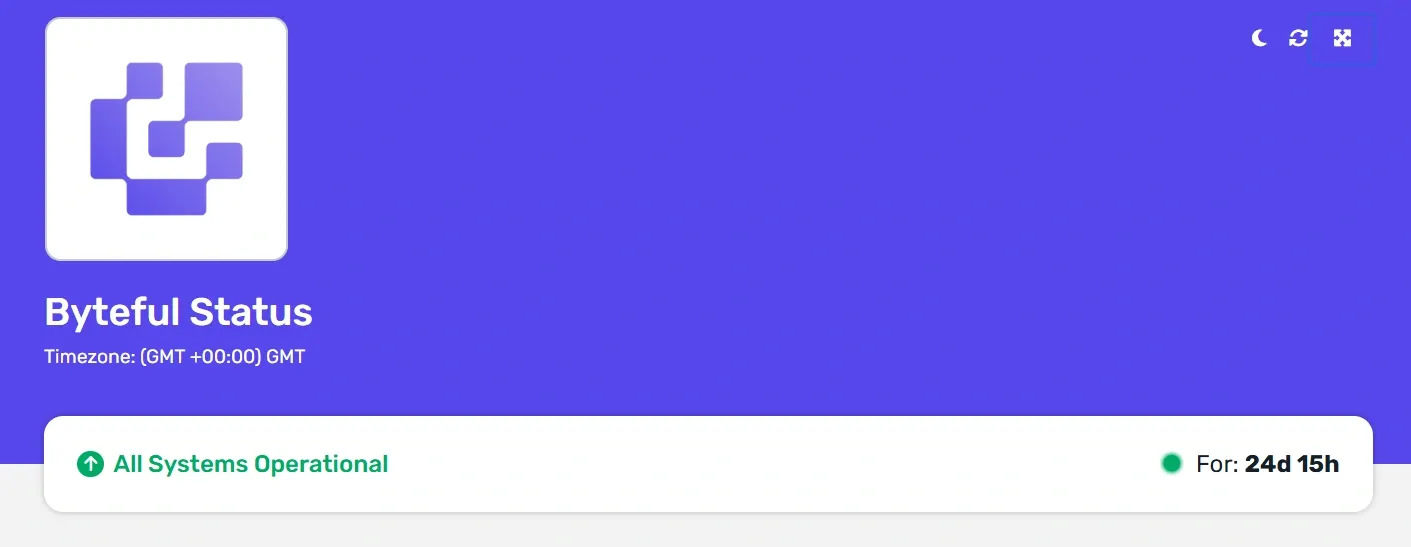
Before anything else, check that your proxy provider is not under any service outage. Most reliable proxy providers maintain a live status page you can visit to check service availability.
Confirm host, port, auth, IP whitelist, and protocol match
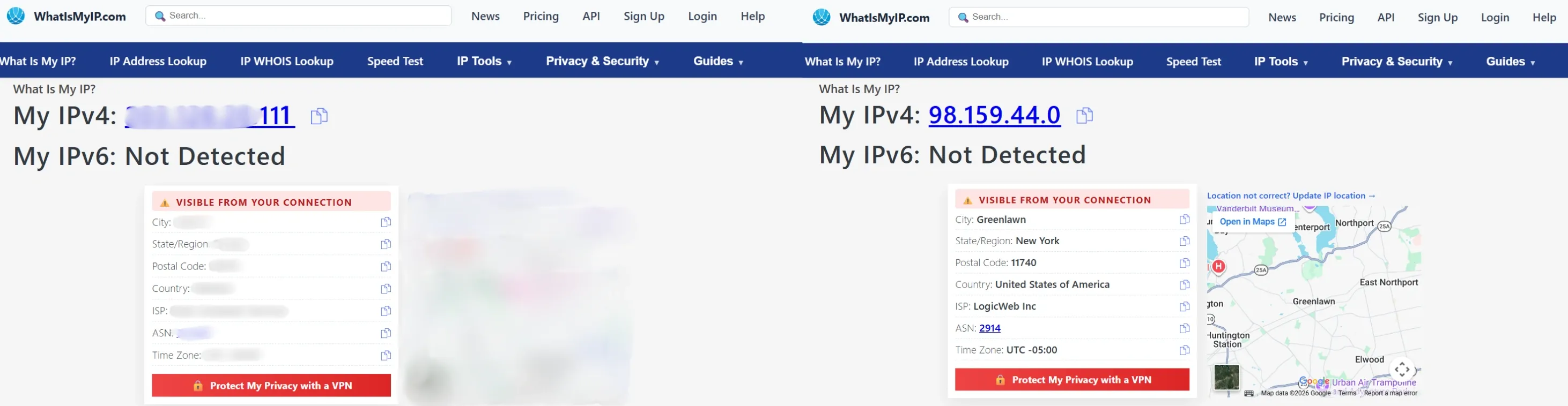
Ensure that the proxy host, port, authentication, and protocol are configured correctly. Confirm your proxy connection by using a service like whatismyip.com. If the displayed IP matches the proxy’s IP address, it confirms your proxy connection.
If the timeout occurs before connecting to the proxy, it is not a proxy timeout, so the following steps do not apply. If you are using IP whitelisting, make sure that your public IP address is whitelisted in the proxy dashboard.
Test the target directly and through the proxy
While facing a proxy timeout issue, the failure point lies between your client and the proxy or between the proxy and the target.
To locate the issue, test the target both with and without the proxy. If it loads without the proxy but times out with it, the issue is likely your local network or your proxy, which is often due to a poor proxy reputation, geo-restrictions, or bot-detection flagging the traffic.
Increase timeout values and add retry/backoff logic
When using scripts, increasing the timeout value in your code can help resolve issues caused by short timeouts. But it cannot override the provider's server-side timeout limit.
If your script times out after 5 seconds but the target takes 6 seconds to respond, increasing the timeout in code can help resolve the issue.
Timeouts can also be temporary and resolve on their own. Configuring retries with exponential backoff can help by giving the server enough time to recover from overload.
Lower concurrency and rotate sessions or IPs when needed
Sending multiple requests per second from the same IP address can trigger throttling.
Reducing the number of requests per IP, rotating to a new IP or session after multiple consecutive timeouts can keep you under the rate-limiting threshold and reduce timeouts.
Check DNS resolution, local connectivity, and firewall rules
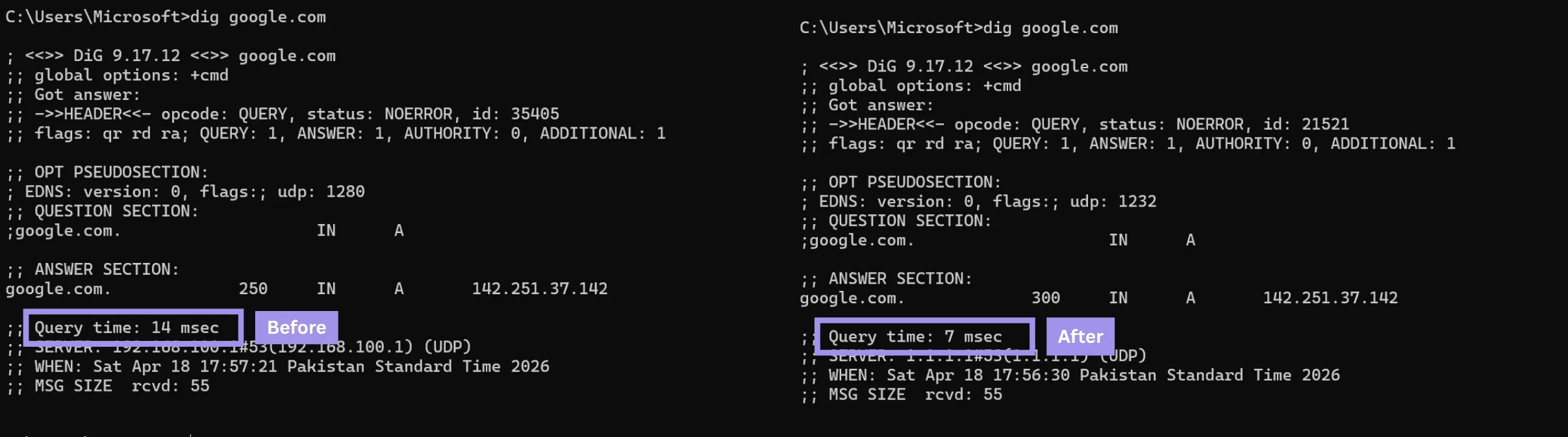
Slow DNS can add latency to every request, which can cause timeouts. Switching to a faster resolver like Google’s can help here. You can also verify the change in lookup time before and after changing the DNS by using a tool like dig.
Packet loss during transmission due to an unstable connection can also cause proxy timeouts. Running a traceroute test can help check for local packet loss.
Firewalls can also cause timeouts by flagging the proxy traffic as suspicious. Adding an allow rule for the proxy’s IP address and port can help fix the issue.
If your corporate firewall is blocking port 8080, adding an allow rule for that specific port fixes the timeout.
Review logs and exact error messages before escalating
The proxy or a gateway usually generates an error code when a timeout occurs. Understanding the proxy error codes can help you fix the issue yourself without escalating to your ISP or proxy provider.
When your scraper logs show ReadTimeout every 30 seconds, increasing the timeout window can fix the issue.
How to prevent proxy timeouts in production?
Sometimes, the reason for the proxy timeout is not your proxy, network, or client settings. The target itself might be slow, rate-limiting you, or geo-blocking you. In such a case, the following strategies can help resolve the issue.
Choose the right proxy type for the job
Not every proxy type works the same way, and choosing the right one for your job can help significantly.
Residential proxies route traffic through home networks, making them hard to block, but home networks can be inconsistent, leading to occasional high latency and timeouts. These proxies are more reliable when scraping under aggressive bot detection, and the success rate takes priority over speed.
Datacenter proxies are fast, have detectable cloud-hosted IPs, and are prone to being blocked by sites with datacenter IP restrictions. These are preferred for high-volume tasks on targets that don't restrict datacenter traffic.
Static residential proxies are hosted in datacenters but registered with ISPs. By combining datacenter speed with residential reputation, these are the most reliable at reducing timeouts caused by both IP-based blocking and network instability.
Set realistic timeouts, retries, and concurrency limits
Adjusting the timeout value according to the proxy in use can also help reduce proxy timeouts. Residential proxies may take longer to fulfill your request than datacenter proxies.
Configuring the application to retry with exponential backoff can help solve temporary problems.
Lower the number of concurrent requests to ensure that each request gets the required bandwidth to finish processing within the timeout window.
Use health checks, fallback pools, and monitoring
Implementing health checks helps in identifying dead proxies. Maintaining a fallback pool can also help, as it will automatically switch to another IP if one fails.
Constant monitoring helps you track your proxy behaviour and identify if any adjustments are required in the proxy settings.
Practical Proxy Timeout fixes by tool and workflow
There are practical fixes for proxy timeouts that you can implement with various tools or workflows.
Browser and OS proxy settings
Before anything else, verify the proxy is configured correctly at the baseline level, that is, the browser and Operating System (OS). Confirm that the proxy host, port, authentication, and protocol are configured correctly.
On Windows, you can confirm proxy details from Settings > Network and Internet > Proxy > Manual proxy setup.
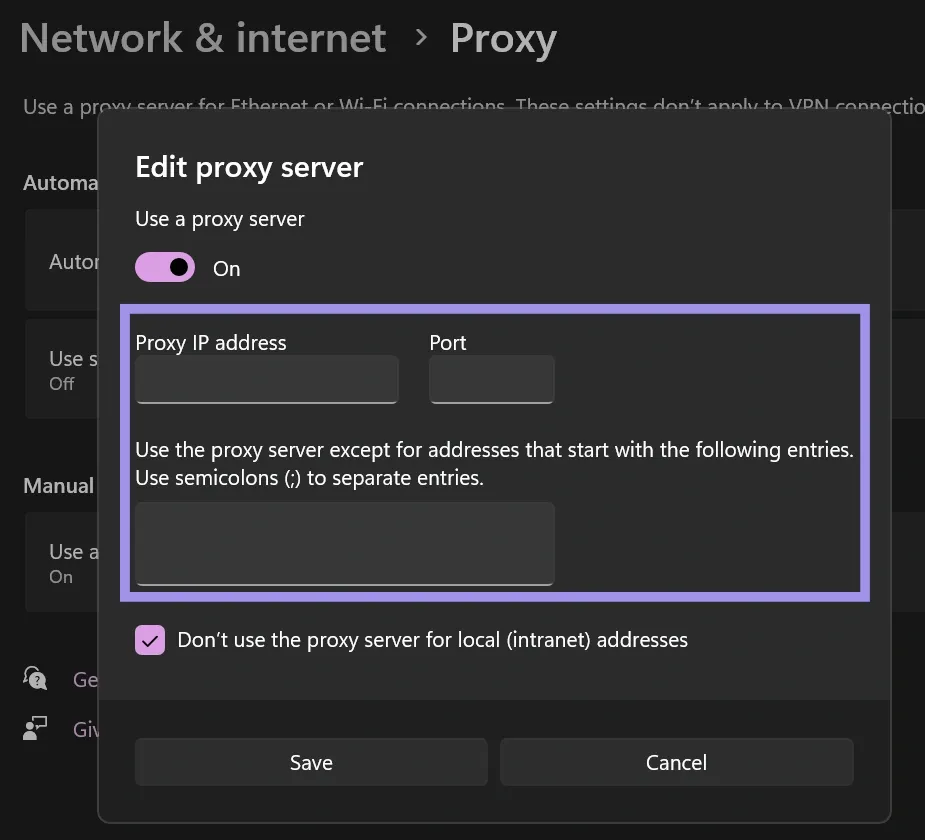
For MacOS, head over to System Preferences > Network > Details button next to your connected network > Proxies to confirm proxy configuration.
In case of Linux, confirm proxy details from Settings > Network > Network Proxy > Manual.
Browsers will either use OS settings or be configured independently via extensions like FoxyProxy.
cURL, Postman, and command-line checks
Manually testing the proxy with tools can help determine whether the problem is with the proxy or the application code.
cURL: You can use cURL with a proxy using flags like -x or —-proxy. If it works, the timeout problem is in your application settings or code. If it fails, the proxy or network is the problem.

Postman: In settings, you can configure Postman to use a proxy, allowing you to test the proxy connection without adding code complexity.
To configure a proxy on Postman:
- Open Settings.
- Go to the Proxy tab on the left side menu
- Turn the Use system proxy setting toggle on.
Python requests, Scrapy, and automation scripts
When writing code that uses proxies, the fix may involve changing how libraries handle connections.
In Python, the requests library has no default timeout. You need to define it using timeout=(connect, read). Otherwise, the script will hang indefinitely.
import requests
from requests.exceptions import Timeout, RequestException

url = "https://httpbin.org/delay/10"

try:
    print(f"Sending request...")
    response = requests.get(url, timeout=(10, 10))
    response.raise_for_status()
    print("Request successful!")

except Timeout:
    print("Error: The request timed out.")
except RequestException as e:
    print(f"An error occurred: {e}")
In Scrapy, timeout values can be adjusted by modifying settings such as DOWNLOAD_TIMEOUT, RETRY_TIMES, CONCURRENT_REQUESTS_PER_PROXY, CONCURRENT_REQUESTS_PER_DOMAIN, and CONCURRENT_REQUESTS_PER_IP, where relevant.
Web scraping workloads with rotating vs. sticky sessions
In web scraping, proxy session management directly affects timeout rates. Sticky sessions use the same IP for all requests. If that IP gets blocked or throttled, your session will timeout. In this case, using a fallback system to switch IPs after multiple consecutive timeouts can help.
Rotating session assigns a new IP for each request. In case a dead IP is assigned, implementing retry logic to automatically fetch a new IP for the next request can help fix the issue.
