
Fix Proxy Bans: How to Recognize, Reduce, and Recover?
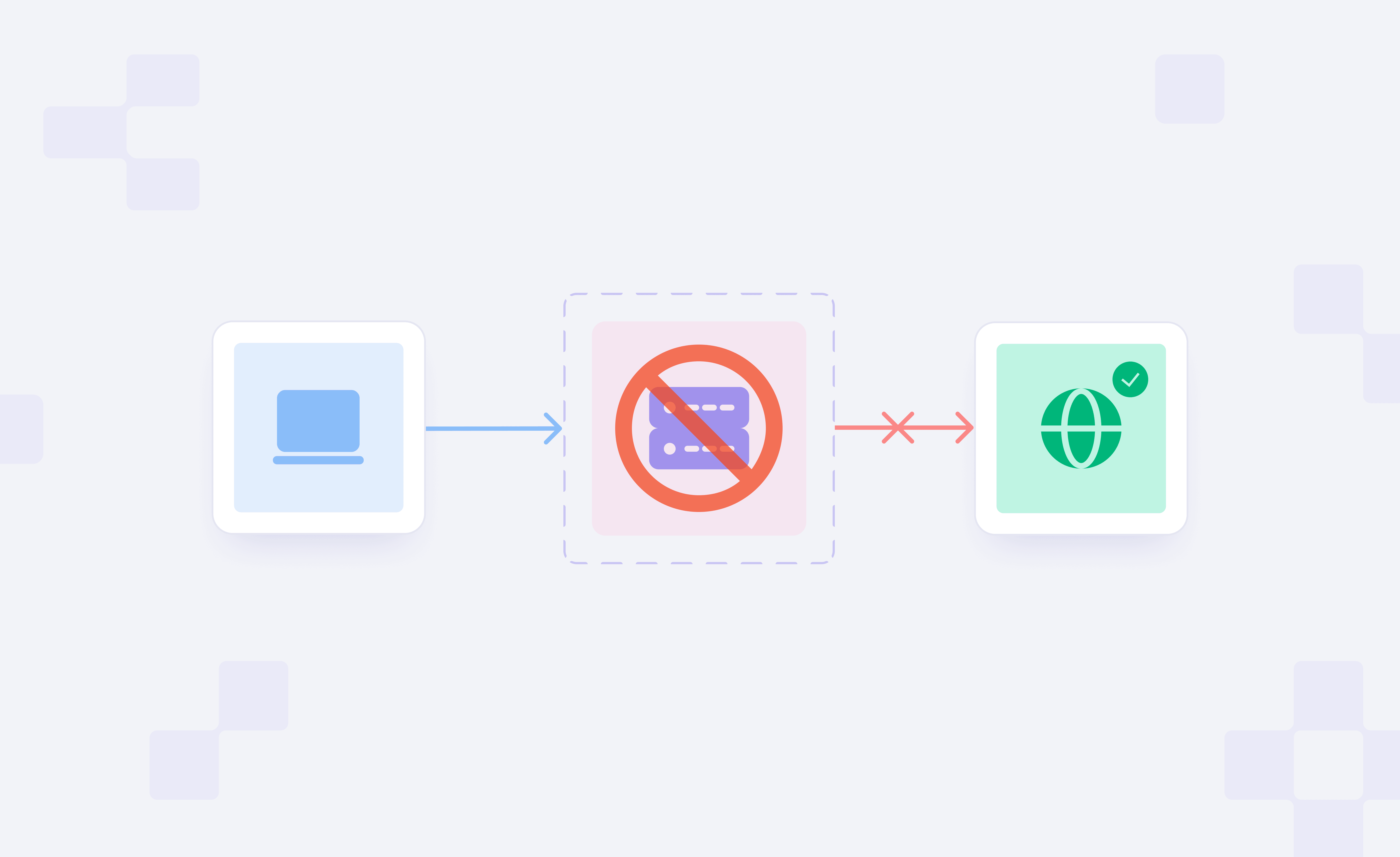
If you work with proxies for scraping or automation, you’ve probably experienced scenarios where requests fail, responses change, or access is restricted without an apparent justification.
It’s sometimes called a proxy ban, but the reason is usually more complex than that. The same can happen if your IPs are low-quality, the sessions are unstable, or there is a bad timing/request signal mismatch.
This guide explains how to identify real proxy bans, understand what usually causes them, and reduce recovery time by using better proxy practices.
Proxy ban vs IP ban: Are both bans the same?
Most of the time, “IP ban” and “proxy ban” are thrown around as if they’re synonymous, but they actually mean slightly different things.
An IP ban essentially means a specific IP address has potentially been blocked from reaching the server of the target site.
A proxy ban, in contrast, is more sweeping. It might relate to the IP, but also things such as Subnet reputation, or repeated behavior coming from a proxy pool, how sessions behave over time, etc. In practice, what appears to be a simple blocked IP is generally indicative of a broader signal associated with the proxy being used.
Types of Proxy Bans
There is no official classification of proxy bans, but they tend to work by a few familiar patterns in practice:
- Hard blocks: Immediate access denial with consistent 403s or block pages.
- Rate limiting: Temporary restrictions based on request rate and return a 429 response.
- Soft blocks or degraded responses: Incomplete data, empty pages, missing elements, or fake responses without a clear error. Some sites now serve decoy or low-value content instead of blocking outright, a bit like sending bots into an AI maze. Cloudflare’s AI Labyrinth is a good example of that approach.
- Challenge-based blocks: CAPTCHA or verification pages interrupting normal requests.
These patterns don’t always indicate that the proxy is banned indefinitely. They are often more indicative of how the request is coming through in that moment, which is why understanding the trigger matters more than what it’s called.
Why Proxies Get Banned In Real Workflows?
Proxy bans are usually the result of a series of signals, not just one single infraction. Targets balance IP quality, request behavior, and session consistency. One or more of these looks off, and here, you start to see restrictions appear: one method may not be truly "bad" in the objective sense.
In this case, the usual suspects come from four general categories: network reputation, timing of requests, consistency of sessions, and spillover from shared environments.
Low-quality or overused IPs and poor pool hygiene
If an IP comes with a bad reputation, then that reputation can follow you into your own work. Targets already know if a repurposed IP is generating significant high-risk traffic, and therefore stale or poorly managed pools are flagged quickly.
This often happens when clean requests start getting rate-limited early because the IP itself has little trust. It is also why proxy IP reputation matters so much in practice and is often checked with risk or fraud scoring tools. In some cases, the issue is not just the IP but the network behind it.
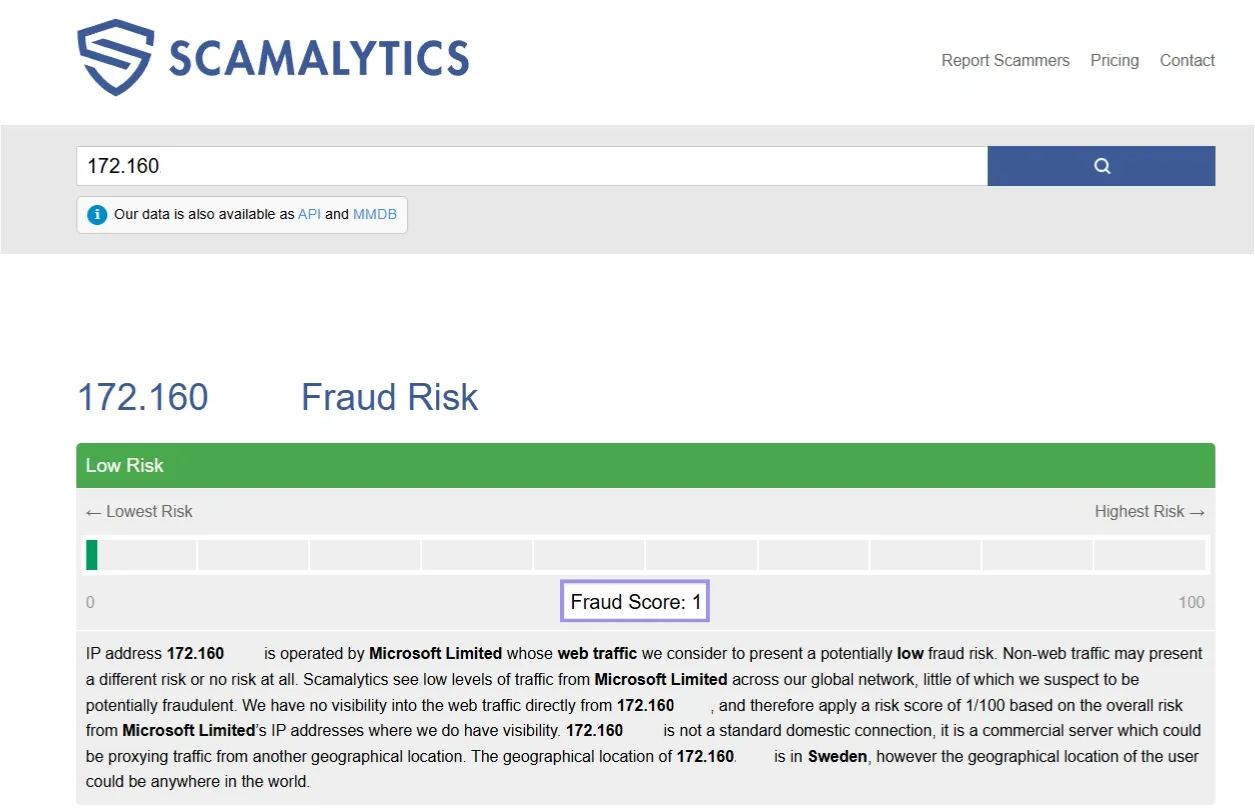
A target may treat traffic more cautiously if the address is announced from a datacenter or carrier ASN rather than a residential-looking network. An ASN (Autonomous System Number) identifies the larger network to which an IP address belongs. Tools like Scamalytics can help you verify fraud risk signals, and in this case, the low score reflects minimal suspicious activity associated with the IP.
High request velocity, concurrency spikes, and predictable timing
The most immediate cause of block triggers we are likely to see is aggressive patterns of requests. Traffic can appear unnatural if there are spikes, requests come in bursts, or the requests are closely arranged in temporal proximity.
Even regular intervals can become a signal, as uniform timing patterns are detected more easily than naturally distributed traffic.
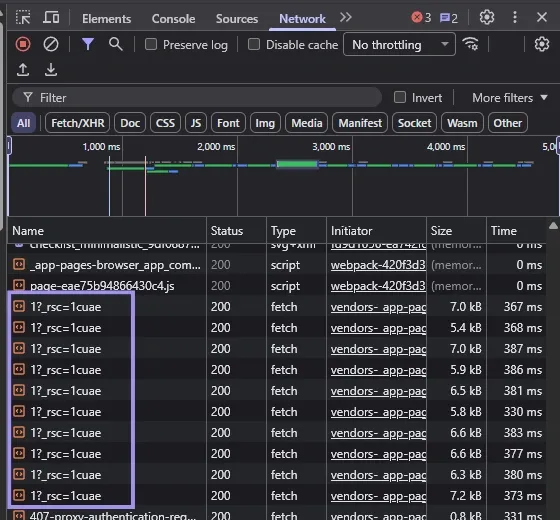
This kind of uniform timing pattern is easier for detection systems to flag compared to naturally distributed traffic.
Browser Fingerprint, headers, cookies, and geo mismatches
Requests are not judged by IP alone. Sites also look at browser fingerprint signals, headers, cookies, and location clues together.
A browser fingerprint is the set of traits your browser exposes, such as user agent, screen size, language, time zone, and rendering behavior. If those signals fail a test for matching the proxy location or session history, that is when the session can begin to "look suspicious," increasing the odds of challenges (or calls with restricted responses) over time.
Tools like FingerprintJS can help show how browser and device traits combine into a reusable fingerprint in practice.
It does not, however, always result in a hard block right away. Alternatively, they might employ verification steps such as CAPTCHA pages or other trust tests.
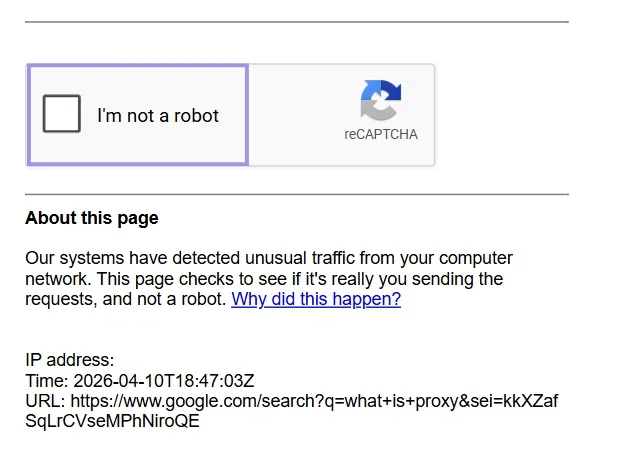
These pages often indicate that your requests have been classified as low-trust (although access has not necessarily been fully blocked yet). Session consistency, headers, and advanced geo-targeting help keep requests in line with expected user behavior.
Session misuse, account reuse, and bad-neighbor effects
Switching IPs without getting any session continuity can result in an unstable pattern. Recycling accounts between different proxy types too rapidly has a comparable effect. In shared environments, trust is also affected by the activity of other users on the same subnet or network segment, which is why the overall quality of a pool has an effect on long-term pool stability.
This is also where ethical proxy sourcing matters. Higher quality pools typically have cleaner reputations from the get-go, which can lead to less initial friction, but how you request also matters. Even in low-discord or highly reused network segments, the stability can be impacted before your own traffic signatures become an issue.
How To Diagnose A Proxy Ban?
Diagnosis of a proxy ban isn’t simply recognizing an error code. Rate limits, bad credentials, or flaky connections all can produce the same symptoms. The idea here is to try to narrow down whether the problem follows the proxy, the request pattern, or something else in your environment.
Response signals: 403, 407, 429, 5xx, short responses, and challenge page
These response patterns indicate different problems, but none should be viewed in isolation from the others. A 403 generally indicates your access is being denied, whereas a 429 typically indicates you are rate-limited.
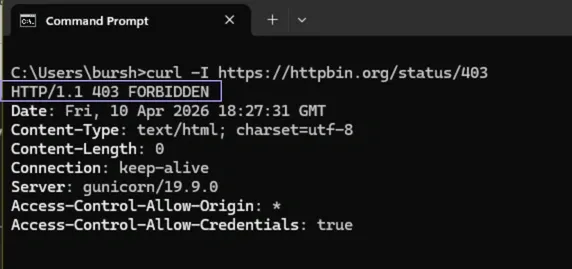
A 407 Proxy Authentication Required response is more often related to authentication errors than to an actual ban. 5xx errors can come from the target itself, but they can also originate from the proxy or upstream gateway, such as overloaded proxy nodes, failed upstream connections, or TLS/CONNECT issues.
Another thing to watch for is short, fragmented responses. Soft blocking happens when a page loads, but those pages are missing critical components or returning only partial data. Challenge pages, such as CAPTCHA, further tell you that your subsequent requests are getting lower trust scores, even before access is fully denied.
One Proxy Across Many Targets Vs Many Proxies On One Target
One useful way to diagnose the issue is to look at where the failure follows. If a single proxy is failing at multiple unrelated targets, then the problem is more likely related to that IP or its reputation. If many proxies fail, but only on a specific site, the problem is probably related to how that target evaluates your traffic.
This distinguishes a lenient proxy from a stricter target. It also avoids needless churn when the root cause is site-specific rather than across the entire network.
Check IP Reputation, ASN Quality, Subnet Reuse, And Geo Consistency
Not all IPs are treated equally. Because of their history of use, certain ranges and networks carry more trust than others. For repeated failures that otherwise seem inconsistent, checking whether an IP lies in a subnet full of flags or low-quality ASN (the network it is a part of) can account for this.
Geo consistency matters too. If the proxy location does not correspond with how the session appears, it can create friction. Multiple failures on the same subnet may also be a sign that the range is being managed conservatively.
When The Real Issue Is Credentials, DNS, Timeout, Or Target-Side Blocking
Sometimes what looks like a proxy ban isn’t a ban at all. Incorrect credentials can trigger authentication errors, DNS issues can break proper routing, and timeouts can make healthy proxies look unreliable, which is why different proxy types exist in practice, like datacenter proxies for high-speed and scale, residential proxies that offer higher-trust rotation, and static residential proxies when you need a stable, long-lived identity.
In other cases, the target itself might not be stable enough, which leads to misleading responses. This is also why it helps to separate real bans from broader proxy errors before rotating healthy proxies out of your workflow.
Another common mistake is assuming repeated 407 responses mean the proxy is blocked, when the real issue is failed authentication. This helps separate setup issues from actual bans and avoids unnecessary proxy rotation.
How To Reduce Proxy Bans Before They Happen?
At its core reducing proxy bans is really about getting the fundamentals right before you start scaling requests. A stable setup depends on using the right proxy type, the right session model, and predictable request behavior.
Choose The Right Proxy Type For The Task
Different proxies are treated differently by target systems, and using the wrong type for a task can lead to premature bans. Datacenter proxies are speedy and affordable, but often encounter more aggressive filtering on sensitive targets. Residential and ISP proxies are generally trusted more, making them better suited to workflows involving sessions or repeated interactions.
Using the right type of proxy for the task will help you avoid unnecessary friction. What works very well for scraping public data does not transfer to a scenario in which session continuity is more important.
Use The Right Session Model
Session management determines the apparent stability of your requests across time. Rotating sessions are great for spreading the load across IPs, but sticky sessions can prevent disruption for workflows that depend on identity remaining steady.
These kinds of problems only arise when there is a mismatch between the session model and the task. Rotating too often in the same session-based activity path breaks continuity, and clinging to the same IP for too long at any volume-heavy workflows incurs increasingly compounded rate limits.
Perfect Your Timing
Request timing is one of the clearest signals. Burstiness, high concurrency, or many requests clustered around each other can burst through quickly, even if there is nothing wrong with the proxies themselves.
More stable setups avoid sudden spikes and overly regular timing patterns. Scaling up slowly and steadily removes the possibilities of triggering rate limits or automated blocks.
Match Your Identity
Your session consistency is just as important as the proxy. Headers, cookies, and location signals must match the proxy that you are using. A request may seem suspicious when these factors do not align.
This can sometimes cause a problem where the session data of one IP is reused elsewhere, or if the location signals do not match up with the proxy’s original point of origin, which can lead to further verification steps or decreased responses. You can rule out provider-side issues before assuming the target is blocking you. It also helps to check our network status page first to rule out major outages, but keep in mind that it only reflects overall network health. You may still need per-endpoint testing to identify latency issues, handshake failures, or region-specific problems.
Pro Tip: For browser-based workflows, an anti-detect browser such as Camoufox keeps browser and device signals consistent with the proxy's location across a session, instead of patching headers by hand. For the network layer, OS Targeting (Beta) and TCP/IP fingerprint emulation (Beta) keep the connection's operating system signature in line with what the browser claims.
Check out our proxy setup integration guides for the major anti-detect browsers.
Spread Your Footprint
If your traffic is concentrated too much through a small number of IPs or subnets, the chances of being restricted increase. A more distributed setup spreads requests across a number of different IP ranges, ASNs, and locations to reduce the pressure on any one segment.
However, narrower pools are typically more quickly rendered ineffective as repeated activity accumulates on the same network segments. So as you diversify the pool, it lowers the shared reputation issue and makes everything more stable.
How To Recover From Proxy Bans?
Recovery is really about just getting your environment back on track and going forward. These problems are often caused by issuing continual requests on failing proxies or going too hard in general, spreading the same signals.
Retry & Rotation Logic
Retries must be limited to cases where failures seem temporary. Several 5xx errors or timeouts may warrant retries, but multiple 403 responses or redirects to challenge pages typically indicate that continuing with the same pattern will not work.
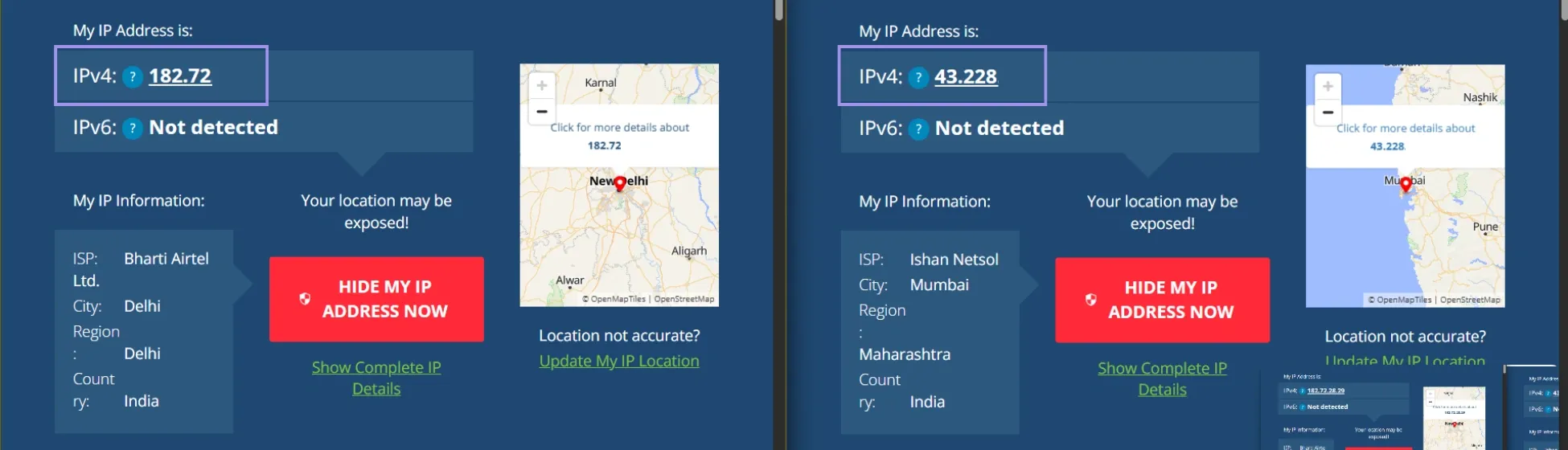
Guided rotation is more effective than unguided rotation. When localized issues exist, changing to another IP address works. The following example only updates the outgoing IP (after rotation) to avoid restrictions tied to the previous one. But hitting too many IPs in rapid succession and without maintaining the context of a session will at best reproduce more recent inconsistencies instead of mitigating prior ones.
Cooldown & Retirement
Normally, pulling the proxy once it is serving up failures should bring things back to normal. While request limits and other temporary safeguards often relax immediately as soon as requests ease, others may hold on for some period of time based on your reputation history so recovery time will differ.
When a proxy or subnet fails repeatedly despite several attempts, it makes sense to retire it. Repeatedly or permanently resorting to weak IPs tends not to offer recovery but rather repeated failures.
Quarantine & Replacement
Rotating out of the offending proxies into a test pool alone will tell you more information about whether or not it appears to be temporary versus persistent. This keeps poor-performing proxies from doing damage to the rest of your workflow while still allowing controlled testing, especially if you validate them first with a proxy tester.
In the event that continued problems occur, different proxies on a second subnet or network segment can be used instead. That helps to prevent negative signals related to the former pool from attaching to a new one, especially if you are dealing with a gateway provider that has such leeway across network segments.
Backoff & Circuit Breakers
When the failure rates are higher, the better approach is to slow down instead of forcing yourself. Backoff strategies were introduced to add some delays between retries, alleviating pressure from the target and allowing time for temporary restrictions to ease.
Circuit breakers take this concept further by stopping requests totally when a failure threshold is reached. It also prevents the same blocking signals from being reinforced through multiple failed trials.
Ceilings & Jitter
Retry limits are crucial to avoid putting extra load on the system. Without artificial ceilings, repeated attempts can rapidly escalate or make things worse.
Introduce small randomization in the time so that you don't end up with a predictable retry pattern. Fixed retry intervals will have identifiable behavior, while a little randomization breaks up retries in an obvious manner.
Pattern Logging
Tracking response patterns over time gives you clues about whether a problem is isolated or part of a larger trend. By monitoring status codes, success rates, and changes in response behavior, it is easier to adjust before problems escalate.
For example, if 429 responses slowly trickle up or the success rate of the specific /28 subnet reduces over time, then that shows the pool is going out of favour; this can happen even if individual proxies may still appear to work.
