
Top AI Web Scrapers of 2026 (Free Tiers Included)


To help you pick the best AI web scraper, we have made two categories (developer APIs and no-code platforms). This lets you choose according to your scraping skill set, target complexity, and budget. The best part is that all of the listed tools have free tiers to get started.
What is AI web scraping?
AI web scraping is a fine attempt at democratizing what was once a developer-centric process of defining extraction rules and parsing data from web pages. Those rules often depended on a target site's HTML structure and required maintenance whenever that structure changed.
AI web scraping, by contrast, lets you describe what you want to extract in natural language and automates much of the extraction process, albeit a little more slowly and with occasional inaccuracies.
For the better, a few AI web scrapers now allow manual intervention and fine-tuning alongside automation, giving users the best of both worlds. For instance, you can supply a JSON schema for precise, repeatable output shapes and use plain-English prompts for everything else, with manual fine-tuning available when the AI gets it wrong.
Below, we split the tools into two categories: prompt-to-schema extraction APIs for developers, and self-maintaining no-code platforms.
Best AI web scrapers: Prompt-to-schema and AI extraction APIs
This category suits developers who often work with programmatic workflows. The listed tools take a plain-text prompt or a JSON schema as input and return structured data that matches it, while handling dynamic content and full browser rendering on their end
Firecrawl
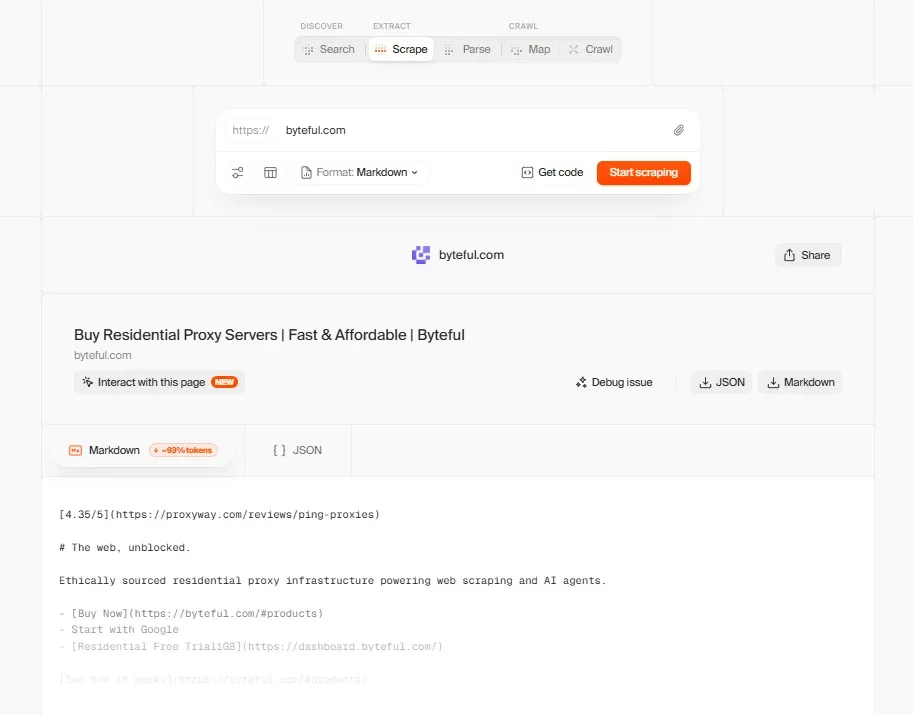
A made-for-developers, open-source API powerhouse, Firecrawl enables your LLM to search, scrape, and interact with the World Wide Web. It also offers endpoints for crawling entire websites, monitoring changes, and doing deep research.
Features
- JSON schema or natural language prompt as input
- Multiple outputs, including Markdown, structured JSON, and raw HTML
- Official MCP server, agentic skills, SDKs, and CLI
- Dynamic content, full DOM, and JavaScript rendering
- Agent endpoint for automatic data collection without exact URLs
- Support for clicks, typing, waiting, scrolling, and execution
- Batch endpoint for scraping multiple URLs per request
- Bills only successful requests (403/404 errors still cost 1 credit)
- Built-in proxy management
- Offers Auto-recharge credit-pack system (PAYG)
Limitations
- Credit rollover is restricted to higher tiers (Scale and Enterprise annual plans)
- PAYG requires an active paid plan
If these limitations are dealbreakers, see our roundup of the best Firecrawl alternatives.
Pricing: Free tier with 1,000 credits per month. Paid plans start at $16/month for scraping 5,000 pages (5 concurrent requests).
ScrapeGraphAI
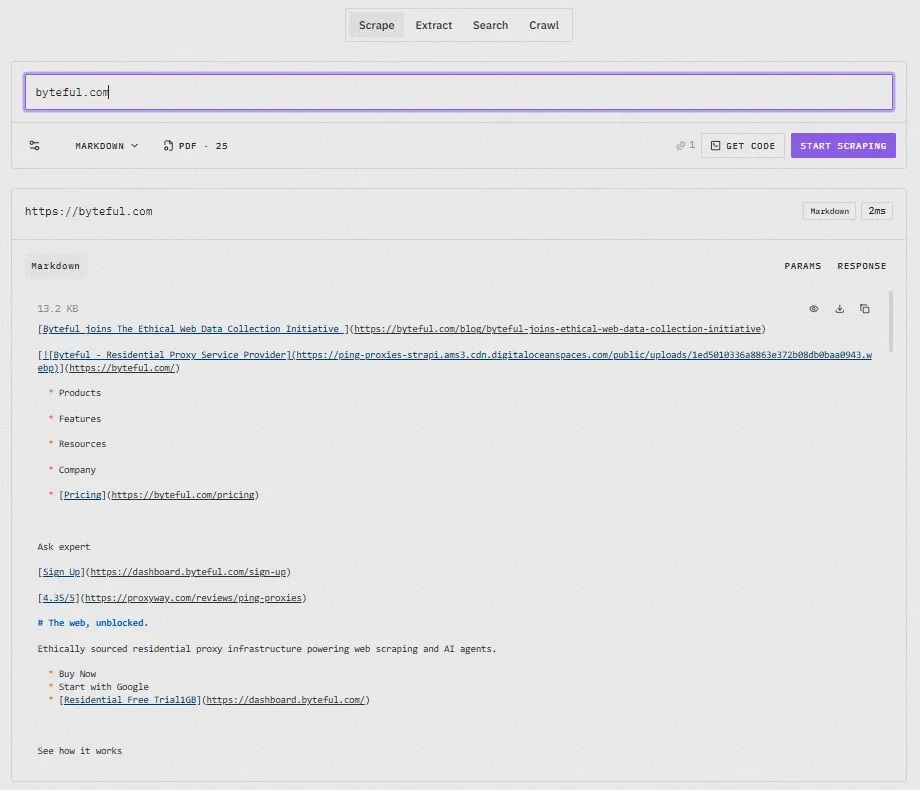
ScrapeGraphAI is another AI-powered web scraper with its API endpoints for scraping, extracting, searching, crawling, and monitoring. You can describe your requirements via natural language prompts or define a JSON schema to get preferred output shapes.
Features
- Flexible input options, including a URL, raw HTML, or markdown
- Multiple output formats (markdown, HTML, links, images, structured JSON, screenshots, etc.)
- Supports JavaScript rendering, SPAs, and complex HTML structures
- Search endpoint with hour, day, week, month, and year filters
- Python and JavaScript SDKs, official MCP server, and CLI
- Transparent pricing structure and credit usage calculator
- Built-in proxy support for higher tiers (Growth Plan onwards)
- Stealth mode to scrape highly protected targets
- Integrates with n8n, Make, and Zapier
- Self-hosting and cloud-based implementation
Limitations
- Using stealth increases credit spend
- Lacks proxies for base tiers
Pricing: Free trial offers a one-time 500 API credits. Base plan starts at $20/month.
Scrapfly
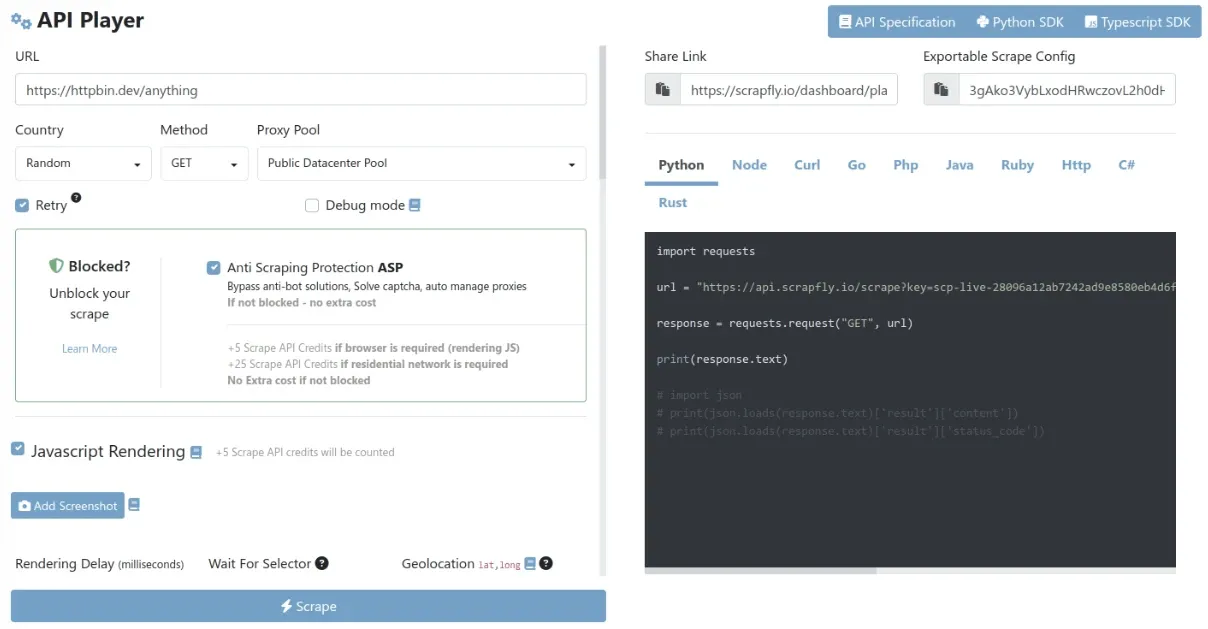
Scrapfly’s USP is powerful web scraping APIs and simplified management with a single key. Furthermore, it handles proxy rotation, JavaScript, and anti-bot measures on its end. One API key and one shared credit pool cover all its products, and the Web Scraping API integrates the Extraction API directly. You can add an AI model, an LLM prompt, or a template to any scrape call and get structured data in a single request.
Features
- HTML retrieval and data extraction in a single API call
- Multiple extraction options (19+ pre-trained AI models, LLM prompt, or prompt+JSON schema)
- Anti-bot bypass, JS rendering, residential proxies, and CAPTCHA solver
- Result caching per URL and schema
- Inspect full request, response headers, rendered HTML, screenshots, etc. with every response
- Content extraction replay without additional calls
- Multiple SDKs (Python, Transcript, Go, Rust)
- Integration with Zapier, Make, n8n, LlamaIndex, LangChain, and more
- Output in JSON, Markdown, HTML, and screenshots
- In-memory content processing for data privacy
- Pay for successful requests
Limitations
- Slightly complicated for beginners
- Pay-as-you-go isn’t available for the base tier
Pricing: 1,000 free sign-up credits across all plans. Base paid plan is $30/month.
Best AI web scrapers: Self-maintaining pipeline platforms
Unlike the ones we have discussed so far, the following tools are mostly about no-code or visual scraping workflows. They trade fine-grained control for ease of use: highly custom extraction logic or delivery pipelines may still need the API tools above, but for standard scrape-and-monitor jobs, they largely maintain themselves.
Browse AI
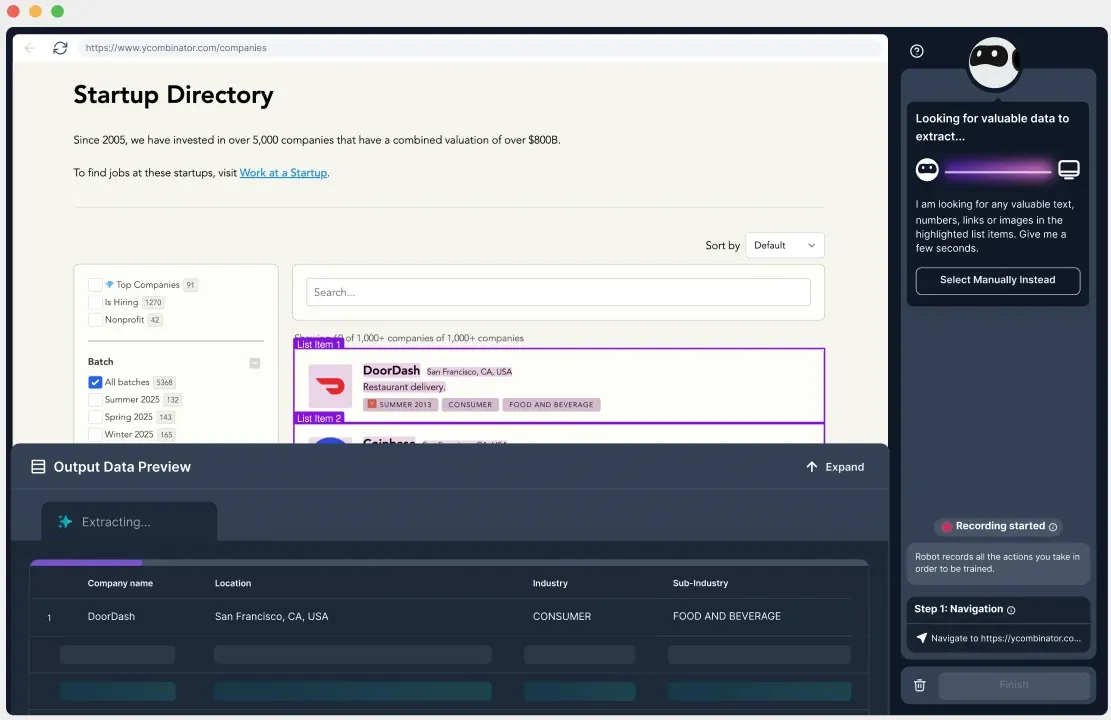
The core of Browse AI is its browser extension, which learns what data a webpage offers, optionally guided by your point-and-click corrections. Beyond data scraping, you can deploy Browse AI for website change monitoring and use its 250+ prebuilt robots. It advertises a no-code point-review-approve-and-extract workflow and suggests contacting its support team in case a scraping workflow becomes too complex.
Features
- Built-in proxy and anti-bot measures
- Scheduled change monitoring and screenshot capturing
- Supports dynamic content, pagination, CAPTCHAs, interactive sessions, geo-targeting, auth-protected pages, etc.
- Partial/full-page screenshot, raw HTML capture, images (with metadata), and document capture
- Team collaboration with granular access controls
- Feed scraped data into 7,000+ tools
- (Optional) Scraping-as-a-service
Limitations
- Changing layouts may require retraining
- Subscription limits the number of domains processed
Pricing: Free plan awards 50 credits per month. Paid tiers start at $19/month.
Bright Data Scraper Studio
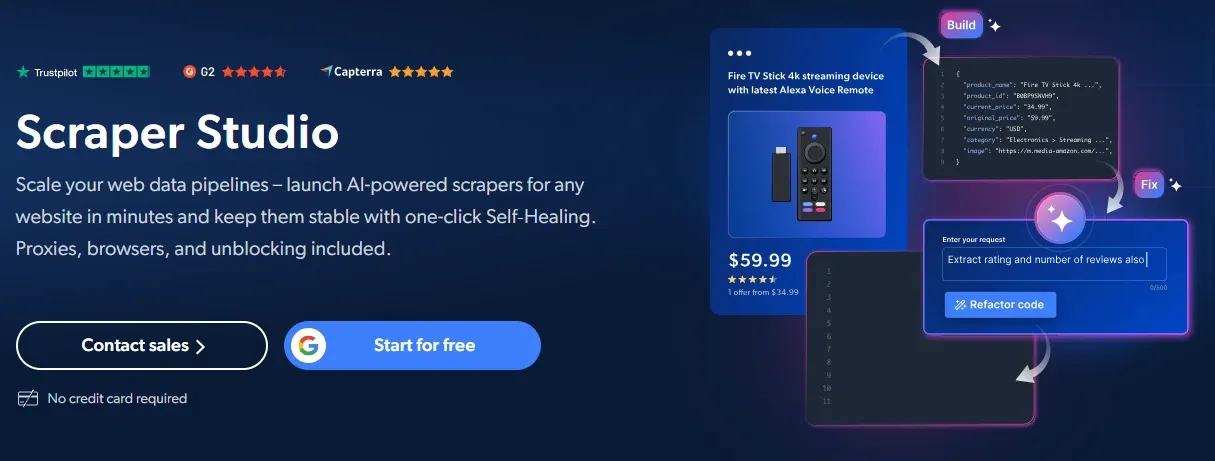
Though Bright Data is better known for its proxies, it offers a host of scraping tools, from APIs to a no-code/low-code scraping platform we'll discuss next. The generated scraper lands in a fully hosted IDE for test runs and optional code edits. Afterward, you can simply launch it from Bright Data infrastructure.
Features
- Native support for proxies, geo-targeting, CAPTCHA, and anti-bot measures
- Prompt-to-scraper code and fully hosted IDE
- Full browser rendering and unlimited concurrency
- Batch scraping and scheduling support
- AI and manual code debugging
- Webhooks and API-led data delivery
- JSON, NDJSON, CSV, and Excel outputs
- One-click self-healing
- Pay only for successful requests
- (Optional) Fully-managed data collection
Limitations
- Can be tricky for someone looking for an entirely no-code solution
- No support for login-protected content
Pricing: Free for 5,000 page loads per month. PAYG bills $1.50 per 1,000 page loads. Subscriptions start at $500/month.
Octoparse
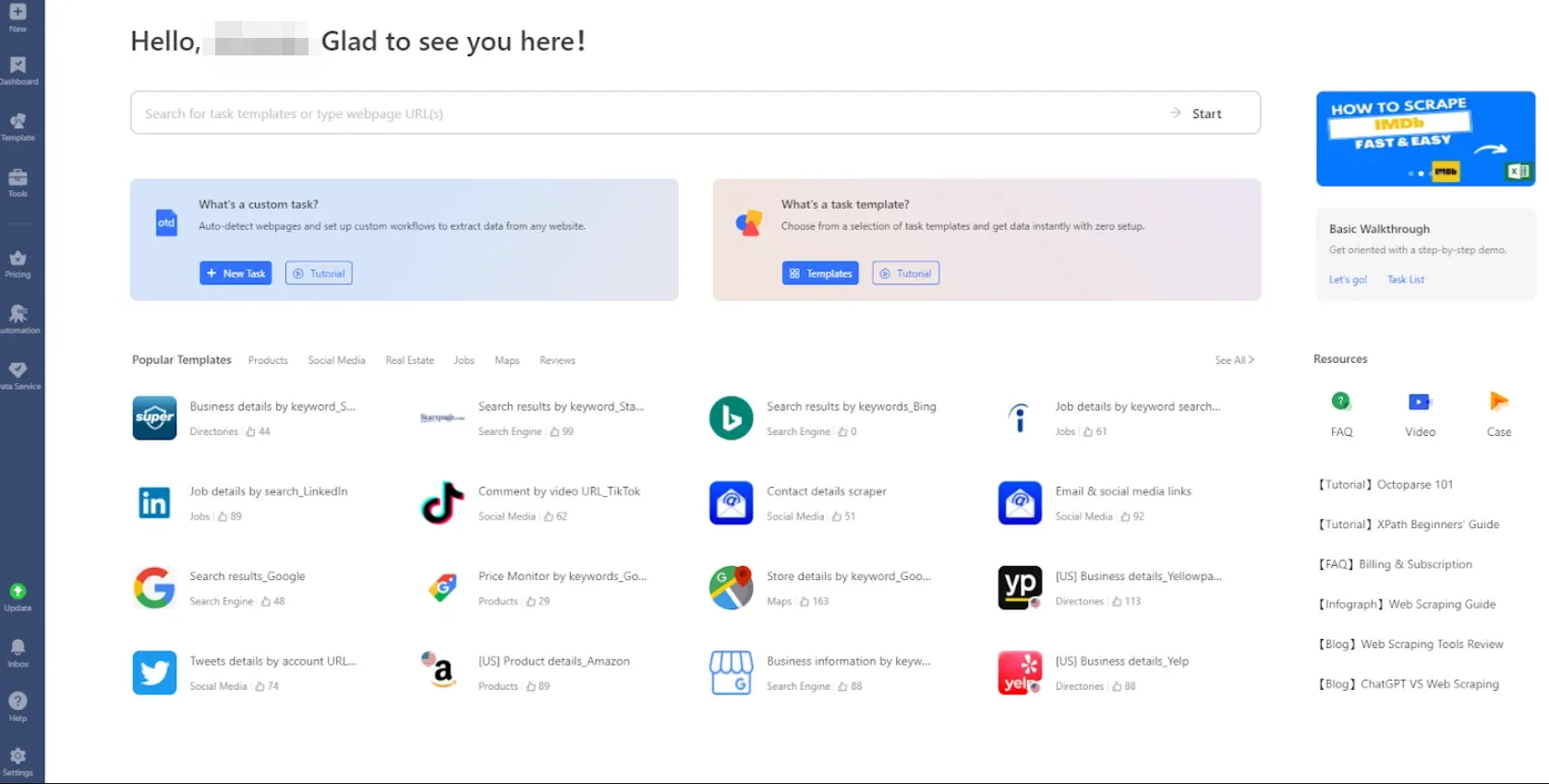
Octoparse brands itself as a no-code web scraping solution that turns web pages into structured data. You can also use its managed web scraping with a 99.9% SLA and 99.8% claimed data accuracy. Its desktop app (Windows and Mac) helps you build a scraper (no code needed), and Octoparse also supports cloud extraction, where everything runs on its own servers. It also offers an MCP server, API, and CLI for integrations and programmatic management.
Features
- Support for automated logins, pagination, AJAX loading, and CAPTCHAs
- 600+ Preset scraping templates for popular websites/platforms
- Point-and-click AI scraping and customization
- Built-in proxies with IP rotation
- Simultaneous runs with cloud-based scrapers
- Multiple export formats (Excel, CSV, JSON, HTML, and XML)
- Higher tiers support delivery to Google Sheets, Drive, Dropbox, and AWS S3
- Works on dynamic websites with interactive actions
- Supports export to MySQL, SQL Server, PostgreSQL, and Oracle databases
- Unlimited local concurrent runs for paid plans
- On-request free trial of paid plans
- API access and Zapier integration
Limitations
- Free plan lacks IP rotation, proxies, and CAPTCHA solving
- Base paid plan lacks cloud data backup
Pricing: Free plan offering 10 local tasks. Paid plans start at $69/month.
How does proxy help AI web scrapers?
AI web scrapers simplify web scraping but still face similar constraints as traditional web scrapers. When they detect scraping or excessive requests, most modern websites return a 429 Too Many Requests or 403 Forbidden error. Also, sending too many requests from any IP can look like automated traffic or even a cyberattack, which often results in temporary blocks or permanent bans.
Using a proxy provider, such as Byteful, is the first line of defense against such interruptions. Our residential proxies are sourced from real devices, and mobile proxies go further by offering a highly anonymous network identity. But if you’re scraping at scale and if the target’s security posture allows it, datacenter proxies and ISP proxies are a great pick.
However, proxies are only a starting point, and you may need to handle device fingerprinting, CAPTCHAs, and more, depending on the target website.
Are AI web scrapers actually better than traditional scrapers?
The superiority of AI web scrapers over traditional tools, and vice versa, is a matter of what’s being done, budget, speed, reliability, and more, as explained in the following table.
| Traditional scraping | AI scraping | |
|---|---|---|
| How extraction is defined | You define extraction rules using CSS selectors, XPath, regex, or custom parsing logic. | You describe the desired data in natural language or a JSON schema, allowing the model to infer where and how to extract it. |
| Setup time per target | Can be quick for simple pages but increases with complex or multi-site projects | Prompts, schemas, or visual training can reduce initial setup, especially when layouts vary. |
| Cost per page | Usually lower at scale | Generally costs more since LLM inference is involved, but also slashes scraper development and maintenance costs. |
| Execution speed | Generally faster because parsing follows predefined rules without model inference. | Can introduce additional latency due to AI-led processing, extraction, and data delivery. |
| Maintenance | Layout or structural changes can break selectors and require rule updates. | Mostly self-healing but major layout changes may still require retraining or manual intervention. |
| Debugging and transparency | Relatively straightforward to inspect. | Less control translates to tricky debugging. Users are mostly left to retraining and contacting the tool's support for overly complicated pages. |
| Output reliability | Highly predictable because of predefined extraction logic | Can misinterpret content or produce incorrect results |
| Navigation and interaction | Interactions such as pagination, clicks, and form submissions must typically be explicitly programmed. | Generally handled by the AI (clicks, pagination, form fills), though behavior should be verified on each new layout |
| Anti-bot access | Needs to handle proxy, fingerprinting, CAPTCHA, and anti-bot measures separately if self-hosted. Otherwise, it's generally provider-managed. | AI handles parsing, and anti-bot access is generally separately charged with cloud-hosted scrapers. |
| Best fit | Repetitive, high-volume workflows where speed, cost, and deterministic outputs matter more. | Variable layouts, unstructured content, and multi-site extraction workflows where higher per-page cost is offset by saved development and maintenance time. |
