A browser proxy extension can see almost everything you do online: the sites you visit, the searches you make, even the passwords you type. It’s no surprise that users are getting more cautious about which one they install.
We have checked the store listings of the top proxy extensions. We installed each one in our browser and tested its features to prepare this list.
Before we dive deeper into our list, let’s explore browser proxy extension types.
Types of Browser Proxy Extensions
Most browser proxy extensions fall into two categories: standalone proxy managers and provider extensions. Here’s what they are and how they differ.
- Standalone proxy managers: You paste in credentials from any provider, and the extension stores multiple proxy profiles, switches between them in one click, and routes specific sites through specific proxies with URL rules. Best if you already have proxies and want control over how the browser uses them.
- Provider extensions: Built by proxy sellers as a front end for their own network. You log into your account, and the extension connects directly to the provider's pool, with built-in location and session controls. The trade-off is lock-in, as most only work with that provider's proxies.
Use MV3-Ready Extensions and Avoid the Fakes
Every extension uses a manifest.json file to list crucial information about its structure and behavior. The original SwitchyOmega left the Chrome Web Store in late 2024 because its creators declined to migrate it to Chrome's new Manifest Version 3 (MV3) standards.
Malicious actors quickly exploited this sudden gap. In December 2024, a supply-chain attack hit the store using look-alike "Proxy SwitchyOmega" extensions injected with malware to steal credentials and crypto seed phrases. Several of these near-identical fakes are still around today.
This issue will only grow more urgent as Chrome continues to phase out all older Manifest Version 2 (MV2) extensions completely. If a proxy tool doesn't explicitly support MV3, it will stop working entirely.
The legitimate, safe open-source fork is Proxy SwitchyOmega 3 (ZeroOmega) by zero-peak. Before you install it or any other proxy extension, make sure to:
- Match the publisher name against the official GitHub repo or website.
- Choose open-source extensions where possible.
- Never sideload extensions from unofficial sources.
Best Standalone Proxy Managers (Bring Your Own Proxies)
Here are four standalone proxy managers we researched and tested.
1. FoxyProxy
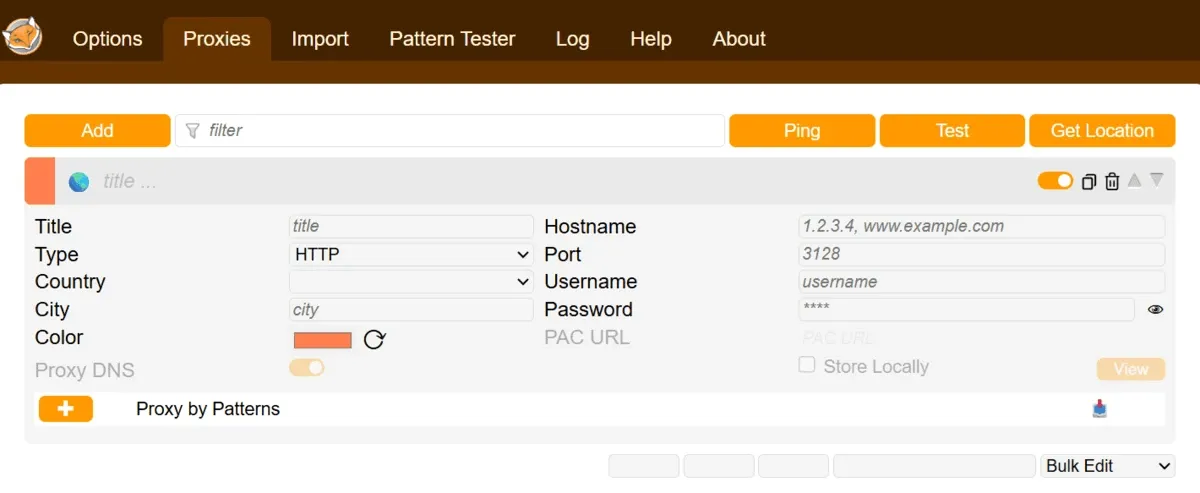
FoxyProxy Basic and Standard extensions are available for Chrome and Firefox. Edge users can download FoxyProxy Standard only.
It supports various proxy types, depending on the browser. We installed it on Chrome for testing; the Chrome extension supports HTTP, HTTPS, SOCKS4, SOCKS5, QUIC, and more. It also lets you check the IPs and locations of your proxies.
FoxyProxy key features:
- Adds and edits proxy servers.
- Imports proxies via URL, list file, or an existing FoxyProxy account.
- Uses proxies in a single tab, a container, or in incognito mode (Firefox only).
- Switches proxies automatically based on URL patterns and rules.
- Logs data from a real-time stream of web requests (associated proxy data is available in Firefox only).
You don’t need to create an account to start using the FoxyProxy extension.
Although FoxyProxy sells proxies, you are not required to buy them to use the browser extension. We have written a detailed guide on how to configure FoxyProxy on Firefox and Chrome.
2. ZeroOmega
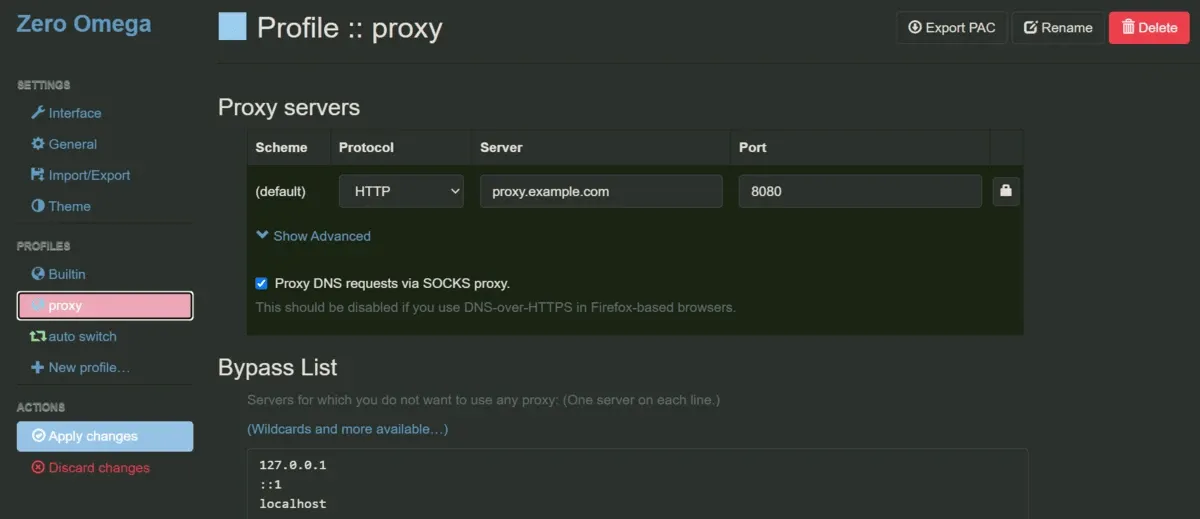
ZeroOmega is a fork of SwitchyOmega, a popular proxy manager whose developers decided not to write a Chrome Manifest V3-compatible version. It has nearly 8K stars on GitHub at the time of writing. The ZeroOmega extension is available for Chrome, Edge, and Firefox browsers.
For testing purposes, we’ve installed it on Chrome. The extension supports HTTP, HTTPS, SOCKS4, and SOCKS5 on Chrome. You can auto-switch proxies based on conditions through the extension pop-up. For comprehensive settings, you need to open the web interface.
You can create multiple profiles for tunneling traffic through multiple proxy servers. It also provides you with the flexibility to make a backup of your options (profiles and other settings) and restore ZeroOmega options from a local file.
ZeroOmega key features
- Switches profiles automatically for different domains based on your rules.
- Helps you create a bypass list easily for servers you don’t want to route through a proxy.
- Supports custom themes, including light, dark, and auto mode.
- Provides tutorials to make proxy configuration easier for beginners.
In our testing, we liked ZeroOmega’s virtual profile feature. It acts as an adjustable shortcut inside SwitchProfile. Instead of updating dozens of individual domain conditions to a new proxy server, you point them all to one virtual profile and swap its target server in a single click.
3. Best Proxy Switcher
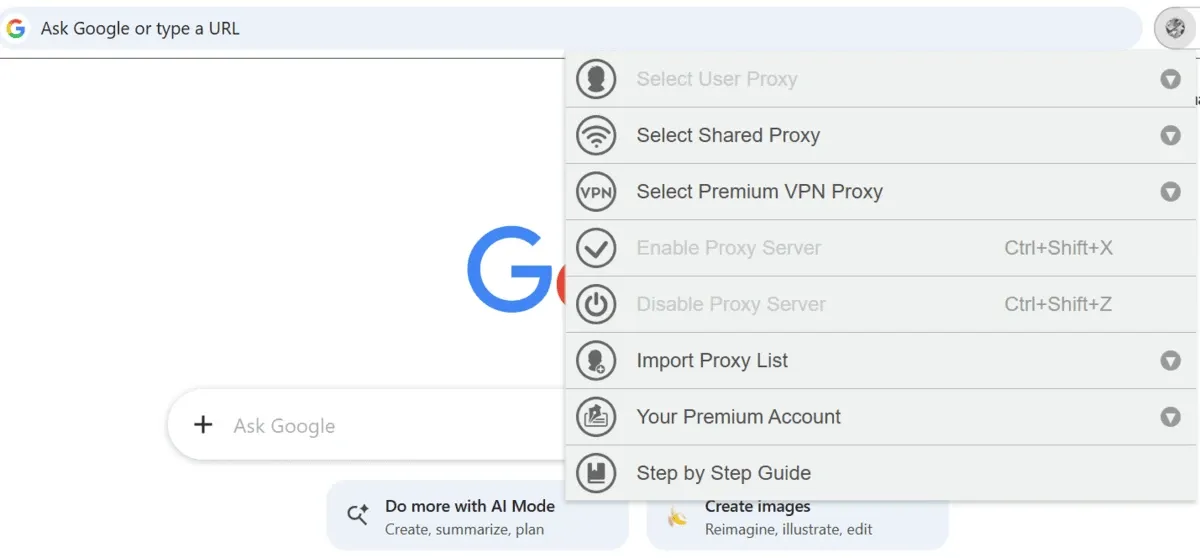
Best Proxy Switcher is a no-nonsense browser extension for using proxies. A company that has offered proxies since 2004 developed it. You don’t have to buy proxies from the company to use the Best Proxy Switcher extension. It’s available for Chrome and Firefox.
It offers a list of free shared proxies that you can use right away. The list includes proxies from countries such as India, China, Russia, the US, and more. The list is updated every five minutes. Alternatively, you can try its premium VPN proxies for free within the extension itself.
A premium account gives you unlimited access to premium VPN proxy servers. The difference between normal proxies and VPN proxies is that the latter also encrypts your traffic in addition to hiding your actual IP address.
Best Proxy Switcher key features
- Offers a list of free shared proxies and a free trial of premium VPN proxies.
- Lets you import your proxy list easily.
- Tries to detect the country and city of each imported proxy automatically.
- Offers shortcuts to enable and disable a proxy in your browser.
If you’re new to browser proxy managers, Best Proxy Switcher provides you with a step-by-step guide to get started. You can access the guide through the extension itself.
4. SmartProxy
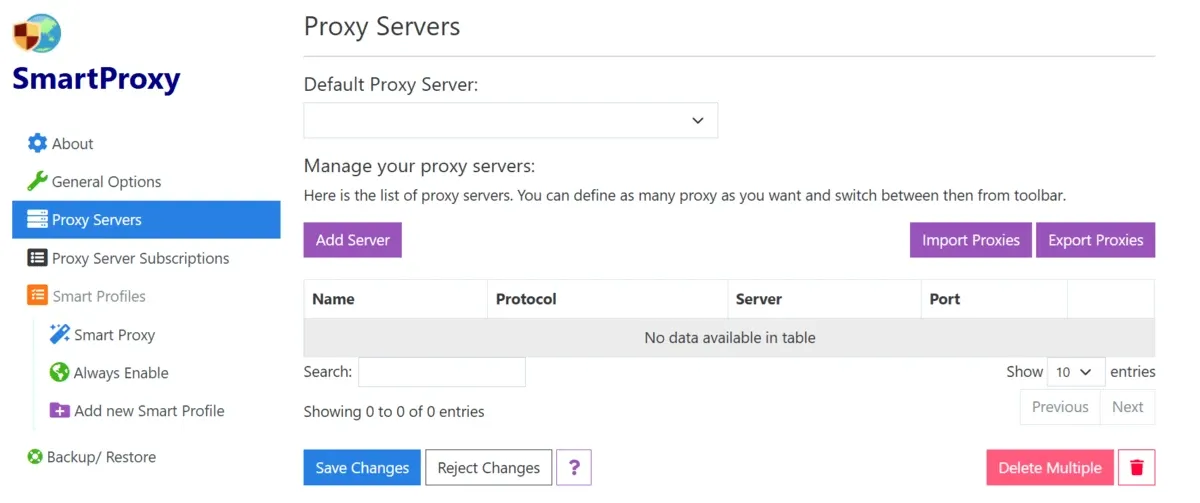
SmartProxy offers browser extensions for Chrome, Firefox, and Edge. It lets you import/export proxy servers easily and supports HTTP, HTTPS, SOCKS4, and SOCKS5 protocols. You can add multiple profiles, depending on your needs, using the web GUI.
We tested SmartProxy on Chrome and found that not all smart features work on Chrome. For example, per-tab proxy settings and private browsing profiles are available only in Firefox.
SmartProxy also allows you to create a full backup of the options (rules and other settings). You can restore your previously taken backup from a local file. You can also export and import the list of proxy servers.
SmartProxy key features
- Detects automatically when to enable or disable the proxy for websites based on the rules/patterns you configure.
- Adds the current site to your proxy list in just one click.
- Backs up and restores your proxy settings and rules.
- Switches between proxy modes easily.
We liked its always-on Enable Profile, which ensures that proxy servers are always on except for the sites you choose to avoid by setting bypass rules.
You can also import rules from SwitchyOmega (Beta) and GFWList/Auto Proxy. When you import rules, you have the flexibility to append to the existing rules or replace the current rules.
Best Provider Proxy Extensions
The following six provider proxy extensions stood out in our research and testing.
1. Webshare Proxy Extension
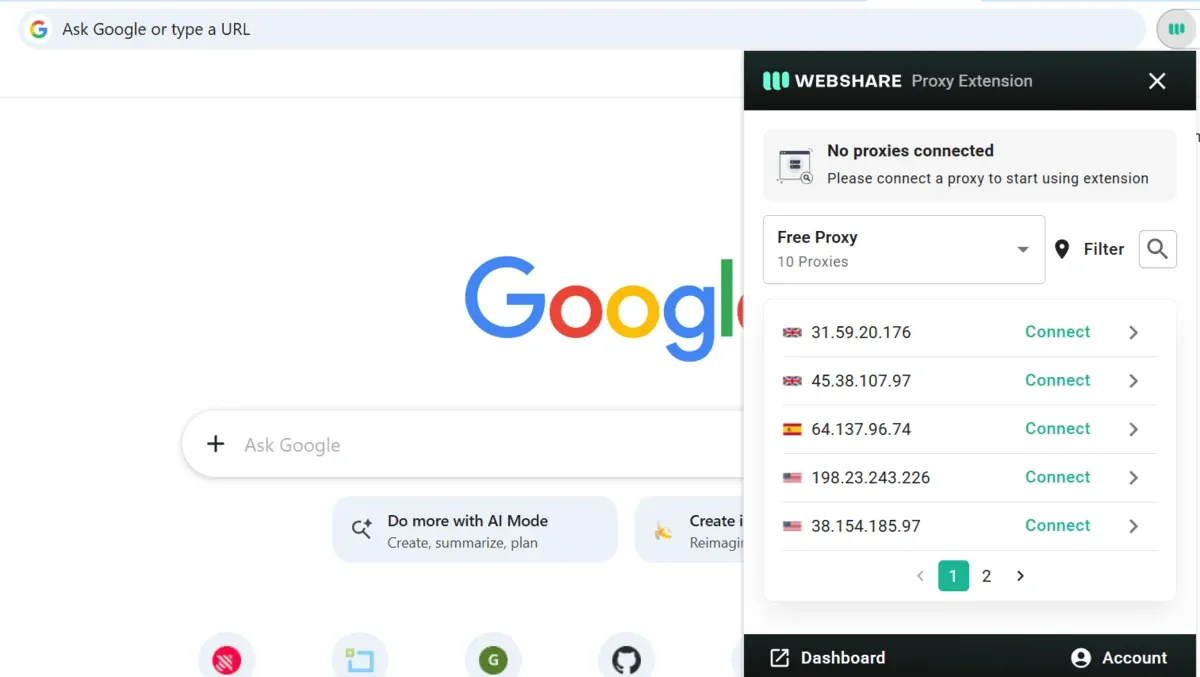
If you use Webshare proxies and rely on Chrome for your day-to-day work, the Webshare proxy extension is a great fit. Because the extension is Chrome-only, users of other browsers won’t be able to use it.
You’ll need to create an account on Webshare to start using the extension, though you don’t have to subscribe to a paid account. A free account provides you with 10 free proxies in countries such as the US, UK, Poland, Japan, and Germany. However, a 1 GB monthly limit applies to your free proxies.
The pop-up window of the Webshare proxy extension has limited features. You can filter proxies by country and connect to a proxy. For additional settings, you’ll need to go to the web dashboard.
Webshare proxy extension key features
- Offers ten free proxies after you sign up.
- Gives you access to cheap datacenter proxies.
- Provides a privacy-first experience. Privacy policies have been audited and certified against reputable third-party standards.
We liked the fact that Webshare lets you use its proxies with your AI agent. With one command, you can add Webshare's MCP server to Claude Code, and it works with Cursor and any other MCP-compatible agent.
2. Oxy Proxy Extension
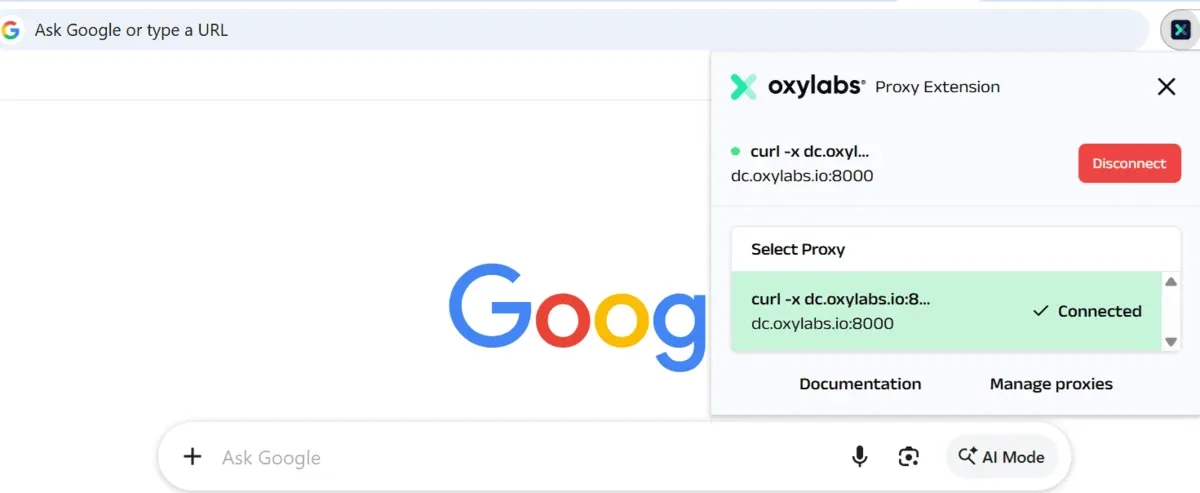
Oxylabs has a good reputation in the proxy market, but its browser extension is pretty basic. For one thing, the Oxy Proxy Extension works only on Chrome. Also, you cannot do much with the extension beyond connecting to a proxy. You’ll have to go to the web dashboard to manage proxies.
You don’t need to create an account with Oxylabs to start using the Oxy Proxy Extension. However, a free account provides you with access to 5 datacenter proxies with up to 5 GB of monthly traffic (all five IPs are US-based). The extension allows you to add proxies from other providers as well.
Oxy Proxy Extension strips proxy-related headers from your web requests, so your target websites are less likely to detect that you’re using a proxy server.
Oxy Proxy Extension key features
- Allows you to add an unlimited number of proxies, even from other providers.
- Switches between proxy types easily.
- Offers a simple one-click connection.
- Lets you keep your proxy connection live after restarting the browser.
In our testing and research, we’ve noted that Oxy Proxy Extension offers an easy global bypass feature. You just have to paste resources and click the Save button to bypass your chosen resources. This feature is highly useful when managing a large list of resources that should not be routed through a proxy.
3. Decodo Proxy Extension
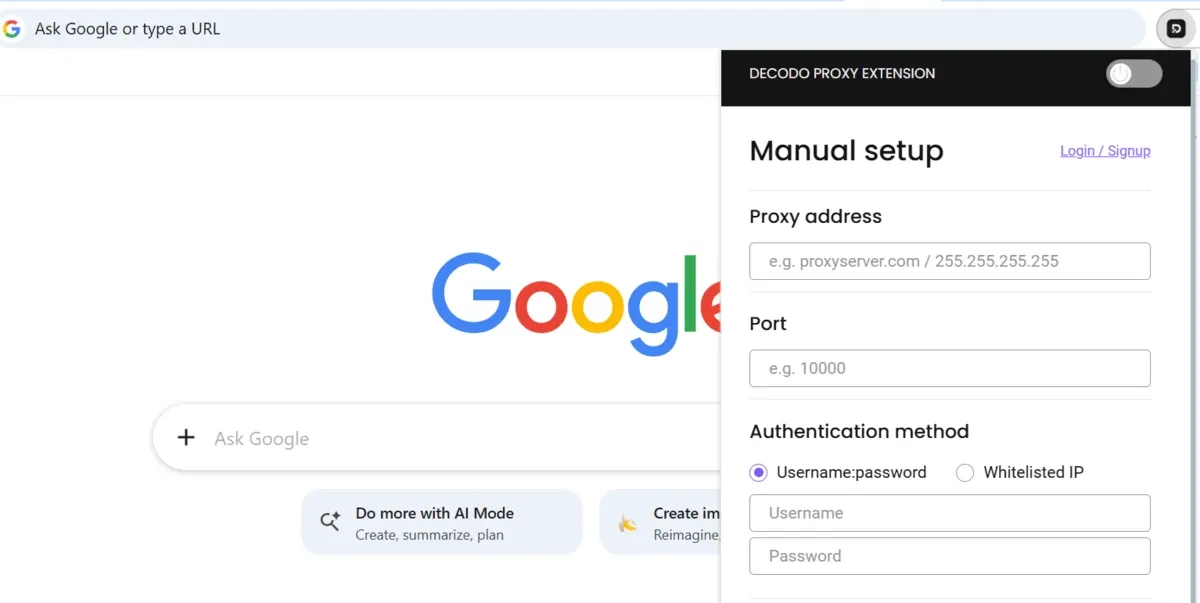
Decodo offers powerful browser extensions for Chrome and Firefox. Unlike Oxy Proxy Extension and Webshare, Decodo lets you complete most proxy management tasks in the extension pop-up itself. You can manually add proxies, toggle on to prevent WebRTC leaks, create a bypass list, and more.
It supports HTTP, HTTPS, and SOCKS5. You don’t need an account to start using the extension. New users get a 3-day free trial of Decodo’s residential proxies. The extension allows you to add proxies from other providers as well. So you’re not limited to only Decodo’s proxies.
Decodo proxy extension also lets you clear cache and cookies. This saves you time by eliminating the need to dive into your browser settings or developer tools every time you switch profiles.
Decodo proxy extension key features
- Comes with a user-friendly interface that supports proxies from other providers.
- Offers seamless switching between multiple proxies within the browser.
- Provides precise geo-targeting with customizable session length.
- Offers one-click IP rotation and easy-to-configure location restriction bypass.
We liked Decodo proxy extension’s GUI. You can effortlessly choose from residential, ISP, mobile, datacenter, and dedicated ISP proxies from the extension pop-up. You don’t need to visit the Decodo web dashboard.
4. IPRoyal Proxy Manager
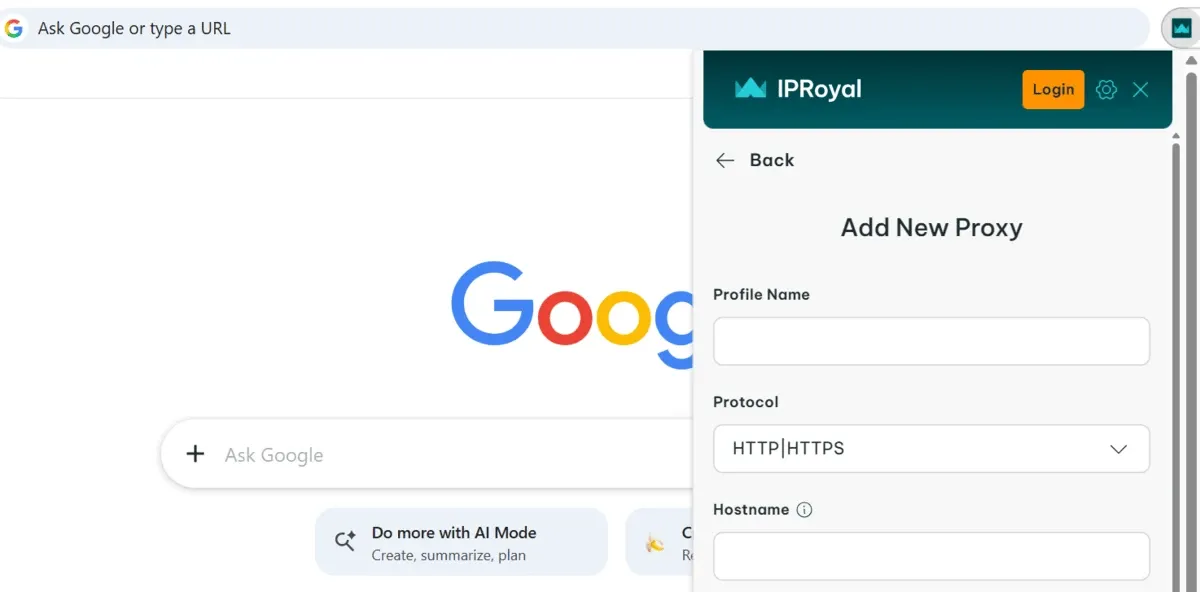
The IPRoyal Proxy Manager extension is available for Chrome and Firefox. It’s a lean browser extension and doesn’t offer rich functionality as the Decodo browser extension does.
We’ve added it to Chrome for testing. When you open the extension, you see two options: Add proxy and Log in. If you have an IPRoyal paid account, log in with the same account to start using IPRoyal proxies. You can also use proxies from other vendors.
In the extension pop-up, you can enable WebRTC IP protection that protects your IP from leaking when using a proxy.
When you click Sign Up to create an account in the extension pop-up, it will take you to the IPRoyal web dashboard. You’ll need to buy proxies even to create an account, as there is no free trial to start with.
IPRoyal Proxy Manager key features
- Offers the flexibility to use proxies from other providers.
- Provides fast proxy switching. You can set your favorites for quick access.
- Gives you an option to view remaining residential bandwidth in real time.
- Enables you to select country, state, city, protocol, rotation, and all other options.
In our opinion, IPRoyal is ideal for those who exclusively use IPRoyal proxies. As an extension on its own, it doesn’t have much to offer. Most of the above features are handled in the browser dashboard.
5. Bright Data Proxy Extension
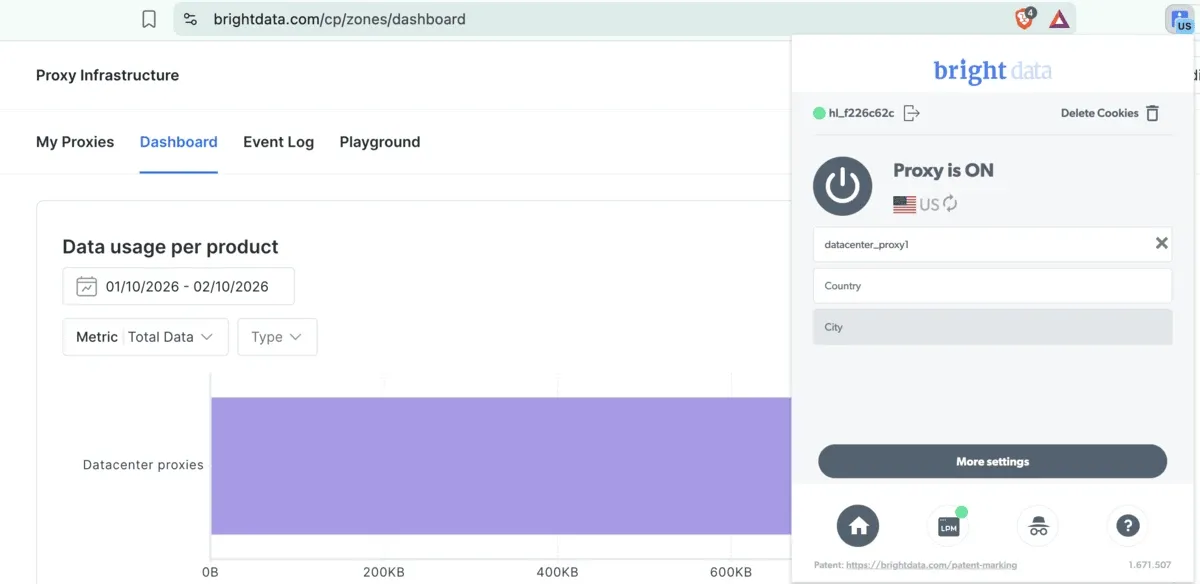
Bright Data offers proxy browser extensions for Chrome and Firefox. We installed it in the Chrome browser to get a feel for the extension. Once you have enabled it, you can send concurrent URL requests through multiple IPs directly from your browser.
The extension also lets you have multiple sessions through multiple browser profiles, as each browser profile has its own separate proxy settings.
You need a Bright Data account to use the extension. There is no free trial for proxies. So you’ll need to buy proxies even to test the extension. You should also note that Bright Data doesn’t allow you to use proxies from other vendors in its extension.
Bright Data proxy extension key features
- Rotates your IP address without any hassle with a single click for quick setup.
- Bypasses location restrictions with a wide network of proxies.
- Lets you customize DNS configuration to maximize speed or discretion.
- Allows you to customize session length configuration.
- Supports various proxy types, including datacenter, static residential, residential, and mobile.
As Bright Data doesn’t let you use proxies from other vendors, the browser extension is suitable for you only if you’re heavily invested in Bright Data infrastructure.
If you want a tool for bring-your-own-proxy management, going with Decodo, ZeroOmega, or FoxyProxy makes more sense.
6. BP Proxy Switcher
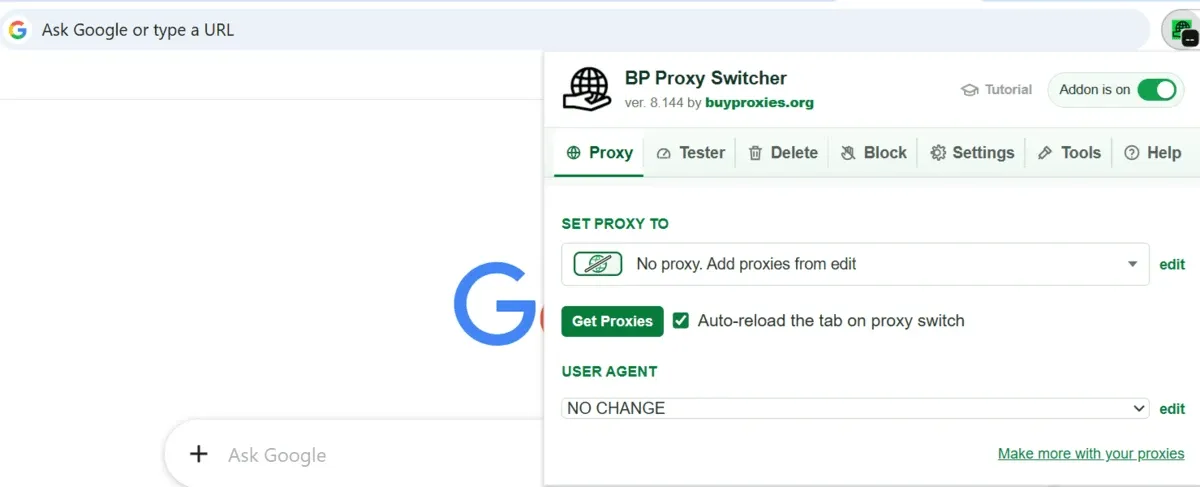
BP Proxy Switcher is one of the most powerful browser proxy extensions. It lets you do most of the proxy management using a browser pop-up window. You don’t need to have an account to use this extension. You can add HTTP, HTTPS, and SOCKS5 proxies.
Since the extension doesn’t offer an option to buy proxies, you'll need to buy them from the official website or use your own proxies. You have to add your proxy list once. Then, you can pick any proxy from the searchable dropdown to make it an active proxy.
Because the proxy selector shows labels, country names, country flags, IP addresses, and health status, you can easily scan and find a proxy in your list.
BP Proxy Switcher key features
- Lets you add and switch between various proxy types from the extension pop-up.
- Tests proxy quality and shows proxy country flags.
- Rotates proxies to move through your proxy list automatically.
- Deletes cookies and cache data automatically.
- Provides you with an option to keep proxy settings locally or sync with your browser account.
In our research and testing, we liked BP Proxy Switcher for offering access to various tools to assess the health of your proxies, such as ProxyTester, Region Speed Test, and Blacklist Checker.
Which proxy extension should you use: provider-built or standalone?
If you already use one provider’s proxies, the provider extension is the natural choice. But if you don’t want to be tied to one vendor for proxies, a standalone proxy manager is the way to go.
That said, some provider extensions, like Decodo and Oxy Proxy, also accept proxies from other vendors.
If you go with the standalone proxy extension, you’ll need a proxy provider. The best part? Byteful offers 1GB of free residential data after a quick KYC and no credit card. This way, you can test your shortlisted proxy extensions and see which best suits your needs.
If you like our proxies, check out our ethically sourced datacenter, residential, and mobile proxies from 195+ countries. We offer both sticky and rotating proxies, with prices starting (monthly) as low as $2.5 per datacenter IP and $3.25 for 1GB of residential data. Unlock exclusive bundle discounts as you buy more.