

Refreshing a Best Buy product page to catch a price drop doesn't work. Prices change without notice, and any drop between your checks goes unseen. A price-tracking tool might help with this, but with so many options on the market, choosing the right one for your needs can be challenging.
You’ll want tools that would fit your budget, specific use cases, and capacity. This guide walks you through the Best Buy price tracker tools that might be worth considering.
We’ll discuss what each tool is good at and where each one falls short. Also, you’ll know an alternative route in case you want to create a price tracker script by yourself with the help of a proxy.
What makes a good Best Buy price tracker
Best Buy prices move fast in both directions. An item can drop for a flash sale and be back at full price before you check again.
And if the price falls after you order, Best Buy will match the lower price during your return and exchange window, so a drop you catch post-purchase is money back in your pocket. But only if you catch it.
A good tracker has to handle both jobs. Most tools promise roughly the same thing and differ mainly in pricing and features, so which one is good depends on what you need. The criteria usually come down to these:
- Price history data: A "sale" only means something if you can see what the item actually cost last month.
- Custom drop/target alerts: You should be able to say "tell me when this hits $499," not just "tell me when anything changes."
- Alert speed & check frequency: A daily check is fine for a fridge. It's too slow for a flash sale.
- Reliable Best Buy coverage: Plenty of trackers list Best Buy but break the moment the site's layout changes. We only included tools with working Best Buy support right now.
- Multi-retailer coverage: A lower price at Walmart or Amazon is exactly the evidence you need for a Best Buy price match request, so a tracker that watches more than one store is doing two jobs at once.
- Free tier and pricing: Most of these tools have a free plan, but "free" can mean one tracked item or six. Check the cap before you commit, and check what the first paid tier actually buys you, usually more items and faster checks.
What are the best Best Buy price tracker tools?
Before we dive into each tool, here's a quick look at how they stack up across the criteria above.
| Tool | Type | Price history | Custom alerts | Multi-retailer | Free tier | Best for |
|---|---|---|---|---|---|---|
| PriceLasso | Extension (Chrome, Firefox, Edge, Safari) | ✅ | ✅ | ✅ 250+ stores | ✅ Fully free | Free history and email alerts |
| Visualping | Web | ❌ | ✅ | ✅ Any URL | ✅ 5 pages | Screenshot alerts on any URL |
| pricetracker.wtf | Web + extension | ✅ | ✅ | ✅ | ✅ Free | Searching a product database |
| BuyHatke | Extension + app | ✅ 3 months | ✅ | ✅ | ✅ Free | Mobile and cross-store comparison |
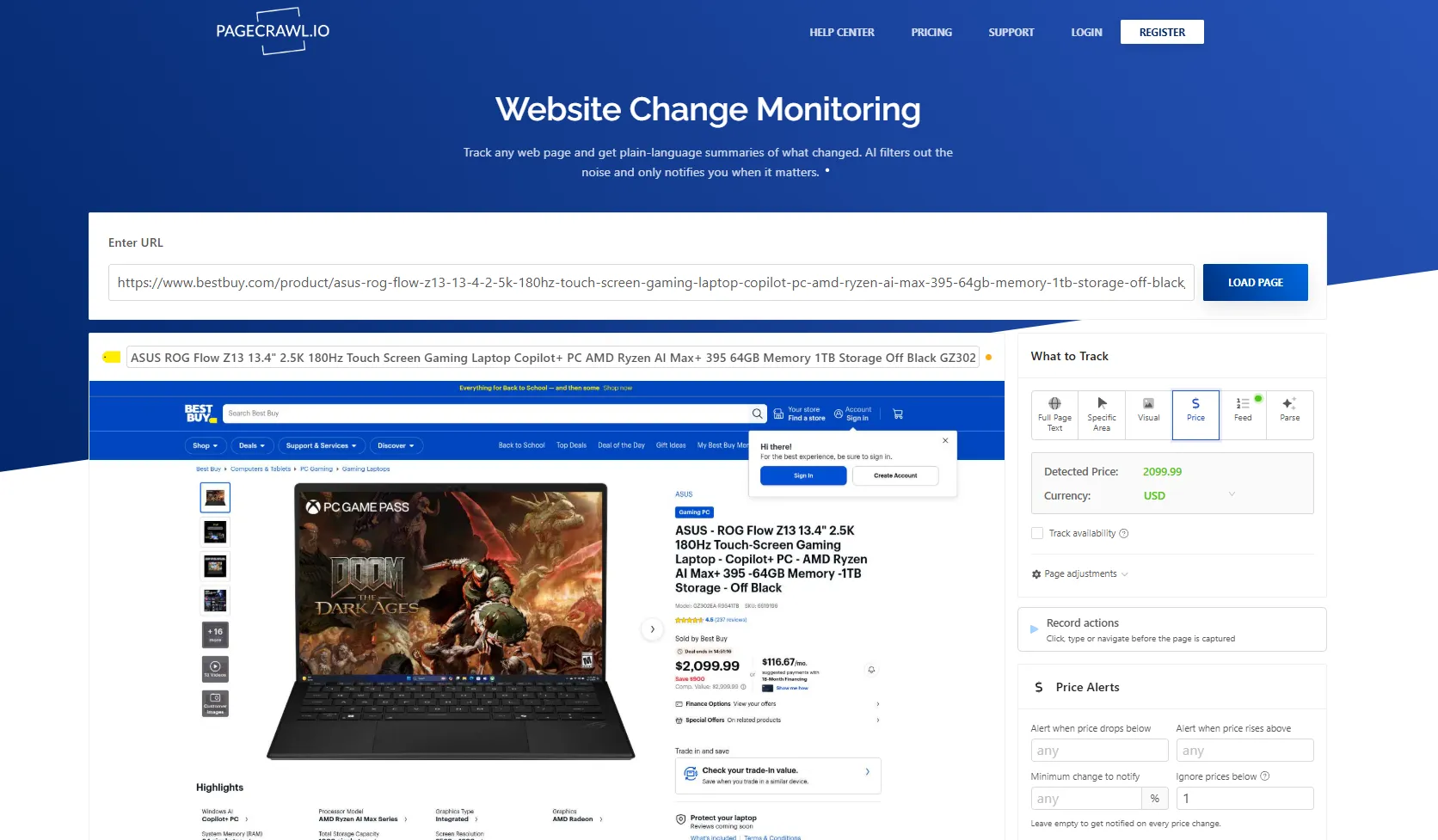
| PageCrawl.io | Web | ✅ From date added | ✅ | ✅ Any URL | ✅ 6 pages, hourly checks | AI-scored change summaries |
| AnyTracker | iOS / Android app | ✅ From date added | ✅ | ✅ Any URL | ✅ Free with paid tiers | App-first users |
1. PriceLasso: Best free tracker with price history and email alerts.
PriceLasso is a free browser extension built around tracking prices across 250+ stores, including Best Buy. It runs on Chrome, Firefox, and Edge, and there’s a Safari version on the App Store as well that works on iPhone and iPad, so you can set alerts from your phone and your desktop.
This tool can often be a good option for anyone who wants to get started tracking price drops on Best Buy without much setup.
Once you’ve signed up, you’ll just need to open a product page from Best Buy, add the price alerts, and get automatically notified via email 24/7 once the product price drops. Best Buy is one of the stores it charts price history for, so you can check an item's trend before you commit.
PriceLasso also has a mobile app available for iOS devices on the Apple App Store, functioning as a Safari extension for tracking prices. The only downside is that many of its features (e.g., wishlist importing) are built around Amazon rather than Best Buy.
Price: Free.
2. Visualping: Best for tracking Best Buy products with screenshot alerts.
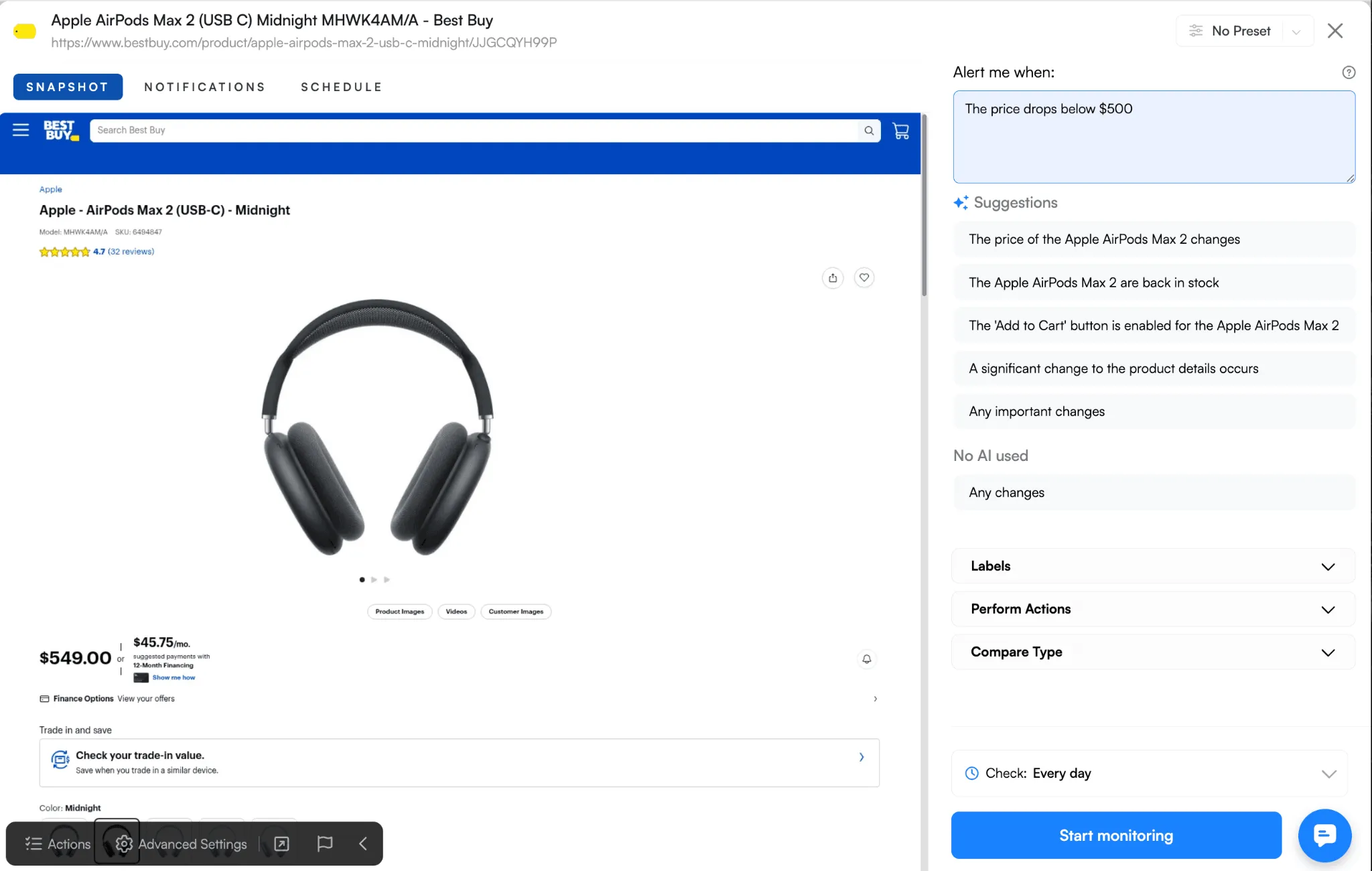
Visualping offers a different approach. Rather than reading a price from a product feed, it watches the page itself. And as a result, its alerts arrive with a screenshot showing what exactly changed.
In practice, you paste a Best Buy product URL you want to monitor to VisualPing, select the price area on the page (drag to highlight just that section) or set an alert criteria with AI ("Alert me when this product's price drops below $100"), and then it will notify you of alerts with provided before and after screenshots of the changes through email.
With the screenshot, you’ll be able to spot different changes across the page URL you’re trying to monitor. Therefore, you’re not only tied to price drops, but this also lets you compare what actually changes on the whole page side by side.
The catch is that it has no price-history charts. You get change alerts, but without a graph of where the price has been. Second, Slack, Teams, and webhook routing often sit behind the Business tier, so the free and personal plans are email-only. It’s fine if you want alerts through email, but there’s no push notification to your phone unless you pay above personal plan pricing.
Price: Free to start, with paid plans for more frequent checks and more monitors.
3. Pricetracker.wtf: Best for searching products across a large database.
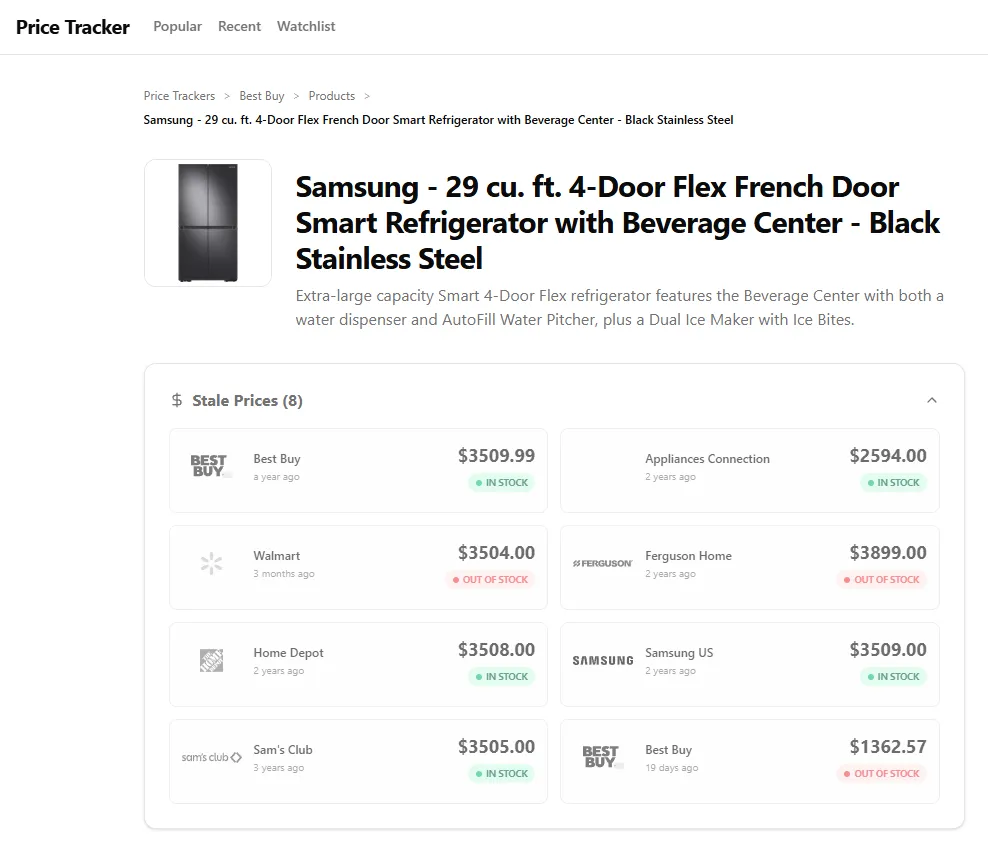
While the first thing you’ll notice is the domain, PriceTracker.wtf was also created to help you save costs when making a purchase. Its main use is simply to track price drops for Best Buy and other store products. Like PriceLasso, it has a Chrome browser extension you can use, and it also includes price history charts.
On top of that, the process usually works quite the same way. You paste a product URL from Best Buy (or from any other stores like Amazon, Walmart, etc) and then it allows you to figure out the best time to make a purchase.
You can also search its existing database instead of hunting down the URL yourself, which is handy when you're comparing a few models at once.
But like any other tool, there's a downside. It's a smaller operation than the big names here, so expect a simpler interface and fewer bells and whistles.
Price: free to use.
4. BuyHatke: Best for mobile-plus-extension users who want cross-store comparison.
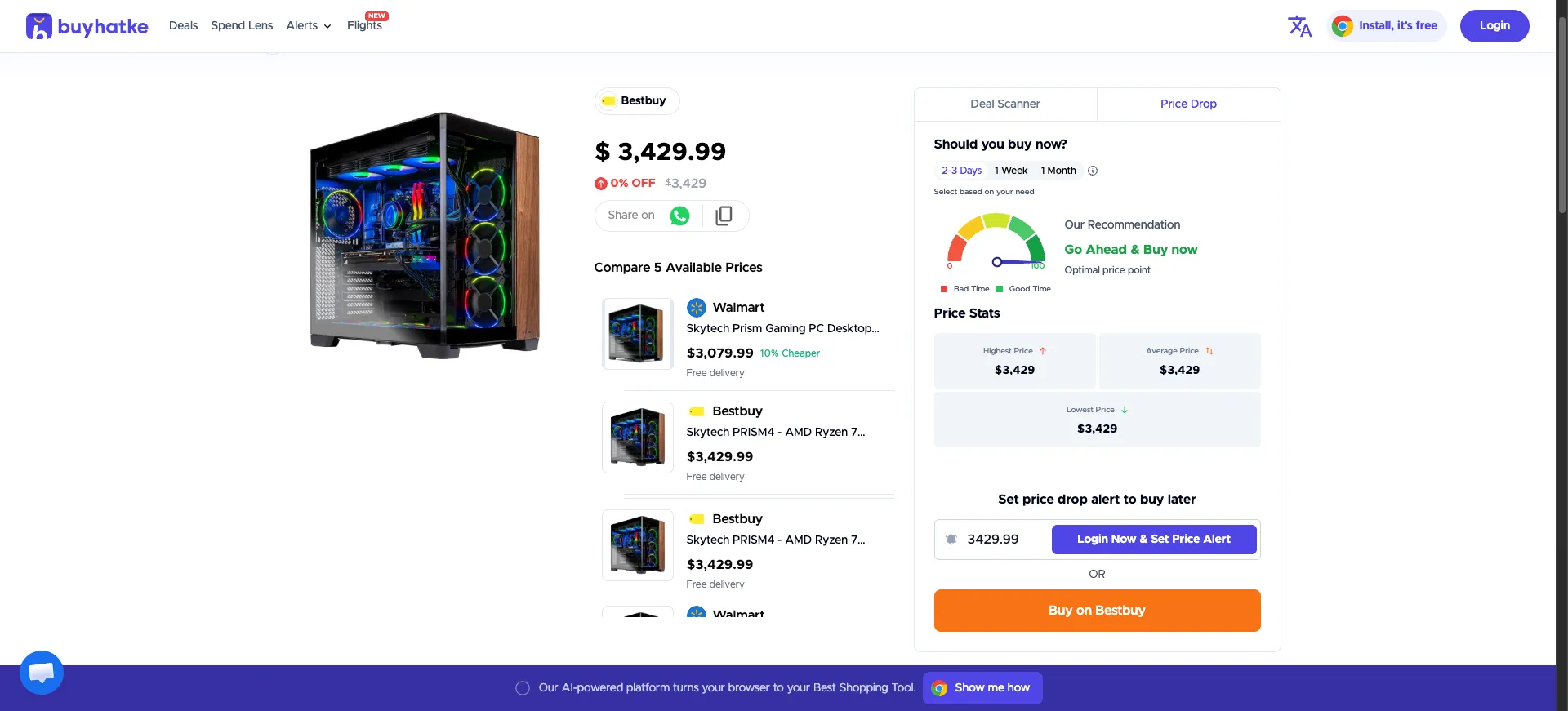
BuyHatke combines a Chrome extension and a mobile app. On a supported product page, it shows a price-history graph covering the last three months, lets you set a target-price watch, and compares the same item across stores. It maintains price-history pages for Best Buy US products, so you can look up an item's trend before you commit.
However, BuyHatke is an India-first company, and its deepest coverage is on Amazon India and Flipkart. Its US Best Buy data works, but it's thinner than its home-market coverage, so double-check the chart matches the live price before you rely on it. Also, its auto-coupon feature works at checkout on US stores including Walmart, eBay, and Target (i.e., a US-relevant perk that softens the “India-first” caveat slightly.
Price: free.
5. PageCrawl.io: Best for flexible alert scheduling.
PageCrawl.io lets you track any web pages and returns you with plain-language summaries of the changes that happened. Alongside the price itself, you’ll be able to track as well other parts of the page (e.g., product title, description, stock status, etc).
Because it can give you more control over alerts, you’ll be able to get notified instantly. That helps you especially when you’re tracking multiple items, and you don’t want to receive separate emails.
When getting started, the setup is simple. You’ll paste a Best Buy product URL, then pick "Price" as the tracked element. After that, set how often you want PageCrawl to recheck the page. That’s the Check Frequency setting in the page editor. Once done, enter your email, and it AI-scores every change by importance and writes a short summary of what happened.
The only catch is that the free plan covers 6 pages, so it fits a short wishlist rather than a big one.
Price: free for up to 6 tracked pages; paid plans from $13.33/month (billed annually).
6. Price Tracker apps (iOS and Android): Best for app-first users who want alerts as push notifications.
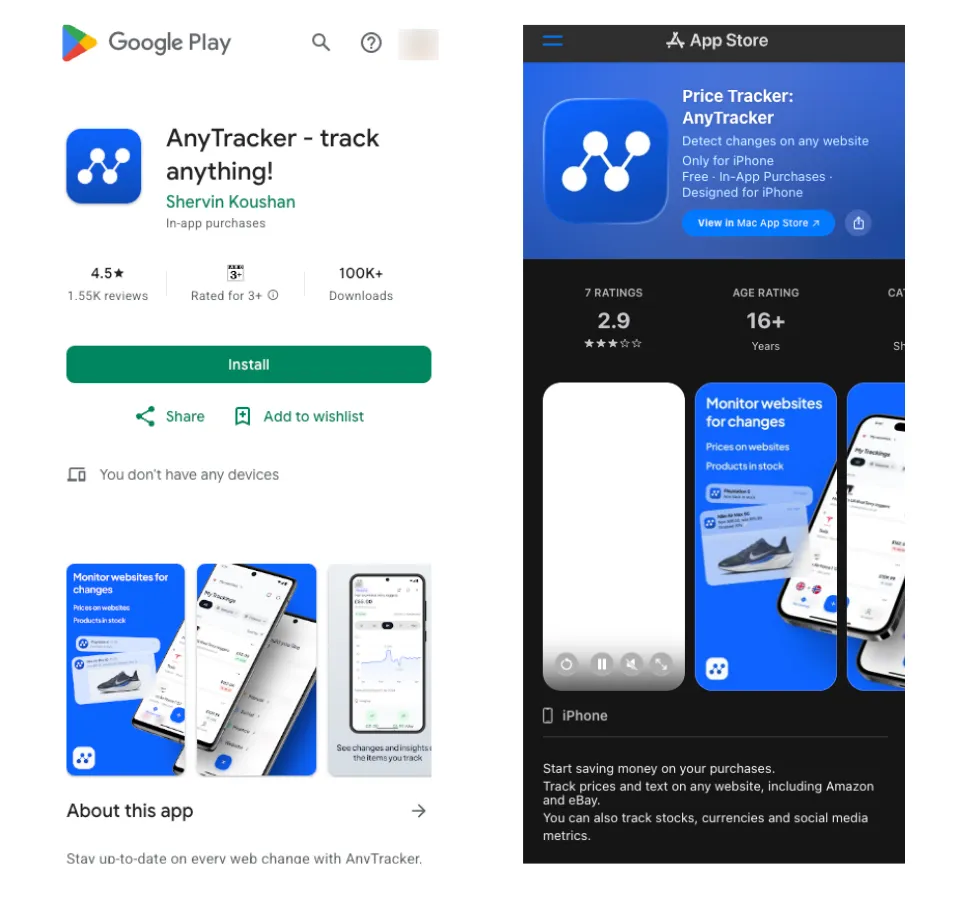
If you'd rather manage everything from your phone, there are apps for this as well. Any Tracker by Shervin Koushan is a good example, as it’s available on both Android and iOS stores.
It lets you monitor any web page for changes in text, numbers, or prices. You point it at a Best Buy product page, pick the value you want to watch, and it runs checks in the background and pushes you a notification when the price moves.
It can also check a page as often as once per minute, track stocks, currencies, and social media stats, and display any of them as a chart on your home screen.
One thing to keep in mind is that AnyTracker isn't affiliated with Best Buy, and it's a general web monitor rather than a dedicated price tracker, so treat it as a convenience layer.
Price: free to download on both platforms, with subscription tiers unlocking more tracked items and faster checks.
How to build a Best Buy price tracker?
The tools above can cover a huge wishlist. But if you need to track a lot of SKUs, check every few minutes, keep your own data, or feed prices into something else you're building, consumer trackers hit their ceiling fast. That's when it makes sense to run your own.
That route requires skills in web scraping and automation. You also need to consider many factors, like website blocks, geo-targeting, CAPTCHAs, IP reputation, and so on.
Hence, if you really want a price tracking tool, you can start by hiring an expert or developing it yourself if you're confident enough. There's also an open source script like PriceGhost that you can refer to or use as a starting point.
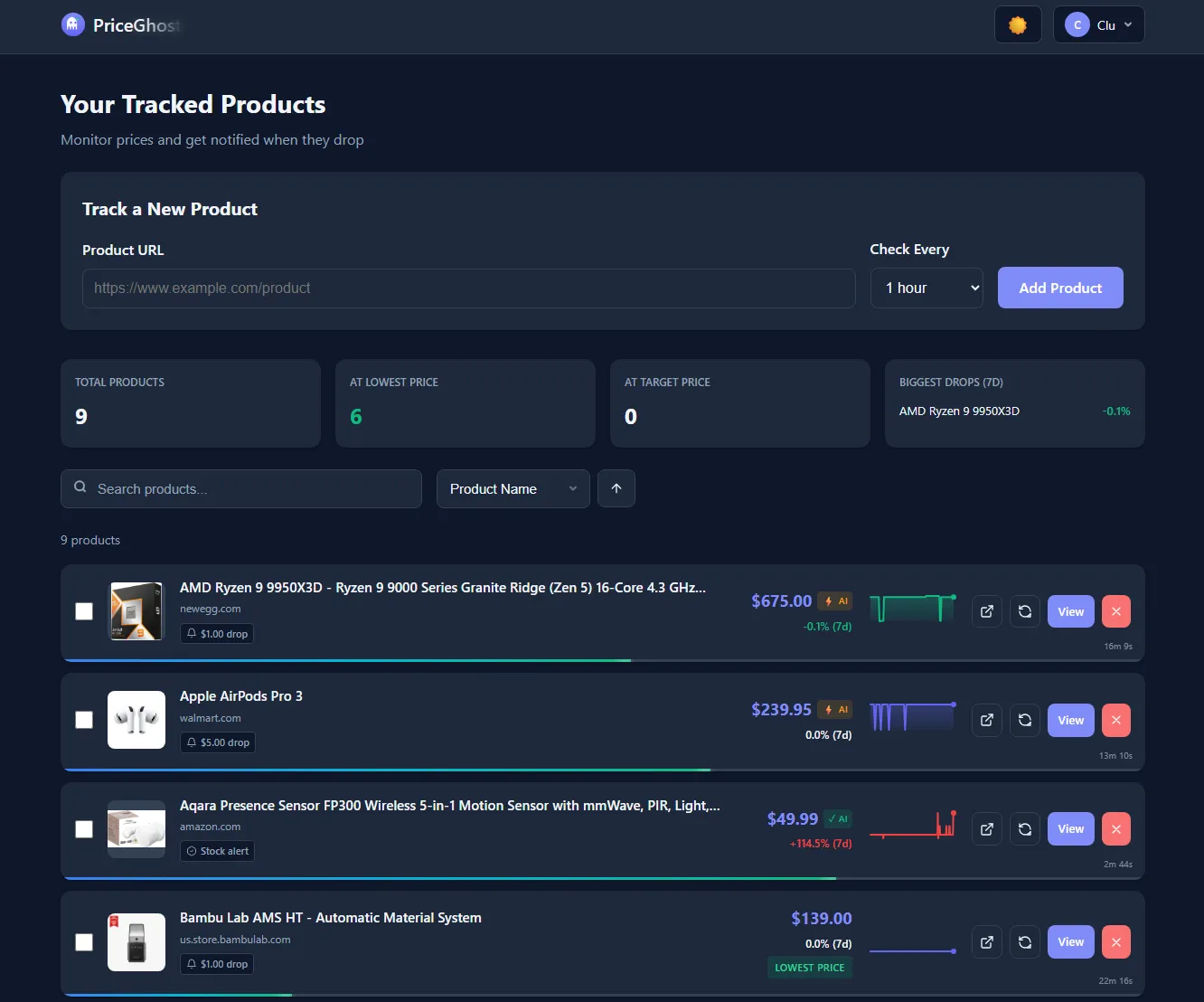
It’s a self-hosted price tracker on GitHub that already comes with a Best Buy scraper, price history charts, and drop alerts. You can run it with one Docker command and build on top of it from there.
Docker (Recommended)
# Clone the repository
git clone https://github.com/clucraft/PriceGhost.git
cd PriceGhost
docker-compose up -d
PriceGhost usually runs Best Buy pages through a stealth headless browser, staggers checks with a randomized 5-minute jitter, spaces requests 2 to 5 seconds apart, and falls back to AI extraction when a scraper comes up empty.
What it can't do is change where those requests come from. Everything runs from your server's single IP, and there's no proxy setting in its environment variables. If you track dozens of items every few minutes, that one address may often start collecting rate limits and CAPTCHAs.
That's where you’ll need a good proxy provider. Proxies act as an intermediary server that routes your request through a different IP that is not yours. Most of the time, these IPs come from residential devices (or home devices), so they appear like human traffic, making them harder to detect by websites with detectors.
What separates providers is how often those requests actually get through. In Proxyway's Proxy Market Research 2026, residential proxies were tested against Amazon, Google, and Instagram. The median success rate came in at 74.43%. And Byteful came out on top at 81.23%.
We offer residential, ISP, and datacenter proxies with geo-targeting, and Proxyway recently named us Newcomer of the Year. If you want to see if it fits your setup, you can start with 1 GB of residential bandwidth, no credit card, and it lasts until you actually use it.
