

You're looking for the cheapest proxy. But remember that the lowest price and the lowest cost aren't always the same thing.
Shared datacenter proxies, for instance, cost a fraction of what mobile proxies do. But if they can't fit your use case, that "cheap" option suddenly burns through your time and money.
In this article, we'll talk about what makes a proxy cheap, walk through the best low-cost options out there, and help you figure out which one fits your use case. That way, you save money without the headaches.
What makes a proxy cheap and what doesn't?
A proxy's price depends mainly on where its Internet Protocol (IP) address comes from and how scarce or trusted that IP address is. So if an IP address can be easily obtained and shared, you'll pay a lower price to buy it.
You should note that IP rotation also impacts the price. Shared pools that switch your IP on every request cost less than sticky sessions or static dedicated IPs the provider reserves for you alone. Protocol support adds another layer. Some providers charge extra for SOCKS5.
Of all these factors, origin of the IP moves the price the furthest.
Datacenter IP addresses come from cloud providers or hosting companies. As these IP addresses are easy to spin up in bulk, they're abundant. So they sell for less, costing roughly $0.50–$3 per GB on bandwidth plans, or as little as $0.03–$0.30 per IP per month on per-proxy plans.
On the other hand, mobile proxies route traffic through real mobile carrier connections. Traditionally, this meant SIM-equipped modems or phones in hardware farms. Modern networks also use remotely provisioned eSIMs and P2P networks in which end-user smartphones share their cellular connections.
Mobile IPs can't be spun up on demand like datacenter IPs because they only come from carrier-allocated IP ranges. And carriers use CGNAT (carrier-grade NAT) to share a relatively small pool of public IPv4 addresses across thousands of subscribers.
Providers are therefore limited by how many SIMs, devices, or P2P participants they can get onto carrier networks. Every gigabyte relayed consumes real mobile data. So, mobile proxies cost the most among all proxy types. They can typically cost around $2–$15 per GB.
In addition to the above, factors such as bandwidth usage, speed and uptime, and level of support offered also influence a proxy's price.
Now that you know how proxy pricing works, let's look at the different types of proxies and see where each one falls on the price scale.
The cheapest proxy types and what they cost
Let's explore each one and what you can expect to pay for it.
1. Shared datacenter
Shared datacenter proxies are the cheapest ones. They get their IPs from cloud servers and hosting companies. Multiple users share the same pool of IPs, and any individual address is usually split between a few users at a time. You pay a low price because so many people share the cost of the same IPs.
In fact, you can buy a shared datacenter IP for $0.50–$3 per GB, or roughly $0.03–$0.30 per IP per month for a basic shared plan. Before you buy one, understand that these IPs have the highest block rate. And part of the reason is how they're structured.
Datacenter IPs come in consecutive subnets. A subnet is a group of neighboring addresses (often 256 of them) that a website treats as a single source. How can this affect you?
When a site catches abuse from a single shared IP, it usually doesn't stop at that one address. It blocks the whole neighborhood. Due to one careless user on the subnet, the site bans everyone else at the same time.
Shared IPs suit targets with weak or no detection. So they’re ideal for high-volume scraping of lightly protected sites.
2. Dedicated/private datacenter
The only difference between shared and dedicated/private datacenter proxies is that the latter reserves each IP address for a single user.
You don't share your dedicated datacenter IP with anyone else. Because of this, no one else can burn it directly. Your IP is still a part of the provider’s subnet. So it can be a victim of a range-wide ban triggered by a neighboring IP.
You can use dedicated datacenter proxies for tasks requiring consistent performance and a clean usage history. These tasks include account management, long-lived SaaS dashboard logins, or scraping targets that are more likely to flag shared IPs.
Keep in mind that websites can tell a datacenter IP apart from a home-user IP. And strict sites often block datacenter IPs automatically, whether they have a clean history or not. So these proxies work best on sites that don't aggressively block proxies.
Since the provider doesn't sell your IP address to anyone else, you pay extra for it: typically $0.80–$2.50 per IP.
3. ISP / Static residential
Vendors host ISP or static residential proxies on datacenter servers. But the IP addresses are registered to real Internet Service Providers (ISPs). You get home-internet trust that lowers your block rate, plus server speed and stability for a steadier connection.
However, the trust only holds if a real consumer ISP like AT&T, Comcast, or Verizon registers the IP.
Some cheap providers lease IPs from small or commercial networks instead. When a website looks them up, they show as a hosting or business connection, not a home user. That defeats the exact trust you were paying for. A quick IP lookup on a site like ipinfo.io shows which kind you're getting. It’ll label a genuine residential IP as "ISP.” And a fake one will show up as "hosting" or "business.”
For static residential proxies, you’ll have to pay on a per-IP, per-month basis. Prices usually fall somewhere between $0.25 and $6 per IP. They're worth the cost if you need reliability, for example, long search or ad-checking sessions, or logging in often to scrape sites.
4. Residential proxies
With residential proxies, your traffic goes through real consumer devices on home ISPs. So you get an IP tied to a real person's home connection, which makes your requests look like they come from a genuine everyday user.
One thing to understand before buying: residential proxies usually come in two session types: rotating or sticky. Rotating swaps your IP on every request. But with the sticky ones, you hold the same IP for a set window before it changes.
Sticky sessions matter for tasks like logins or checkout flows, where changing your IP mid-session would break them.
Rotating proxies, on the other hand, work well for web scrapers. This is because spreading requests across many IPs makes it harder for anti-scraping systems to detect and block unusual activity from a single address.
If you're doing e-commerce price and assortment intelligence, travel fare and ticket aggregation, or local SEO tracking across regions, residential proxies are usually the better fit.
You pay for residential proxies per GB of traffic rather than per IP. The prices typically range from $1 to $8 per GB.
Note: Mobile proxies offer the ultimate trust by routing traffic through real mobile carrier connections: physical SIMs, eSIMs, or peer devices. They are the most expensive option and usually overkill for budget-conscious projects.
Their unique infrastructure reduces website blocks, but limited SIM supplies and high data costs push prices to a steep $2–$15 per GB. If you have to carry out standard scraping tasks, sticking to cheaper datacenter or residential options is much more cost-effective.
Cheap vs free proxies: Which should you use?
It's tempting to try free proxies. But you should avoid doing that except for throwaway tasks, such as a quick geo-location check or viewing a lightly geo-blocked site.
It costs money to run a proxy network with real bandwidth. If you aren't paying for proxies in cash, as with free proxies, you're paying with your data. Most free proxy lists are unreliable. Since they don't cost anything, free proxies are already overloaded and often banned.
Free proxies frequently run on compromised or insecurely configured devices operated by unknown parties. A 30-month study of over 640,000 free proxies found that operators can eavesdrop on traffic and modify the content users receive.
So cheap-but-reputable proxies are the smarter middle ground. Spending a few dollars on a shared datacenter plan or an entry-level residential package costs barely more than free. Yet it puts your traffic through a legitimate provider with a stable IP pool, reliable uptime, and a published no-logging policy you can hold them to.
The truth is, those few dollars you save on a free proxy rarely stay saved. Downtime, blocks, or exposed data end up costing you far more. Paying a little upfront is usually the smarter, cheaper route. If you absolutely must, check out the most commonly used free proxy server lists, but use them only for throwaway tasks
But how much should you actually pay? Let's find out in the next section.
What are the cheapest proxy providers in 2026?
We have created the following table for a quick comparison of cheap proxies.
Each provider here wins on price for a specific use case. So whatever "cheap" means for your workload, one of these five delivers it.
Note: We verified these prices at the time of publication, but providers may change their rates. Check each provider's website for current pricing.
| Provider | Datacenter entry | ISP | Residential entry | Free trial | Best for |
|---|---|---|---|---|---|
| Webshare | $0.0299/proxy | $0.30/proxy/month for 20 proxies | $3.50/GB (rotating) | 10 datacenter proxies (1 GB limit) | Budget datacenter proxies |
| DataImpulse | $0.50/GB | N/A | $1/GB (standard pool) | No | Pay-as-you-go, non-expiring traffic |
| Byteful | $2.50/IP/month | $3.50/proxy/month | $3.25/GB (drops to $1.75/GB at volume) | 1 GB free residential data | Full-stack coverage with SmartPath AI routing |
| IPRoyal | $1.57/proxy (unlimited bandwidth) | $2.70/proxy/month | $7/GB at 1 GB | Yes, you need to reach out to customer support | Short-duration mobile proxies for one-off events |
| ProxyEmpire | $2/GB (1 GB) | $3.50/proxy/month | $3.50/GB | No, $1.97 paid trial (residential and mobile) | Low entry points with single-GB and single-IP purchases |
| Geonode | $0.48/GB | $1.25/proxy/month | $7.92/month for 10 GB | No | Low residential proxy rate for high-volume users |
Let's review each provider one by one.
1. Webshare: Budget Datacenter Proxies
Webshare makes available very affordable datacenter and residential proxies. You can get started with 10 free datacenter proxies, with 1 GB of bandwidth per month to see if they'll do the job for you.
The paid plan for datacenter proxies kicks in at $0.0299 (cheapest) a month per proxy, but you have to buy a pack of 100.
On top of that, they offer a discount program that knocks off 5% to 40% depending on how many proxies you order. And if you're a regular customer and you're happy to pay upfront for a year, they'll offer an extra 30% off.
Residential static proxies are available for $0.30/proxy, with a minimum order of 20 - that's $6 in total. Rotating residential proxies meanwhile cost $3.50 per GB per month, with no minimum order quantity.
According to consolidated feedback on G2 and Trustpilot, one of the big drawbacks is that users keep complaining about the limited options for targeting specific locations - that's a major pain if you need to get really specific with your location targeting.
Some customers also mentioned that speeds can be pretty slow, which is a problem if you're using these proxies for any high-performance applications, although on the bright side, the service seems to be pretty reliable overall.
2. DataImpulse: Pay As You Go Pricing
DataImpulse excels in pay-as-you-go pricing. Your purchased traffic doesn't expire, so you don't have to worry about your monthly use-it-or-lose-it quota. Its datacenter proxies cost $0.50/GB (cheapest) and mobile $2/GB with a $5 minimum.
You get one of the lowest pay-as-you-go residential rates on the market: $1/GB with a $5 minimum and no expiration.
However, the catch is in the targeting. You only get country-level targeting in the published plans. If you want to target a state, city, ZIP, or Autonomous System Number (ASN), you'll have to pay an additional fee. Also, the $1/GB price is only for DataImpulse's standard residential pool.
DataImpulse's pay-as-you-go pricing across all proxies can be ideal for small business teams with spiky, unpredictable workloads.
Consolidated G2 reviews suggest that users most often want a larger IP pool from DataImpulse, as the current selection limits casual, everyday use. Several reviewers also describe the dashboard as complex and light on detailed statistics, which slows beginners down.
3. Byteful: Ethical Residential Proxies with Smart Cost Routing
Byteful earned the Newcomer of the Year award in Proxyway's latest market research following extensive independent testing.
Its datacenter proxies start at $2.50/IP/month. Each IP is dedicated to you, not shared. For residential bandwidth, you'll have to pay $3.25/GB for 10 GB, and a mobile proxy plan costs $4.25/GB for 10 GB.
But here’s where Byteful offers clever savings on residential data usage. The SmartPath AI feature is free on residential plans to automatically route easy, low-sensitivity requests through cheaper datacenter IPs. This stops you from wasting expensive bandwidth on basic pages, ensuring you only consume residential data when a target website actively requires residential trust.
On top of that, Byteful also offers a volume discount if you opt for 100 GB of bandwidth for residential or mobile proxies. And because multiple locations now fall under a single checkout, your combined order counts toward that threshold rather than being split across separate purchases, which offers better discounts and easier payments.
Also, it ships several free tools that can go hand in hand with your workflows, including a Proxy Tester, Proxy Formatter, and IPv6 checker.
Byteful is one of the few budget-friendly providers that publishes an ethical sourcing policy and runs Know Your Customer (KYC) for its users. This transparency matters for pool quality. IPs sourced with consent stay cleaner, which means fewer blocks and retries eating your bandwidth.
While Byteful doesn’t offer the lowest entry per-GB rates, the true savings come from SmartPath routing and clean-pool reliability.
4. IPRoyal: Short-duration Mobile Proxies for One-off Events
IPRoyal's datacenter proxies start at $1.57 (cheapest) a proxy in a 30-day plan and come with unlimited bandwidth.
Buying a residential proxy is going to cost you $7 for 1 GB. The price does get a lot cheaper if you buy a package deal like 50 GB of bandwidth.
So the big catch is you end up paying more than you would with providers like Byteful or DataImpulse if all you want is 1 GB of residential bandwidth.
The pay-by-the-day pricing model is probably only worth it for one-time things like testing an app or checking out an ad.
But for long-term needs like ongoing account management, paying by the day gets expensive fast.
The G2 reviews point out that overall most people like IPRoyal, but a lot of people do have a problem with the pricing - specifically when it comes to mobile proxies and dedicated IPs. The entry-level residential rate for just one GB a month is a lot higher than the cheapest rates around.
5. ProxyEmpire: Low Entry Points Across Every Proxy Type
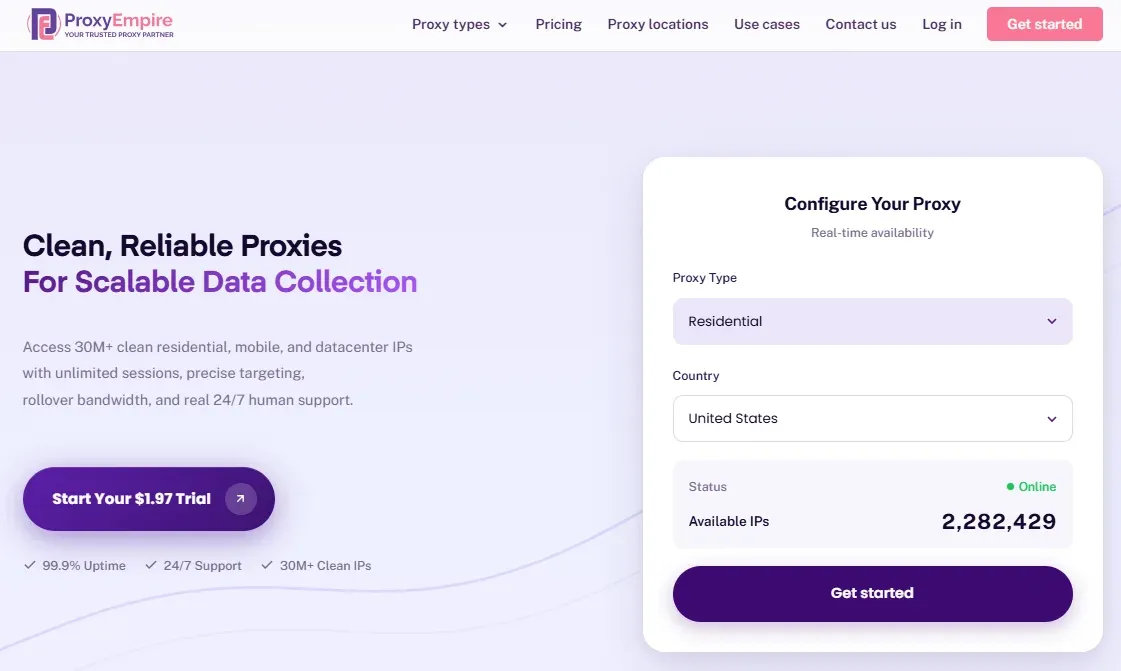
ProxyEmpire allows you to buy a single GB or a single static IP, with no packs of 100 to get stuck with.
Its rotating datacenter proxies cost $2 (cheapest) for 1 GB. If you need more, monthly plans kick in at $25 for 40 GB, and the rate drops to $0.35/GB on the 5,000 GB plan.
Static residential (ISP) proxies start at $3.50/proxy/month. They offer unlimited traffic; however, a 100 GB monthly soft cap applies per IP. Likewise, rotating residential proxies retail at $3.50/GB and rotating mobile proxies at $4.50/GB. The best part is that unused bandwidth rolls over to the next billing cycle on eligible plans. And there is also a $1.97 trial for these proxy types.
Please note that datacenter and ISP proxies only let you target by country, with no city, region, or ISP options. However, residential proxies come with country, region, city, ZIP, ISP, ASN, and OS fingerprint targeting.
According to consolidated feedback on G2 and Trustpilot, users were happy with the quick customer service and decent performance. A few Trustpilot reviewers, however, mention DNS and IP geolocation mismatches.
6. Geonode: Low Residential Proxy Rate for High-Volume Users
Geonode targets users who handle a large volume and care primarily about driving down the raw cost per gigabyte. Since the company operates its own IP networks, as it claims, you get wholesale pricing without middleman markups.
It follows both models: pay-as-you-go and monthly subscription. For a minimum of 10 GB of datacenter bandwidth, you have to pay $5.30. And the same data costs $4.77/month (cheapest) in the monthly subscription plan.
A 10 GB residential plan will cost $7.92 per month, and $8.80 in the pay-as-you-go plan. Unlike datacenter proxies and residential proxies, its ISP proxies are charged on a per-IP basis. Shared ISP proxies cost $5.25 for 3–4 IPs, while the same number of dedicated ISP proxies costs $10.50.
According to a user feedback summary on G2 and other review platforms, users generally have a solid experience with Geonode, with the few complaints centering on the dashboard.
A handful of reviewers mention that usage data occasionally fails to load, making it harder to monitor consumption.
Which cheap proxies are right for your use case?
We have created a quick table below to help you understand which proxy you need based on your workload.
| Use case category | Best-fit proxy type | Why |
|---|---|---|
| Web scraping & data collection | Residential / rotating residential | Mimics real users, avoids blocks on bot-protected sites |
| Ad verification & fraud prevention | Residential | Shows ads exactly as real users in specific locations see them |
| SEO & search monitoring | Datacenter (basic) / residential (geo-accurate, scale) | Datacenter is cheap for simple checks; residential handles location-specific accuracy |
| Social media management | Static residential / mobile | A consistent static residential IP avoids account-switching flags; mobile IPs are best for automation at scale |
| Market research & price intelligence | Residential | Retail/travel sites often block datacenter IPs aggressively |
| Accessing lightly protected geo-blocked sites | Datacenter | Cheap, fast, sufficient since these sites lack heavy bot detection |
| Brand protection & cybersecurity | Residential / mobile | Views content as a real regional user would while reducing blocks |
| Quality assurance & app testing | Mobile (mobile-specific) / residential (general) | Matches real network conditions for accurate testing |
| Account management | Static (dedicated) residential / mobile | Stable, trustworthy IP keeps sensitive accounts from being flagged |
You should always review and follow the terms of service and legal requirements that apply to your use case.
How to buy cheap proxies without overpaying
One thing you need to understand is that the cheapest plan on paper is rarely the cheapest in practice.
So you should start by matching the proxy to the target, not to the price.
A cheap datacenter proxy is a bargain on a weakly protected site. But it's a waste of money on Amazon, where it often gets blocked. The "expensive" residential IP that succeeds is the cheaper one.
Here are quick tips to avoid overpaying:
1. Always test before you commit
It's always better to check if a proxy can handle your real workload. As the best proxy providers often offer a free trial, testing shouldn't be an issue.
If there is no trial, look for a pay-as-you-go service to assess the quality of a proxy. When doing that, focus on success rate rather than speed.
A provider that succeeds on 80% of requests beats one that's cheaper per GB but fails half the time, because every failed request still burns bandwidth you paid for.
You can also assess a proxy's quality through its IP reputation. Talos Intelligence Center lets you check an IP reputation. If you want to check an IP’s fraud score, IPQS is the tool of choice.
With Byteful's Proxy Tester, you can validate proxies even before you work with them. The tester provides insights into your proxy’s IP address, geographical location, and operational status.
2. Read the fine print on targeting and pools
Some proxy vendors, like DataImpulse, charge an additional fee if you want to target a state or city. Though the headline rate looks cheap, the price will jump the moment you go for precise targeting.
So you need to check the effective pricing before you commit.
3. Check where IPs come from
Vendors who source proxies ethically tend to run cleaner pools, which means fewer blocks/retries will eat your bandwidth quota.
On the other hand, if your IPs are from a shady pool, you can lose them anytime.
In July 2026, the FBI took down hundreds of NetNut domains after researchers and Google linked the service to the Popa botnet of about two million compromised devices. Google's threat intelligence team noted that several well-known proxy brands were quietly white-labeling that same network.
So you should always look for ethically sourced private proxies and check the IP’s reputation before deployment.
